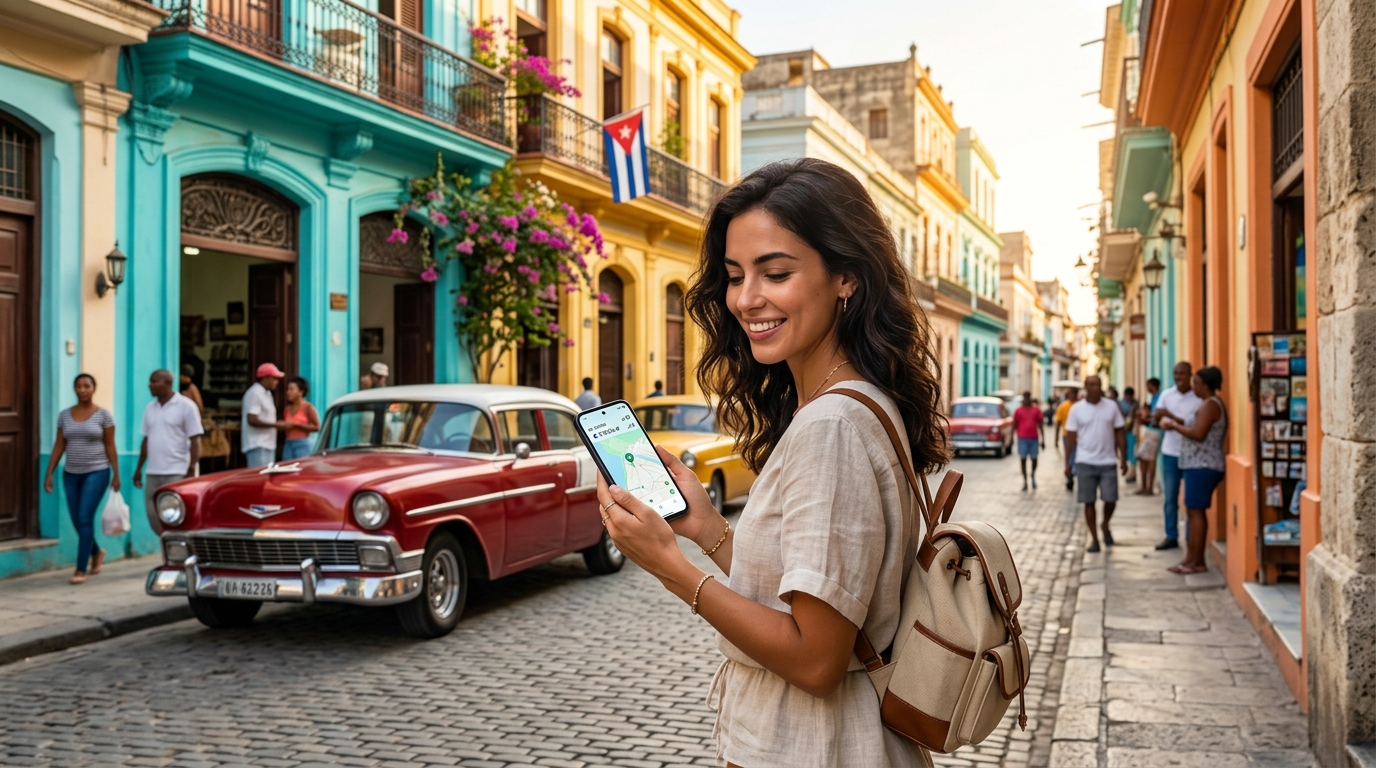
Stay Connected in Cuba: The Ultimate 2026 eSIM Guide for Travelers
The Unique Labyrinth of Internet Access in Cuba for Travelers
Imagine arriving in Cuba, eager to share your first impressions, only to find yourself plunged into a digital dark age. For decades, the quest for internet access has been a defining, often frustrating, aspect of the traveler's experience. Unlike most modern destinations, Cuba has presented a unique labyrinth of challenges, forcing visitors to adapt to a rhythm of communication shaped by historical isolation, state control, and limited resources.
ETECSA's Grip: Monopoly, Limited Infrastructure, and High Costs
At the heart of this labyrinth lies ETECSA (Empresa de Telecomunicaciones de Cuba S.A.), the state-owned telecommunications monopoly. As the sole gatekeeper, ETECSA has dictated infrastructure, pricing, and service availability. This monopoly, coupled with decades of economic challenges and international sanctions, severely hampered the development of a robust, modern internet infrastructure. The result? Limited bandwidth, notoriously slow speeds, and disproportionately high costs for both locals and tourists. While other nations embraced widespread mobile data, Cuba lagged significantly, making even basic tasks like checking emails a test of patience and budget.
The Nauta Card Ritual: Public Wi-Fi Hotspots and Their Pitfalls
The most common, albeit antiquated, method for tourists to get online has been through public Wi-Fi hotspots. Found in parks, town squares, and some hotels, these are accessed using Nauta scratch cards. The ritual is familiar: standing in line, sometimes for extended periods, to purchase a card with pre-paid internet time (typically 1 or 5 hours). Once acquired, finding a functioning hotspot, connecting, and carefully scratching off the code to log in becomes another mini-adventure. The experience is often fraught with frustration: unreliable connections, frequent disconnections, and speeds that crawl even by 2G standards. Imagine trying to load a simple map or send a photo, only for the connection to drop repeatedly. This system, while slowly being supplemented by mobile data, still defines the historical struggle.
Beyond Connectivity: Government Restrictions and Monitoring
Adding another layer of complexity are government restrictions, censorship, and monitoring. The internet in Cuba is not a free and open space. Certain websites and services may be inaccessible, and communication is subject to oversight. While tourists might not directly experience the full extent of these controls, the underlying infrastructure and policies contribute to overall limitations and a cautious approach to digital communication, making secure and private communication a significant concern.
The Modern Traveler's Dilemma: Why Traditional Methods Fail
In 2026, the traditional Cuban internet experience is simply untenable for the modern traveler. Instant communication, reliable navigation, and access to digital services are necessities. Relying on unreliable public Wi-Fi, enduring long queues, and battling glacial speeds makes even basic tasks like using Google Maps for navigation, accessing ride-sharing apps, or making contactless payments via Apple Pay incredibly difficult, if not impossible. Traditional methods fall far short of expectations, leaving travelers isolated and frustrated. This stark reality underscores the desperate need for a robust, private, and efficient connectivity solution. An eSIM, like those offered by MollySIM, directly addresses these pain points by providing a personal, secure, and always-on connection. With MollySIM's 384kbps Fair Use Policy speed limit, notably 3x faster than many competitors' 128kbps, travelers can finally experience a level of connectivity that enables essential modern applications to work smoothly, transforming the digital experience from a labyrinth into a straightforward path.
Why an eSIM is Your Connectivity Game-Changer for Cuba in 2026
🌐 Global Travel High-Speed Travel eSIM & SIM Plans
Instant QR code activation, hotspot enabled, with guaranteed 384kbps fallback speed to keep Maps & Digital Wallets active.
The landscape of global travel connectivity has been fundamentally reshaped by the advent of the eSIM, or embedded Subscriber Identity Module. Unlike its predecessor, the physical SIM card, an eSIM is a small, programmable chip permanently built directly into your smartphone, tablet, or smartwatch during manufacturing. This core technology eliminates the need for a physical card slot, allowing users to activate and switch between mobile network operators digitally, often in minutes, without ever touching a physical piece of plastic. It’s a leap forward in convenience and flexibility, transforming how we access mobile data and communicate globally.
The Technology Behind Seamless Connectivity
At its heart, an eSIM leverages remote provisioning technology. Instead of inserting a new chip, your device downloads a digital "profile" from a carrier, which contains all the necessary information to connect to their network. This process is typically initiated by scanning a QR code or entering a manual activation code provided by the eSIM provider. The implications are profound: instant activation, the ability to store multiple carrier profiles on a single device, and the freedom to switch between them with a few taps on your screen. This digital agility is precisely what makes an eSIM not just a convenience, but a revolutionary solution for challenging destinations like Cuba.
Bypassing Bureaucratic Hurdles in Cuba
For travelers heading to Cuba, the advantages of an eSIM extend far beyond mere convenience; they directly address the significant logistical and bureaucratic challenges associated with obtaining local connectivity. Traditionally, securing a local Cuban SIM card (from the state-owned ETECSA) is a multi-step process fraught with potential frustrations:
- Lengthy Queues: Expect significant wait times at ETECSA offices, which are often the only points of sale.
- Passport Requirements: You'll need to present your passport, and the process can be slow and meticulous.
- Limited Sales Points: ETECSA offices are not ubiquitous, often requiring specific trips out of your way.
- Language Barriers: Navigating the process can be difficult without proficiency in Spanish.
- Activation Delays: Even after purchase, activation might not be immediate.
An eSIM, particularly a data-only roaming solution like those offered by MollySIM, completely circumvents these hurdles. There are no queues, no passport checks at a physical store, and no language barriers to contend with. The entire process is digital, allowing you to focus on your travel experience rather than administrative tasks.
Seamless Pre-Trip Activation and Immediate Connectivity
One of the most compelling benefits of an eSIM for Cuba is the ability to activate your data plan before you even depart. Imagine landing in Havana, switching off airplane mode, and instantly having a reliable internet connection. This immediate connectivity upon arrival is invaluable for:
- Navigation: Instantly access Google Maps to find your way from the airport to your accommodation.
- Communication: Notify family or friends of your safe arrival, or contact your Airbnb host.
- Logistics: Confirm reservations, check public transport schedules, or look up local information.
- Emergency Access: Crucial for any unforeseen circumstances, providing a lifeline when needed most.
This pre-emptive connectivity eliminates the stress and uncertainty of being offline in an unfamiliar environment, ensuring a smoother and more secure start to your Cuban adventure.
Enhanced Reliability and Digital Freedom in a Controlled Environment
Beyond convenience, an international eSIM offers a potentially more stable and less restricted data pathway compared to local options. When you use an international eSIM like MollySIM, your device connects via global roaming partners. This means your data traffic is often routed through international networks, which can provide a sense of digital freedom and reliability in an environment known for its internet controls and limitations. While no solution can entirely bypass national internet policies, international roaming can sometimes offer a more consistent and less throttled experience for general data usage.
This is where MollySIM's superior performance truly stands out. With its 384kbps Fair Use Policy speed limit, MollySIM offers speeds that are notably 3x faster than many competitors' 128kbps. This significant speed advantage is not merely a number; it translates directly into a tangible improvement in your digital experience. Essential modern applications that struggled or were unusable on slower connections now function smoothly:
- Google Maps for Navigation: Faster loading of maps and real-time directions.
- Ride-Sharing Apps (where available): More responsive booking and tracking.
- Contactless Payments via Apple Pay/Google Pay: Quicker transaction processing.
- Messaging Apps (WhatsApp, Signal): Reliable sending and receiving of texts and media.
- Light Browsing and Email: Efficient access to information and communication.
In a destination where connectivity can be a significant concern, an eSIM from a reputable provider like MollySIM transforms your digital experience from a potential source of frustration into a reliable tool, empowering you with the connectivity you need to navigate, communicate, and enjoy your trip to Cuba to the fullest. It’s the ultimate game-changer for staying connected in 2026.
MollySIM: Unlocking Reliable Data & Sustained Connectivity in Cuba
Navigating Cuba's unique digital landscape requires a connectivity solution that is not only robust but also understands the nuances of international roaming and local infrastructure. MollySIM emerges as a premier choice for travelers seeking reliable data and sustained connectivity throughout their Cuban adventure. As a data-only eSIM, MollySIM streamlines your travel experience by providing seamless internet access without the need for physical SIM cards or complicated local registrations.
How MollySIM Operates in Cuba
MollySIM leverages extensive global roaming agreements to connect to available network partners within Cuba. This means that instead of relying on a single local carrier, your MollySIM eSIM intelligently connects to the strongest available signal, ensuring broader coverage and greater reliability across various regions. This approach bypasses the common hurdles associated with acquiring and activating local SIM cards, offering an immediate and hassle-free path to getting online upon arrival. Crucially, MollySIM focuses exclusively on data, allowing you to maintain your primary phone number for calls and texts while enjoying dedicated internet access.
Transparent Pricing and Flexible Data Packages
MollySIM offers a range of flexible data packages designed to suit different travel durations and data consumption needs. While specific pricing can vary, travelers can typically choose from various data allowances and validity periods, ensuring they only pay for what they need. This transparent pricing model, combined with the convenience of an eSIM, makes budgeting for connectivity straightforward and predictable.
| Data Package Example | Data Allowance | Validity Period | Ideal For |
|---|---|---|---|
| Starter Pack | 1 GB | 7 Days | Light users, short trips |
| Standard Traveler | 3 GB | 15 Days | Moderate use, longer stays |
| Power User | 5 GB | 30 Days | Heavy browsing, frequent updates |
Note: These are illustrative packages. Please check the official MollySIM website for current offerings and pricing.
The MollySIM Fair Usage Policy (FUP): Sustained 384kbps Connectivity
One of MollySIM's most significant advantages, particularly in a destination like Cuba, is its intelligent Fair Usage Policy (FUP). Unlike many providers that cut off data entirely or render connections unusable after high-speed data is consumed, MollySIM ensures you remain connected. Once your initial high-speed data allowance is exhausted, your data speeds are throttled to a consistent 384kbps.
This 384kbps Fair Use Policy speed limit is a game-changer. To put it into perspective, this speed is notably 3x faster than many competitors' 128kbps throttled speeds. This isn't just a technical specification; it translates directly into a genuinely functional and practical digital experience for travelers:
- Messaging Apps (WhatsApp, Signal, Telegram): You can reliably send and receive text messages, voice notes, and even small images without significant delays. Staying in touch with family and friends remains effortless.
- Email Communication: Checking and sending emails, including those with light attachments, functions smoothly, allowing you to manage essential communications.
- Navigation Apps (Google Maps, Apple Maps): While pre-downloading maps is always recommended, 384kbps is sufficient for real-time location tracking, loading directions, and searching for points of interest. This ensures you can navigate Cuba's cities and countryside with confidence.
- Light Web Browsing: Accessing travel blogs, checking opening hours for attractions, looking up restaurant reviews, or reading news articles is perfectly feasible. Pages load efficiently enough for essential information gathering.
- Maintaining a Stable VPN Connection: For travelers prioritizing privacy or needing to access geo-restricted content, 384kbps is robust enough to maintain a stable VPN connection, ensuring secure and consistent access to the internet.
- Contactless Payments (Apple Pay/Google Pay): Where accepted, transactions process quickly and reliably, enhancing convenience.
- Ride-Sharing Apps (where available): Booking and tracking services are responsive, making local transportation seamless.
This sustained, albeit throttled, connectivity is a profound advantage over local options that often become completely unusable or are entirely cut off once a data cap is hit. MollySIM transforms potential digital blackouts into a continuous, albeit slower, lifeline, empowering you to stay informed, communicate, and navigate Cuba's unique digital landscape more effectively. It’s the ultimate consistent connection for your journey.
Your Step-by-Step Guide to Activating & Optimizing MollySIM in Cuba
Ensuring seamless connectivity in Cuba requires a methodical approach, especially when leveraging the power of an eSIM. This comprehensive guide will walk you through every step, from purchasing your MollySIM plan to optimizing its performance on the ground, ensuring you stay connected with MollySIM's reliable 384kbps Fair Use Policy (FUP) speed, which is robust enough for navigation, messaging, and essential apps.
1. Purchase Your MollySIM Plan for Cuba
The journey begins with selecting the right plan and confirming device compatibility.
- Check Device Compatibility: Before anything else, visit mollysim.com and navigate to their compatibility checker. Not all phones support eSIM technology. Ensure your device (e.g., iPhone XS/XR or newer, Google Pixel 3 or newer, Samsung Galaxy S20 or newer) is listed. This is a critical first step to avoid any issues.
- Select Your Cuba Plan: MollySIM offers various data plans tailored to different travel durations and data needs. Consider your trip length and anticipated usage. While all MollySIM plans for Cuba include an initial allocation of high-speed data, the key benefit is the consistent 384kbps FUP speed that kicks in afterward. This speed is significantly faster than many competitors' 128kbps limits, making it perfectly functional for crucial tasks like using Google Maps, sending messages via WhatsApp, checking emails, and even processing Apple Pay/Google Pay transactions where accepted.
- Complete Purchase: Once you've selected your plan, proceed with the purchase on mollysim.com. You'll typically receive a confirmation email containing your eSIM QR code and activation instructions.
2. Installation (Pre-Arrival & Stable Wi-Fi Recommended)
Installing your eSIM before you depart for Cuba is highly recommended. This ensures you have a stable Wi-Fi connection for the download process, preventing potential frustrations upon arrival.
- Access Your eSIM QR Code: This will usually be in your purchase confirmation email or accessible via your MollySIM account portal.
- Installation on iOS Devices (iPhone):
- Go to Settings.
- Tap Cellular or Mobile Data.
- Tap Add eSIM.
- Choose Use QR Code.
- Scan the QR code provided by MollySIM. Follow the on-screen prompts to label your new eSIM (e.g., "MollySIM Cuba") and choose it as your primary line for data, but do not activate it for data yet.
- Installation on Android Devices:
- Go to Settings.
- Tap Network & Internet (or Connections on some Samsung devices).
- Tap SIMs (or SIM card manager).
- Tap Add eSIM (or Download a SIM instead?).
- Tap Scan QR code.
- Scan the QR code provided by MollySIM. Follow the on-screen prompts to label your new eSIM (e.g., "MollySIM Cuba").
- Important Note: The eSIM will install onto your device, but it will only become active and connect to a network once you arrive in Cuba and enable data roaming for that profile.
3. Configuration Upon Arrival in Cuba
Once you land in Cuba, you'll need to configure your device to use the MollySIM eSIM for data.
- Set MollySIM as Your Primary Data Line:
- iOS: Go to Settings > Cellular (or Mobile Data) > Cellular Data and select your MollySIM Cuba profile.
- Android: Go to Settings > Network & Internet > SIMs > Preferred SIM for Mobile Data and select your MollySIM Cuba profile.
- Enable Data Roaming for MollySIM: This is crucial for your eSIM to connect to local networks in Cuba.
- iOS: Go to Settings > Cellular (or Mobile Data), tap on your MollySIM Cuba profile, and toggle Data Roaming to ON.
- Android: Go to Settings > Network & Internet > SIMs, tap on your MollySIM Cuba profile, and toggle Roaming to ON.
- Check APN Settings (Usually Automatic): MollySIM typically configures APN settings automatically. However, if you experience connectivity issues, you might need to check them. You can find the correct APN settings on the MollySIM website or in your purchase confirmation.
- iOS: Settings > Cellular > MollySIM Cuba > Cellular Data Network.
- Android: Settings > Network & Internet > SIMs > MollySIM Cuba > Access Point Names (APN).
- Disable Data for Other SIMs: To prevent accidental roaming charges on your home SIM or any other physical SIM you might have, ensure their mobile data is turned off.
- iOS: Settings > Cellular (or Mobile Data) and ensure Cellular Data is toggled OFF for any other SIMs.
- Android: Settings > Network & Internet > SIMs, select your other SIM, and toggle Mobile data to OFF.
4. Troubleshooting Common Issues
Even with careful setup, you might encounter minor hiccups. Here’s how to resolve them:
- "No Service" or No Internet Connection:
- Restart Your Phone: Often, a simple restart can resolve connectivity issues by forcing your device to re-register with the network.
- Manually Select Network: Your MollySIM should automatically connect to a partner network (e.g., Cubacel). If not, try selecting it manually.
- iOS: Settings > Cellular > MollySIM Cuba > Network Selection > Toggle Automatic to OFF and select an available network (e.g., Cubacel).
- Android: Settings > Network & Internet > SIMs > MollySIM Cuba > Network operators > Toggle Choose automatically to OFF and select an available network.
- Confirm Data Roaming: Double-check that Data Roaming is enabled for your MollySIM profile (as per step 3).
- Check for Conflicting SIMs: Ensure only your MollySIM is active for data and other SIMs are disabled.
- Slow Speeds (Beyond 384kbps FUP):
- Remember that after your initial high-speed data is consumed, MollySIM's Fair Use Policy (FUP) limits speeds to a consistent 384kbps. This is not a "problem" but an intended feature, designed to provide continuous, usable connectivity. This speed is still highly effective for Google Maps, WhatsApp, email, and light web browsing, offering a significant advantage over competitors who often drop to 128kbps or cut off service entirely.
- If speeds are below 384kbps, try restarting your device or manually selecting a different available network.
- Contact MollySIM Support: If issues persist, reach out to MollySIM customer support via their website or app. They can verify your plan status and offer specific troubleshooting steps.
5. Data Management & Connectivity Testing
Effective data management ensures you make the most of your MollySIM plan.
- Monitor Data Usage:
- The most accurate way to track your remaining data is through the MollySIM app or your MollySIM account portal on their website. This will show your high-speed data balance and indicate when the 384kbps FUP speed limit will apply.
- Your phone's built-in data usage monitor (Settings > Cellular/Mobile Data on iOS; Settings > Network & Internet > SIMs > App data usage on Android) can also provide an estimate, but the MollySIM portal is definitive.
- Understand the 384kbps FUP: Be aware that once your initial high-speed data is used, your speed will transition to 384kbps. This isn't a downgrade but a sustained connection designed for essential travel needs. This speed is robust enough for real-time navigation, instant messaging, checking social media, and even streaming low-quality audio. It's a profound advantage over being completely cut off.
- Test Connectivity Upon Arrival: As soon as you've configured your eSIM in Cuba, perform a quick test. Send a WhatsApp message, open Google Maps to check your location, or load a simple webpage. This confirms your connection is active and ready for use.
- Top-Up If Needed: If you find yourself needing more high-speed data, you can easily purchase a top-up plan directly through the MollySIM app or website, extending your high-speed allowance before reverting to the reliable 384kbps FUP.
Navigating Cuba's Digital Landscape: Data Saving & VPN Strategies
Once your MollySIM eSIM is active and providing reliable connectivity, optimizing your data usage and understanding the local digital environment becomes key to a seamless travel experience. While MollySIM's generous 384kbps Fair Use Policy (FUP) speed ensures you're never truly disconnected – a speed 3x faster than competitors' 128kbps, robust enough for Google Maps and Apple Pay – smart data management can extend your high-speed allowance and enhance overall efficiency.
### Smart Data Saving Strategies
Conserving your high-speed data allowance allows you to use it for critical tasks, while MollySIM's FUP speed handles the rest.
- Download Maps Offline: Before you even leave your accommodation with Wi-Fi, or while on MollySIM's high-speed data, download offline maps for Cuba using apps like Google Maps or Maps.me. This allows for navigation without consuming live data, though MollySIM's 384kbps FUP is perfectly capable of real-time GPS tracking and route recalculations if needed.
- Pre-download Entertainment: Long bus rides or quiet evenings are perfect for catching up on entertainment. Download movies, TV shows, music, and podcasts onto your device before your trip or during periods of high-speed data access. Streaming consumes significant data, so having content offline is a major saver.
- Limit Background App Refresh: Many apps constantly refresh in the background, consuming data and battery. Go into your phone's settings (iOS: Settings > General > Background App Refresh; Android: Settings > Network & Internet > Data Saver or individual app settings) and disable this feature for non-essential applications.
- Disable Auto-Updates: Prevent apps and your phone's operating system from automatically downloading updates over cellular data. Configure updates to occur only when connected to Wi-Fi.
- Utilize Browser Data Saver Modes: Web browsers like Chrome and Safari offer data saver modes that compress web pages before they reach your device, significantly reducing data consumption. Enable this feature in your browser settings.
- Opt for Text-Based Communication: While MollySIM's 384kbps FUP supports voice notes and even low-quality video calls on WhatsApp, prioritizing text messages over multimedia-rich communication or high-definition video calls will extend your high-speed data.
### Essential Apps for Your Cuban Journey
A few key applications will prove invaluable during your travels, all of which are well-supported by MollySIM's reliable connection.
- Communication: WhatsApp is the undisputed king for communication in Cuba. It's used by locals and travelers alike for messaging, voice notes, and even calls. MollySIM's 384kbps FUP speed ensures WhatsApp remains fully functional for text and voice notes, and even allows for basic voice calls, keeping you connected with ease.
- Navigation: While offline maps are crucial, Google Maps (with downloaded offline areas) and Maps.me are indispensable. MollySIM's 384kbps FUP speed allows for real-time GPS tracking and route adjustments, ensuring you can navigate Havana's charming streets or find your way to a secluded beach without interruption.
- Translation: Google Translate with offline language packs (Spanish) is a lifesaver for bridging language barriers.
- Currency Conversion: Apps like XE Currency allow you to quickly convert Cuban pesos (CUP) to your home currency, even offline.
- Offline Guides: Download travel guides from Lonely Planet, Fodor's, or other publishers to access information about attractions, restaurants, and local customs without needing an active data connection.
- Ride-hailing: While not as prevalent as in other countries, local ride-hailing apps like La Nave might be available in larger cities. MollySIM's connectivity ensures you can request a ride when available.
### The Indispensable Role of a VPN in Cuba
For a truly unrestricted and secure digital experience in Cuba, a Virtual Private Network (VPN) is highly recommended. A VPN encrypts your internet connection and routes it through a server in another country, effectively masking your location and enhancing your online privacy.
- Why Use a VPN in Cuba?
- Circumvent Geo-restrictions: Access streaming services, news websites, and social media platforms that might be restricted or censored based on your perceived location.
- Enhance Privacy and Security: Protect your data from potential surveillance, especially when connecting to public Wi-Fi networks (though MollySIM's direct connection is inherently more secure). This is critical for sensitive activities like online banking.
- Access Blocked Websites/Services: Some international websites or apps may be inaccessible from Cuba without a VPN.
- "Normal" Internet Experience: A VPN can unlock a more familiar and open internet experience, making it feel less restrictive despite local limitations.
- MollySIM's Data and VPNs: A common concern is whether a VPN will work effectively on slower speeds. This is where MollySIM's superior 384kbps FUP speed truly shines. Unlike competitors' 128kbps, which would struggle to maintain a stable and usable VPN connection, MollySIM's 384kbps is sufficient to maintain a stable VPN tunnel for essential tasks such as secure browsing, messaging, email, and even light social media. This means you can keep your VPN active for security and access without severely compromising the functionality of critical apps like Google Maps or Apple Pay.
- Choosing and Setting Up Your VPN:
- Reputable Providers: Opt for well-known, trusted VPN providers such as ExpressVPN, NordVPN, Surfshark, or ProtonVPN. Look for services with a strict no-logs policy, strong encryption, and a wide selection of servers, particularly in countries with open internet access (e.g., USA, Canada, Mexico).
- Set Up BEFORE Arrival: This is crucial. Download and configure your chosen VPN app on all your devices before you arrive in Cuba. Access to VPN provider websites or app stores might be restricted once you are in the country, making installation impossible.
- How to Use: Once in Cuba and connected via your MollySIM eSIM, simply open your VPN app and connect to a server in a country that offers open internet access. This will immediately encrypt your traffic and route it through your chosen server, granting you enhanced privacy and access.
By combining MollySIM's robust connectivity with smart data saving habits and the security of a VPN, you'll be well-equipped to navigate Cuba's digital landscape with confidence and ease.
MollySIM eSIM vs. Local SIMs & Hotel Wi-Fi: A Head-to-Head Comparison
Navigating internet access in Cuba presents a unique set of challenges, making the choice of connectivity crucial for a smooth travel experience. While several options exist, they vary significantly in convenience, cost, reliability, and security. Below, we provide a comprehensive comparison to help you make an informed decision.
| Feature | MollySIM eSIM | ETECSA Local SIM (Tourist Card) | Hotel/Public Wi-Fi Hotspots (Nauta Cards) |
|---|---|---|---|
| Acquisition Ease | Purchase online, instant activation | Bureaucratic, in-person purchase, queues | Purchase scratch cards, often queues |
| Cost | Predictable, upfront international rates | Variable, often high for limited data | Per-hour/per-MB, can be expensive |
| Reliability | Generally good (roaming partner dependent) | Variable, network congestion common | Highly variable, often slow & unreliable |
| Speed | High-speed data + 384kbps FUP | Often throttled, inconsistent | Very slow, shared bandwidth |
| Privacy/Security | Enhanced (private roaming, VPN friendly) | Lower (local monitoring potential) | Low (public network, easy monitoring) |
| Setup Complexity | Easy QR scan | Physical SIM swap, registration | Manual login/logout, card management |
| Data Limits | Generous plans, sustained 384kbps FUP | Limited data bundles, no FUP | Time/data limited, expires quickly |
| Calls/SMS | Data-only (use VoIP apps) | Local calls/SMS possible (extra cost) | Data-only (use VoIP apps) |
| VPN Compatibility | Excellent (supports stable VPN connection) | Possible, but local network can interfere | Poor (slow speeds, unstable connection) |
| Best Use Case | Consistent data for travelers, privacy | Longer stays, local calls, budget-conscious | Emergency use, short bursts of connectivity |
Acquisition Ease
MollySIM eSIM stands out for its unparalleled convenience. Travelers can purchase an eSIM plan online from anywhere in the world, receiving a QR code for instant activation. There are no physical queues, no paperwork, and no need to find a local vendor upon arrival. In contrast, acquiring an ETECSA local SIM (Tourist Card) is a bureaucratic process. It requires an in-person visit to an ETECSA office or designated sales point, often involving long queues, presenting your passport, and completing registration forms. Similarly, accessing Hotel/Public Wi-Fi Hotspots typically means purchasing scratch cards, which can also involve waiting in lines at specific ETECSA outlets, hotels, or tourist centers.
Cost
With MollySIM eSIM, costs are transparent and predictable. You pay an upfront international rate for a defined data package, eliminating surprises. ETECSA local SIMs can be deceptively expensive for the limited data they offer, especially when considering the time and effort involved in acquisition. Data bundles are often small, and exceeding them can lead to high pay-as-you-go rates. Hotel/Public Wi-Fi is notorious for its exorbitant costs, often charged per hour or per megabyte, quickly draining your budget for even basic browsing.
Reliability and Speed
MollySIM eSIM generally offers good reliability, leveraging international roaming agreements with local Cuban networks. While speeds can vary, it provides a consistent connection, including its unique 384kbps Fair Use Policy (FUP) speed limit after high-speed data is consumed. This FUP speed is three times faster than many competitors' 128kbps, making it entirely usable for essential applications like Google Maps, Apple Pay, secure messaging, and email. ETECSA local SIMs can be highly variable in reliability, often suffering from network congestion, especially in urban areas, leading to inconsistent and frequently throttled speeds. Hotel/Public Wi-Fi is the least reliable option, with speeds that are often painfully slow due to shared bandwidth among many users, making even simple tasks frustrating.
Privacy and Security
MollySIM eSIM enhances your privacy and security by routing your data through a private roaming network, making it an excellent partner for VPN usage. This ensures your online activities are less susceptible to local monitoring. With an ETECSA local SIM, there's a higher potential for local network monitoring, as all traffic is routed through the state-controlled infrastructure. Hotel/Public Wi-Fi Hotspots are inherently insecure public networks, making your data vulnerable to interception and monitoring by anyone on the same network. Using a VPN is absolutely critical on these networks, but their poor speeds often make stable VPN connections difficult.
Setup Complexity
Setting up a MollySIM eSIM is incredibly straightforward: simply scan a QR code, and your device is connected. There's no need to remove your primary SIM card. An ETECSA local SIM requires physically swapping your SIM card, which can be inconvenient, especially for travelers who need to maintain access to their home number. Additionally, it involves a registration process. Hotel/Public Wi-Fi requires manual login and logout procedures, often involving entering codes from scratch cards, which can be cumbersome to manage, especially if you're frequently moving between hotspots.
Data Limits and Sustainability
MollySIM eSIM offers generous data plans, and crucially, its sustained 384kbps FUP ensures you always have a usable connection, even after exhausting your high-speed allowance. This means you won't be completely cut off. ETECSA local SIMs typically come with limited data bundles that, once depleted, offer no FUP, leaving you without connectivity unless you purchase another bundle. Hotel/Public Wi-Fi is usually time or data-limited, with cards expiring quickly, forcing frequent re-purchases and management.
Calls and SMS
MollySIM eSIM is data-only, meaning traditional calls and SMS are not supported. However, with its reliable data connection, you can seamlessly use VoIP apps like WhatsApp, FaceTime, or Skype for communication. ETECSA local SIMs do allow for local calls and SMS, but these services come at an additional cost and are primarily useful for communicating within Cuba. Hotel/Public Wi-Fi is also data-only, relying on VoIP apps for communication.
VPN Compatibility
MollySIM eSIM offers excellent VPN compatibility, providing a stable and fast enough connection to maintain a secure VPN tunnel for all essential tasks. This is a significant advantage for digital freedom and security. While a ETECSA local SIM can work with a VPN, the local network's inherent instability and throttling can often interfere with maintaining a consistent and usable VPN connection. Hotel/Public Wi-Fi has poor VPN compatibility due to its extremely slow speeds and unstable nature, making it challenging to establish or maintain a reliable VPN connection.
Best Use Case
For the vast majority of international travelers prioritizing consistent data, predictable costs, ease of use, and digital privacy, MollySIM eSIM is the superior choice. It offers the best balance of convenience, reliability, and security. ETECSA local SIMs might be considered for longer stays where local calls are essential, or for budget-conscious travelers willing to endure the bureaucratic hurdles and inconsistent service. Hotel/Public Wi-Fi Hotspots are best reserved for emergency use or very short bursts of connectivity when no other option is available, due to their high cost, slow speeds, and security risks.
In summary, while local SIMs and Wi-Fi hotspots offer alternatives, MollySIM's convenience, predictable cost, and the unique advantage of its 384kbps FUP for sustained connectivity position it as the clear frontrunner for travelers seeking reliable data and digital freedom in Cuba.
🌐 Global Travel High-Speed Travel eSIM & SIM Plans
Instant QR code activation, hotspot enabled, with guaranteed 384kbps fallback speed to keep Maps & Digital Wallets active.