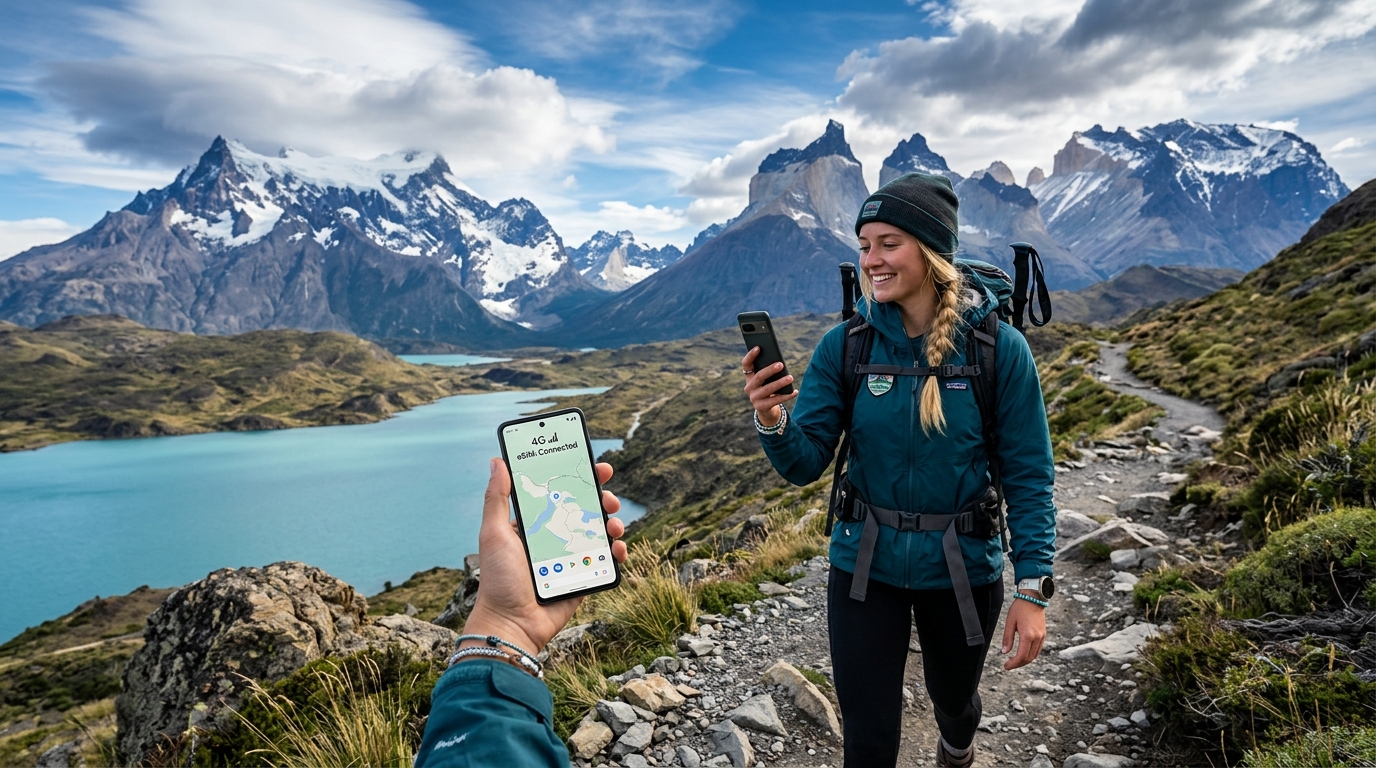
Conquer Patagonia with Connectivity: The Essential Chile eSIM Guide for Trekkers
The Patagonian Connectivity Conundrum: Why Staying Connected is a Trek in Itself
Patagonia. The very name conjures images of raw, untamed wilderness: colossal granite spires piercing sapphire skies, ancient glaciers groaning into turquoise lakes, and windswept pampas stretching to the ends of the earth. It's a land of breathtaking, humbling beauty, a place where nature reigns supreme and human endeavors often feel insignificant. Yet, for all its majestic allure, Patagonia presents a formidable challenge to one of modern life's most fundamental expectations: reliable mobile connectivity. For trekkers venturing into its heart, staying connected isn't merely a convenience; it's often a critical component of safety, logistics, and peace of mind.
The Unyielding Landscape: A Network Engineer's Nightmare
The sheer scale and topographical complexity of Patagonia are the primary architects of its connectivity woes. Spanning vast swathes of southern Chile and Argentina, this region is characterized by rugged mountain ranges, deep fjords, expansive ice fields, and dense forests. Population centers are few and far between, often isolated by immense distances and challenging terrain. Laying and maintaining the necessary infrastructure – cell towers, fiber optic cables, power grids – in such an environment is an engineering and economic nightmare. The extreme weather conditions further exacerbate these difficulties; fierce Patagonian winds, heavy snowfall, and torrential rain can damage equipment, disrupt power, and make maintenance operations hazardous. Consequently, network coverage is inherently patchy, intermittent, and often non-existent outside of major towns.
Beyond Digital Detox: The Critical Need for Communication
While many travelers embrace the idea of a "digital detox" in Patagonia, the reality for trekkers is that basic connectivity is a practical necessity, not a luxury.
- Safety and Emergencies: In remote areas, a sprained ankle, a sudden turn in the notoriously unpredictable Patagonian weather, or a lost trail can quickly escalate into a life-threatening situation. The ability to call for help, check real-time weather forecasts, or access offline maps with updated GPS data is paramount. Even a slow connection can be the difference between a minor inconvenience and a serious emergency.
- Logistics and Planning: Trekkers often rely on mobile data for crucial logistical updates. This includes confirming accommodation bookings in remote refugios, checking bus or ferry schedules which can change without notice due to weather, or coordinating pick-up times with local transport providers. Without this, carefully planned itineraries can unravel, leading to delays and added stress.
- Peace of Mind: For both the trekker and their loved ones back home, the occasional ability to send a quick message or update provides immense peace of mind. Knowing you can communicate if needed allows you to fully immerse yourself in the experience without constant underlying anxiety.
Patagonia's Notorious Connectivity Blackspots
Certain iconic Patagonian trekking regions, despite their popularity, are infamous for their signal scarcity.
- Torres del Paine National Park (Chile): Both the W Trek and the O Circuit, two of the world's most renowned multi-day treks, are largely devoid of reliable mobile signal. While some refugios might offer expensive, satellite-based Wi-Fi, cell service is virtually non-existent for the majority of the trails. This means trekkers are often completely cut off for days.
- Carretera Austral (Chile): This legendary scenic highway, stretching over 1,200 kilometers through remote Chilean Patagonia, is a paradise for adventurers but a desert for data. Large sections, particularly between smaller towns and within national parks like Queulat or Patagonia National Park, are complete dead zones.
- O'Higgins Glacier Region (Chile): Accessing this remote glacier, often via ferry from Villa O'Higgins, places you deep within one of Patagonia's most isolated corners. Connectivity here is minimal to non-existent, underscoring the need for robust, reliable alternatives when available.
The Shortcomings of Traditional Solutions
Given these challenges, traditional connectivity solutions often fall short. Relying on your home network's international roaming can be prohibitively expensive and, more importantly, offers no guarantee of coverage where it's needed most. Local physical SIM cards, while generally more affordable, still depend on the same limited infrastructure. You might purchase a SIM from a Chilean provider like Entel or Movistar in Puerto Natales, only to find it completely useless once you step onto the W Trek. The problem isn't the SIM itself, but the absence of network towers in the vast wilderness.
This is precisely where a specialized solution like an eSIM becomes not just advantageous, but essential. An eSIM designed for international travel, especially one that intelligently connects to the best available network and offers a reliable data experience, can bridge this critical gap. For instance, even in areas where full-speed data might be throttled due to network congestion or fair use policies, an eSIM like those offered by MollySIM (https://mollysim.com) can maintain a usable connection. With a 384kbps Fair Use Policy speed limit, MollySIM provides a speed that is 3x faster than many competitors' 128kbps limits. This seemingly small difference is crucial: 384kbps is often sufficient for essential functions like loading Google Maps directions, processing an Apple Pay transaction (should a brief signal appear in a town), sending text messages via WhatsApp, or even checking basic email. This level of sustained, albeit reduced, connectivity ensures that trekkers retain a vital link to the outside world, transforming the Patagonian connectivity conundrum from an insurmountable obstacle into a manageable challenge.
MollySIM eSIM: Your Digital Lifeline for Patagonia's Wilds
🌐 Global Travel High-Speed Travel eSIM & SIM Plans
Instant QR code activation, hotspot enabled, with guaranteed 384kbps fallback speed to keep Maps & Digital Wallets active.
Having established the inherent challenges of staying connected in Patagonia's vast and often remote landscapes, the solution isn't merely a better physical SIM card; it's a fundamental shift in how we approach mobile connectivity. This is where the MollySIM eSIM emerges as not just an advantageous option, but an essential digital lifeline for any trekker venturing into the Chilean wilderness. MollySIM (https://mollysim.com) offers a modern, intelligent solution designed to navigate the very connectivity conundrums that traditional SIM cards fail to address.
What is an eSIM and Why is it Superior for Trekkers?
At its core, an eSIM (embedded Subscriber Identity Module) is a digital SIM card that is built directly into your smartphone or other compatible device. Unlike a traditional physical SIM card that you insert and remove, an eSIM is a small chip permanently integrated into your device's hardware. Instead of swapping tiny plastic cards, you download and activate a digital "profile" onto this chip.
For international travelers, especially those embarking on demanding adventures like trekking in Patagonia, the advantages of an eSIM are profound:
- No Physical Hassle: Gone are the days of fumbling with tiny SIM trays, worrying about losing your home SIM, or needing a paperclip to swap cards. With an eSIM, there's no physical component to manage.
- Instant Digital Activation: The most significant convenience is the ability to purchase and activate your data plan entirely digitally. You can buy a MollySIM eSIM plan online from the comfort of your home before you even depart, or even upon arrival in a city with Wi-Fi. This eliminates the frantic search for local mobile stores, often a time-consuming and frustrating endeavor in unfamiliar territories, especially smaller Patagonian towns.
- Multiple Profiles, Seamless Switching: Most eSIM-compatible devices allow you to store multiple eSIM profiles simultaneously. This means you can keep your primary home SIM active for calls and texts (if desired) while seamlessly switching to your MollySIM travel eSIM for data when you need it. This flexibility is invaluable for managing costs and maintaining essential connections.
- Remote Management: Need to top up your data or switch to a different plan? It's all done through your phone's settings or the MollySIM app/website, without needing to find a physical vendor.
MollySIM: Addressing Patagonia's Logistical Headaches
The true power of a MollySIM eSIM becomes apparent when considering the specific logistical nightmares often faced by trekkers trying to acquire local connectivity in Patagonia:
- Scarcity in Remote Towns: Imagine arriving in a small hub like Puerto Natales, exhausted after a long journey, only to find the local phone store closed, out of stock, or requiring specific local payment methods. Or worse, attempting to buy a SIM at a remote border crossing where options are non-existent. MollySIM bypasses this entirely. Your connectivity is secured before you even set foot in Chile.
- Language Barriers and Local Currency: Navigating sales processes in a foreign language, understanding complex local plans, and ensuring you have the correct local currency can add unnecessary stress to your trip. With MollySIM, the entire transaction is conducted online, in English, using your preferred payment method.
- Pre-Emptive Peace of Mind: By activating your MollySIM eSIM before departure, you gain immediate peace of mind. As soon as you land in Chile and your device connects to an available network, you're online. This means instant access to crucial navigation apps like Google Maps for finding your way from the airport, the ability to confirm accommodation bookings, or simply letting loved ones know you've arrived safely. Even in areas where full-speed data might be limited, MollySIM's generous 384kbps Fair Use Policy speed limit – which is 3x faster than many competitors' 128kbps limits – ensures that these essential functions remain usable. This speed is often sufficient for loading maps, sending messages via WhatsApp, and even processing an Apple Pay transaction if a brief signal appears in a town.
MollySIM (https://mollysim.com) isn't just offering data; it's offering preparedness. It's providing a reliable, pre-secured connection that transforms the uncertainty of Patagonian connectivity into a manageable, predictable aspect of your adventure. This pre-emptive solution allows you to focus on the breathtaking landscapes and the challenge of the trek, rather than the frustrating quest for a working SIM card.
Navigating Chile's Mobile Landscape: A Deep Dive into Local Carriers and Coverage
While the allure of Patagonia lies in its untamed wilderness, staying connected, even intermittently, is a modern necessity for safety, navigation, and sharing your incredible journey. Understanding Chile's mobile network landscape is crucial for maximizing your eSIM's potential. The Chilean market is dominated by three major players: Entel, Movistar, and Claro. Each boasts distinct strengths, particularly when venturing into the challenging terrains of Patagonia.
The Big Three: Entel, Movistar, and Claro
These carriers form the backbone of Chile's telecommunications infrastructure, providing 4G/LTE and increasingly 5G services across the country. However, their reach and reliability can vary dramatically between bustling city centers and the remote, rugged expanses of the Aysén and Magallanes regions.
- Entel: Historically the market leader, Entel is renowned for its robust urban coverage and aggressive 5G rollout in major cities. In Patagonia, Entel typically offers strong service in larger towns such as Puerto Natales and Punta Arenas, and often provides decent signal in main refugios and camps within Torres del Paine National Park. However, its coverage can become spotty on the more remote sections of the "O" Circuit or along less populated stretches of the Carretera Austral.
- Movistar: A subsidiary of Telefónica, Movistar often boasts the broadest rural reach across Chile. This makes it a frequent contender for the most reliable network in many remote Patagonian areas, including significant portions of the Carretera Austral and various refugios within Torres del Paine. While generally strong, deep valleys and particularly isolated trekking routes (like those approaching the O'Higgins Glacier) can still present significant connectivity challenges.
- Claro: Part of América Móvil, Claro is known for its competitive pricing and decent urban coverage. In Patagonia, Claro provides reliable service in major regional cities like Coyhaique and Punta Arenas. Its presence in very remote trekking areas is generally more limited than Movistar's, and its coverage along the Carretera Austral can be less consistent, often requiring you to be closer to towns or specific transmission points.
Patagonian Connectivity: A Closer Look
The vastness and extreme topography of Patagonia mean that even the best networks will have dead zones. Trekkers must manage expectations: consistent high-speed data is a luxury, not a guarantee. However, understanding which carrier performs best in specific areas can significantly improve your chances of getting a signal. For instance, while Movistar might offer better coverage along the Carretera Austral, Entel could be stronger in Puerto Natales, allowing you to quickly download maps or send updates before heading into the park.
MollySIM (https://mollysim.com) leverages this multi-carrier landscape by dynamically connecting to the strongest available network. This means your eSIM isn't tied to a single provider, giving you the best possible chance of finding a signal, whether it's Entel in a town or Movistar on a remote stretch of road. Even when full-speed data is elusive, MollySIM's generous 384kbps Fair Use Policy speed limit – which is 3x faster than many competitors' 128kbps limits – ensures that essential functions like loading Google Maps or processing an Apple Pay transaction remain usable if a signal appears.
Comparative Overview of Chilean Mobile Carriers in Patagonia
| Feature | Entel B. Manual Network Selection with a MollySIM eSIM: While MollySIM automatically connects to the strongest available network, there are specific scenarios where manually selecting a network can be advantageous, especially in areas with fluctuating signal or when you suspect your device isn't latching onto the best available carrier. This is particularly relevant in the Patagonian wilderness, where signal quality can vary by the meter.
Here's how to manually select a network on most smartphones:
- For iOS (iPhone):
- Go to Settings > Cellular > Cellular Data Options.
- Tap Network Selection.
- Turn off Automatic.
- Your iPhone will search for available networks. Select your preferred carrier (e.g., Entel, Movistar, Claro) from the list.
- For Android:
- Go to Settings > Network & internet (or Connections) > Mobile network.
- Tap Advanced (or scroll down) > Network operators (or Network selection).
- Turn off Select automatically.
- Your Android device will search for available networks. Select your preferred carrier from the list.
When to Use Manual Selection:
- Fluctuating Signal: If your phone keeps dropping signal or switching between 2G/3G and 4G, manually locking onto a known stronger network (e.g., Movistar in a rural area) can provide more stability.
- Marginal Coverage Areas: In areas where one carrier has a very weak but usable signal, while others have none, manual selection ensures your device isn't wasting battery trying to connect to non-existent networks.
- Troubleshooting: If you're experiencing unexpected connectivity issues, manually trying each available network can help identify if a specific carrier is performing better at your current location.
By understanding the strengths of Entel, Movistar, and Claro across Patagonia, and knowing how to manually select a network, you empower your MollySIM eSIM to deliver the most reliable connection possible. This strategic approach, combined with MollySIM's superior 384kbps Fair Use Policy speed limit, means that even a faint signal can be enough to load that crucial map, send an urgent message, or make a quick payment, transforming potential frustration into functional connectivity during your Patagonian adventure.
The Power of Persistent Connectivity: MollySIM's 384kbps FUP Advantage
In the vast, often isolated landscapes of Patagonia, reliable connectivity isn't just a convenience—it's a critical safety net and an essential tool for navigation and logistics. While high-speed data allowances are fantastic, understanding what happens when that allowance is exhausted is paramount. This is where a provider's Fair Usage Policy (FUP) comes into play, and MollySIM's approach stands out as a game-changer for trekkers.
Understanding the Fair Usage Policy (FUP)
A Fair Usage Policy is a standard practice among mobile network operators and eSIM providers globally. It's designed to ensure that all users on a network receive a consistent quality of service by preventing a small percentage of heavy users from monopolizing bandwidth. Typically, an FUP dictates that after a user consumes a specified amount of high-speed data (e.g., 5GB, 10GB, 20GB), their connection speed will be reduced for the remainder of their plan's validity period. This reduction in speed, while limiting bandwidth-intensive activities, is intended to still allow for basic, essential online functions.
The critical distinction lies in how much the speed is reduced. Many providers throttle speeds to a near-unusable 64kbps or 128kbps, effectively cutting off practical connectivity. This can leave trekkers feeling stranded, unable to access vital information or communicate effectively when they need it most.
MollySIM's Game-Changing 384kbps FUP Speed
MollySIM, however, redefines persistent connectivity with its superior 384kbps Fair Use Policy speed limit. This isn't just a marginal improvement; it's a significant leap in usability, offering a speed that is 3x faster than competitors' common 128kbps FUP. This difference transforms what would typically be a frustrating, non-functional connection into a genuinely usable lifeline, even after your high-speed data allowance is fully utilized.
What exactly can a trekker reliably achieve with 384kbps in the challenging Patagonian environment? The answer is a surprising amount of critical functionality:
- Essential Navigation & Location Services:
- Real-time GPS Tracking: GPS itself uses very little data, and 384kbps is more than sufficient for continuous, real-time tracking of your position on pre-downloaded maps. This is crucial for staying on trail and monitoring your progress.
- Downloading Small Map Segments: While downloading entire regional maps might be slow, 384kbps allows for the quick download of small, localized map segments or trail updates when you encounter a new section or need specific detail.
- Checking Location on Pre-downloaded Maps: Even with offline maps, occasionally refreshing your location or downloading minor updates (like new points of interest or trail deviations) is perfectly feasible.
- Route Updates & POI Checks: Need to quickly check an alternative route or verify the location of a refugio? 384kbps handles these light data requests efficiently, ensuring that essential tools like Google Maps continue to function smoothly for navigation and basic searches.
- Emergency & Critical Communication:
- Text Messaging via Apps: Sending and receiving text messages through apps like WhatsApp, iMessage, Signal, or Telegram is highly reliable at 384kbps. This is absolutely crucial for safety, allowing you to update loved ones on your progress, coordinate with fellow trekkers, or, most importantly, send out an urgent message for help in an emergency.
- Low-Bandwidth Voice Calls: While not HD quality, low-bandwidth voice calls via WhatsApp or similar VoIP apps are often possible. This ensures you can always reach out for assistance or communicate verbally when text isn't enough, transforming a potential crisis into a manageable situation.
- Crucial Weather Updates:
- Accessing critical weather forecasts from official sources like CONAF (Chile's National Forest Corporation) or local meteorological services is vital for planning daily treks and ensuring safety. Text-based weather sites or apps with minimal graphics load quickly and reliably at 384kbps, allowing you to make informed decisions about your day's adventure.
- Light Browsing & Logistical Checks:
- Checking Emails: Text-based emails load without issue, allowing you to stay on top of essential communications.
- Accessing Basic Web Pages: Need to check bus schedules, park notices, refugio availability, or other logistical updates? Simple, text-heavy web pages will load, albeit not instantly, but reliably enough to get the information you need.
- Very Light Social Media Check-ins: Sending text-based updates or quick messages to family and friends on social media platforms is possible. Avoid heavy media loading (videos, high-res photos), but basic text posts will go through.
- Safety Check-ins & Payments:
- "I'm Okay" Messages: The ability to consistently send "I'm okay" messages to family, friends, or emergency contacts provides immense peace of mind for both you and those back home.
- Mobile Payments: For trekkers who rely on digital payment solutions, the 384kbps speed is sufficient for processing transactions via apps like Apple Pay or other mobile banking services, ensuring you're not left cashless in a remote town.
Peace of Mind in Remote Environments
The contrast between MollySIM's 384kbps FUP and the industry standard of 64kbps or 128kbps is stark. At lower speeds, even basic tasks become agonizingly slow or fail entirely, leaving trekkers feeling truly disconnected and vulnerable. Imagine being deep in Torres del Paine or navigating the Carretera Austral, needing to check a map, send an urgent message, or verify a bus time, only to find your data effectively cut off.
MollySIM's commitment to a higher FUP speed means sustained utility and unparalleled peace of mind. It ensures that even when your high-speed data is depleted, you retain a functional connection capable of handling essential tasks. This persistent connectivity transforms potential frustration and danger into a manageable experience, allowing you to conquer Patagonia with confidence, knowing that a reliable lifeline is always within reach.
Mastering Your eSIM Off-Grid: Technical Tips for Optimal Performance and Data Management
Venturing into Patagonia's breathtaking wilderness demands more than just sturdy boots and a good backpack; it requires smart management of your digital lifeline. Your MollySIM eSIM is a powerful tool, but understanding how to optimize its performance and conserve data is paramount when signal is scarce and every megabyte counts. Here's how to master your connectivity in the wild.
Pre-Trek Preparation: Essential Offline Resources
Before you even step foot on a Patagonian trail, proactive preparation can save you from navigational nightmares.
- Download Offline Maps: This is non-negotiable. Cellular signal is notoriously unreliable in many parts of Patagonia.
- Google Maps:
- Open the Google Maps app.
- Tap your profile picture (top right).
- Select "Offline maps."
- Tap "Select Your Own Map" and adjust the area to cover your entire trekking route and surrounding regions.
- Tap "Download." Repeat for all relevant areas.
- Maps.me & OpenStreetMap-based Apps: These apps often provide more detailed trail information and contour lines crucial for trekkers. Download the entire Chile map pack (or specific regions like Magallanes y la Antártica Chilena) within the app before you depart. These apps function entirely without data once maps are downloaded.
Vigilant Data Usage Monitoring
Staying aware of your data consumption prevents unexpected cut-offs. MollySIM's generous 384kbps Fair Use Policy (FUP) speed ensures essential functions still work, but managing your high-speed data is key.
- On Your Phone:
- iOS (iPhone): Go to
Settings>Cellular(orMobile Data). Scroll down to see "Cellular Data Usage" and a list of apps consuming data. You can reset statistics at the start of your trip. - Android: Navigate to
Settings>Network & internet>Internet(orMobile network). Tap on your MollySIM eSIM profile to view data usage and set data warnings or limits. - Via MollySIM App/Portal: Regularly check your remaining data balance directly through the MollySIM mobile app or by logging into your account portal on the MollySIM website (https://mollysim.com). This provides the most accurate real-time data on your eSIM plan.
Curbing Invisible Data Drain
Many apps consume data without you actively using them. Taming these background processes is crucial for data conservation.
- Background App Refresh:
- iOS: Go to
Settings>General>Background App Refresh. You can disable it entirely or selectively turn it off for apps you don't need constantly updating (e.g., social media, news apps). - Android: Go to
Settings>Apps> Select an app >Mobile data & Wi-Fi. Toggle off "Background data." Repeat for data-hungry apps. - Disable Auto-Updates: App and system updates can consume hundreds of megabytes or even gigabytes.
- App Store (iOS):
Settings>App Store> Turn off "App Updates" under "Automatic Downloads." - Google Play Store (Android): Open Play Store > Tap profile icon >
Settings>Network preferences>Auto-update apps> Select "Don't auto-update apps." - System Updates: Check your phone's system update settings and ensure they are set to download only over Wi-Fi, or manually.
Strategic Connectivity: Wi-Fi & Network Selection
- Prioritize Wi-Fi: Whenever you encounter Wi-Fi (in towns, refugios, or some campsites), use it! This saves your valuable cellular data for when you truly need it on the trail. Download large files, upload photos, and update apps only when connected to Wi-Fi.
- Manual Network Selection: While your MollySIM eSIM should automatically connect to the strongest available partner network in Chile, there might be instances where manually selecting a network yields a better signal.
- iOS:
Settings>Cellular(orMobile Data) > Select your MollySIM eSIM >Network Selection> Toggle off "Automatic" > Choose from available networks. - Android:
Settings>Network & internet>Internet(orMobile network) > Select your MollySIM eSIM >Network operators> Toggle off "Choose automatically" > Select from available networks. Experiment to find the most stable connection.
Maximizing Battery Life in Challenging Conditions
Cold weather and constant signal searching are battery killers.
- Enable Airplane Mode in Dead Zones: If you know you're in an area with no signal for an extended period, switch to Airplane Mode. Your phone won't waste battery constantly searching for a network.
- Low Power Mode (iOS) / Battery Saver (Android): Activate these modes to restrict background activity and reduce power consumption.
- Reduce Screen Brightness: The screen is one of the biggest battery drains. Keep it as dim as comfortably possible.
- Close Unused Apps: Swipe away apps running in the background.
- Keep Phone Warm: Cold temperatures rapidly deplete battery life. Store your phone close to your body or in an insulated pouch.
Troubleshooting Your MollySIM eSIM
Even with the best preparation, issues can arise. Here are quick fixes:
- Restart Your Phone: The classic IT solution often works wonders.
- Check Data Roaming: Ensure data roaming is enabled for your MollySIM eSIM profile in your phone's settings. This is crucial for international eSIMs.
- Verify APN Settings: While MollySIM usually configures this automatically, incorrect APN settings can prevent data access. Refer to MollySIM's support documentation for the correct APN for Chile and manually enter it if necessary.
- Contact MollySIM Support: If all else fails, reach out to MollySIM's customer support. Their team can diagnose and resolve more complex issues. Remember, even with the 384kbps FUP, you can still send text-based support requests or use basic chat functions.
Beyond Connectivity: Comprehensive Emergency Preparedness
While your MollySIM eSIM provides a vital communication link, especially with its 384kbps FUP enabling essential functions like Google Maps and Apple Pay, consider these additional safety measures for Patagonia's most remote corners:
- Carry a Fully Charged Power Bank: Essential for recharging your phone, headlamp, and other USB-powered devices.
- Consider a Satellite Messenger: For truly off-grid, multi-day treks where no cellular signal is expected, a device like a Garmin inReach or Zoleo offers global two-way satellite communication and SOS capabilities, independent of cellular networks.
- Share Your Itinerary: Inform a trusted person about your detailed trekking plans, including your route, expected return date, and emergency contacts.
🌐 Global Travel High-Speed Travel eSIM & SIM Plans
Instant QR code activation, hotspot enabled, with guaranteed 384kbps fallback speed to keep Maps & Digital Wallets active.