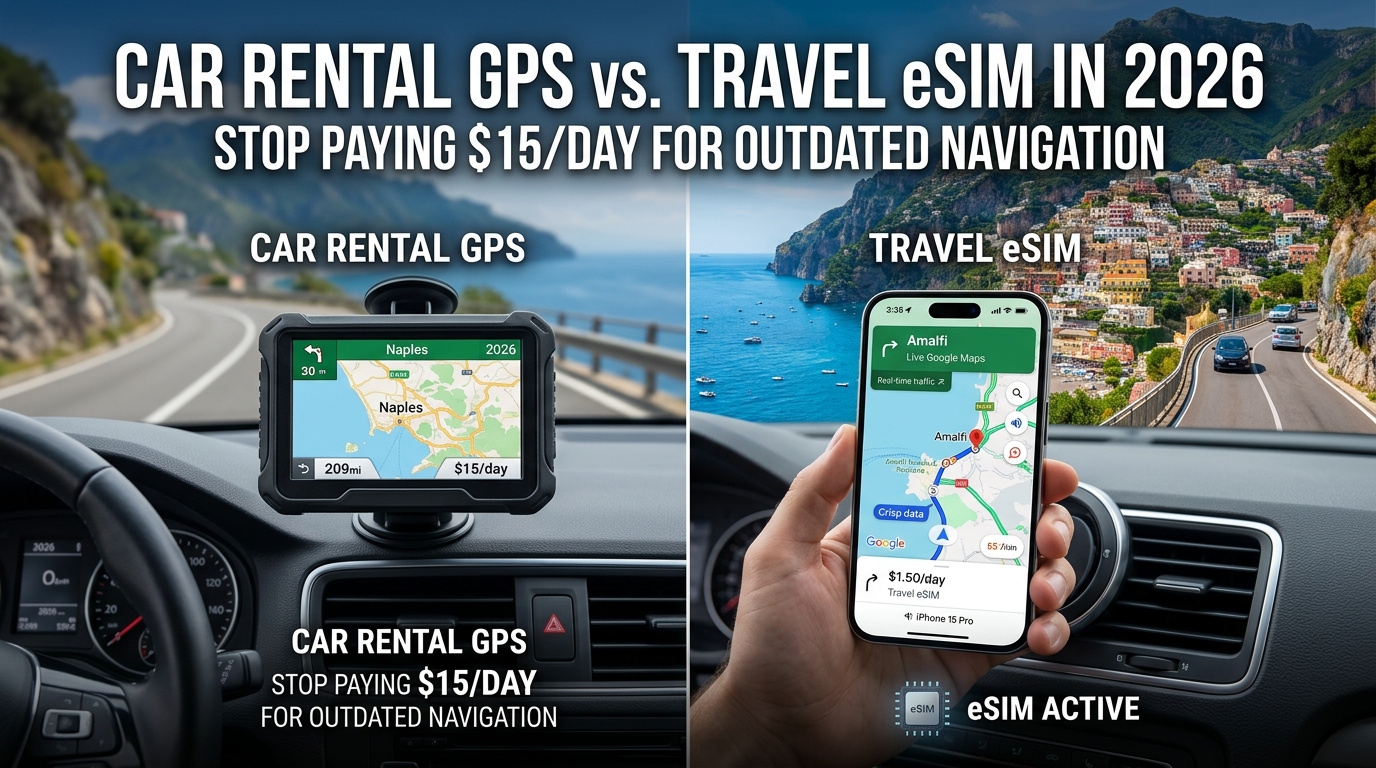
Car Rental GPS vs. Travel eSIM in 2026: Stop Paying $15/Day for Outdated Navigation
The Rental Car GPS Rip-Off: Anatomy of an Outdated $15-a-Day Add-On
Step up to any airport rental car counter—be it Hertz, Avis, Budget, Enterprise, or Sixt—and the agent's pitch script invariably hits the same line: "Would you like to add our standalone GPS navigation unit so you don’t get lost?"
For decades, rental agencies have treated navigational equipment as an ultra-high-margin cash cow. But in 2026, opting into this legacy upsell is no longer just a minor convenience fee; it is an egregious financial drain that actively degrades your driving experience.
The Real Math: How a $15 Daily Rate Becomes a $300 Surcharge
Rental agencies advertise their dedicated navigational devices—such as Hertz NeverLost or generic windshield-mounted Garmin/TomTom units—at rates ranging from $12.99 to $21.99 per day. However, base daily rates rarely reflect the bottom line on your rental agreement.
Once rental companies append mandatory municipal airport concession recovery fees (often 10%–14%), local tourism surcharges, and state sales taxes, the actual cost escalates dramatically.
| Car Rental Agency | Advertised Daily GPS Rate | Estimated 14-Day Base Cost | Total with Taxes & Airport Concession Fees (Est. ~18%) |
|---|---|---|---|
| Hertz (NeverLost / Standalone) | $16.99 / day | $237.86 | $280.67 |
| Avis / Budget | $15.99 / day | $223.86 | $264.15 |
| Enterprise / National | $14.99 / day | $209.86 | $247.63 |
| Sixt | $18.49 / day | $258.86 | $305.45 |
On a standard two-week overseas holiday or cross-country road trip, you are handing the rental agency between $240 and $350 for a single piece of hardware—frequently exceeding the entire base rental cost of an economy vehicle.
The Hardware Mismatch: Paying to Downgrade Your Dashboard
The central irony of the car rental GPS add-on in 2026 lies in the technology already sitting inside the car.
Over 98% of modern vehicle fleets deployed by major tier-one operators feature expansive, high-resolution infotainment displays that support Apple CarPlay and Android Auto natively (both wired and wireless). When you pay for a standalone rental GPS, the attendant typically hands you a scratched, suction-cup-mounted device featuring:
- Resistive Touchscreens: Clunky, low-sensitivity plastic screens that require firm fingernail presses rather than the fluid capacitive glass gestures of modern smartphones.
- Severe Dashboard Clutter: Tangled 12V cigarette-lighter power cords that stretch across your center console and suction mounts that routinely detach under direct summer heat.
- Zero Ecosystem Sync: You cannot tap an address in your hotel confirmation email, messaging app, or reservation calendar to launch a route; every waypoint must be typed character-by-character on an unresponsive on-screen keyboard.
       LEGACY RENTAL GPS                       MODERN SMARTPHONE + eSIM
 ┌───────────────────────────┐               ┌───────────────────────────┐
 │ • $15–$22/day + taxes     │               │ • Fraction of total cost  │
 │ • Static SD-card maps     │      VS       │ • Dynamic crowd-sourced   │
 │ • Clunky resistive screen │               │ • Apple CarPlay / Auto    │
 │ • Missing road updates    │               │ • 384kbps safety buffer   │
 └───────────────────────────┘               └───────────────────────────┘
Outdated SD-Card Architecture vs. Real-Time Road Infrastructure
Beyond the poor economics and physical inconvenience, standalone rental navigation hardware poses an operational safety hazard on unfamiliar roads.
Most rental units rely on offline map databases stored on internal memory or physical SD cards. Because updating thousands of devices across distributed airport fleets requires manual labor, map updates are infrequent—often lagging by 12 to 24 months.
As a result, these units suffer from critical blind spots:
- Ghost Navigation: Missing newly constructed bypasses, changed one-way street grids, and modern multi-lane roundabouts.
- Obsolete Traffic & Hazard Intel: Inability to route around dynamic road closures, active construction zones, or sudden highway accidents.
- Inaccurate Speed Limit Data: Misleading drivers on local enforcement zones and speed camera locations, risking hefty foreign traffic citations.
The Modern Alternative: Connected Native Navigation
To unlock the high-definition display already engineered into your rental vehicle, you only need an active data connection on your smartphone. By securing an international mobile data profile from an eSIM provider like MollySIM, your phone instantly pairs with the car's dash to run Apple Maps, Google Maps, or Waze.
Unlike standalone GPS hardware that leaves you stranded if a connection or map pack fails, modern data services protect navigation continuity. For example, MollySIM features a generous 384kbps Fair Use Policy (FUP) throttled baseline—triple the 128kbps speed ceiling offered by legacy travel SIM competitors. Even if you completely exhaust your high-speed data tier while streaming media, the remaining 384kbps bandwidth effortlessly powers continuous turn-by-turn vector map rendering, live rerouting, and digital wallet transactions like Apple Pay at roadside toll booths.
Paying a daily ransom for an outdated GPS unit is no longer a viable travel strategy—it is an obsolete convenience tax.
Real-World Data Consumption: Google Maps vs. Waze vs. Apple Maps on a 2,000 km Road Trip
🇫🇷 Orange France / Europe SIM High-Speed Travel eSIM & SIM Plans
Instant QR code activation, hotspot enabled, with guaranteed 384kbps fallback speed to keep Maps & Digital Wallets active.
A common misconception among international travelers is that turn-by-turn mobile navigation rapidly exhausts mobile data allowances. Drivers often assume that rendering live 3D terrain and real-time highway corridors burns through gigabytes of data within hours. In reality, modern navigation platforms rely on lightweight vector tile geometry, compressed protocol buffers, and aggressive local caching rather than rasterized video-style feeds.
On a standard 2,000 km road trip—equivalent to roughly 25 to 30 hours of continuous highway and urban driving—total cellular data consumption rarely exceeds 1 GB. However, background telemetry, satellite overlays, dynamic rerouting requests, and crowdsourced hazard reporting create measurable differences in bandwidth consumption between the primary navigation platforms.
Empirical Data Breakdown: 25-Hour / 2,000 km Journey
| Navigation App | Standard Vector Mode (Per Hour) | Satellite View (Per Hour) | Total Est. Data (2,000 km / ~25 Driving Hours) | Primary Bandwidth Drivers |
|---|---|---|---|---|
| Google Maps | 5 – 10 MB | 60 – 120 MB | 150 – 250 MB (Vector) | Dynamic traffic overlays, local business POI prefetching |
| Waze | 15 – 25 MB | N/A (Vector only) | 375 – 625 MB | Constant crowd-sourced telematics, speed traps, road debris pings |
| Apple Maps | 8 – 12 MB | 50 – 90 MB | 200 – 300 MB (Vector) | High-resolution 3D landmark meshes, routing handshakes |
App Architecture & Telemetry Analysis
1. Google Maps: Aggressive Caching & Minimalist Vector Tiles
Google Maps delivers the lowest baseline consumption in standard default view (averaging ~5 to 10 MB per hour). It downloads lightweight, mathematical 2D vector polygons that your phone's GPU renders locally. As you drive along a planned route, Google Maps pre-caches upcoming corridor tiles. If you maintain standard view, an entire 2,000 km cross-country journey will consume less than a quarter of a gigabyte.
Warning on Satellite Mode: Toggling on high-resolution satellite imagery forces your device to download uncompressed raster photography continuously, spiking consumption up to 100+ MB per hour. Keep satellite mode switched off when managing a strict travel data budget.
2. Waze: High-Frequency Crowd-Sourced Telematics
Waze operates with an interactive, community-driven architecture. Because the application constantly transmits your real-time vehicle velocity and receives incoming micro-payloads—including user-reported speed traps, dynamic construction alerts, police presence, and roadkill hazards—it generates a steady stream of two-way server handshakes.
This continuous telemetry increases baseline consumption to 15–25 MB per hour. While this makes Waze the heaviest consumer among vector-based apps, a 2,000 km journey still tops out at roughly 0.5 GB—a negligible footprint on modern data packages.
3. Apple Maps: Optimized Geometry & On-Device Rendering
Apple Maps strikes an efficient middle ground, averaging 8–12 MB per hour. Built on a proprietary vector pipeline optimized specifically for iOS hardware acceleration, Apple Maps streams lightweight spatial coordinate packages. It queries the server primarily when dynamic rerouting triggers due to unexpected traffic spikes or missed exits.
Navigation Continuity Under Bandwidth Constraints
Because vector navigation packets require very low raw throughput—often needing sustained speeds of only 30 to 60 kbps once a route is initialized—navigation apps do not require ultra-fast 5G mmWave networks to maintain turn-by-turn precision.
This technical reality highlights the utility of MollySIM's connectivity structure. Many traditional travel SIMs throttle users to an unusable 128kbps (or cut off data entirely) once high-speed allocations expire, causing navigation streams to stall and vector tiles to drop out. MollySIM enforces a generous 384kbps Fair Use Policy (FUP) baseline. Even if you completely exhaust your high-speed tier streaming 4K media at your hotel, the remaining 384kbps channel provides triple the baseline bandwidth needed to process live Google Maps reroutes, fetch Waze hazard warnings, and process contactless Apple Pay transactions at highway toll booths simultaneously.
Feature Matrix: Standalone Rental Car GPS vs. MollySIM Travel eSIM with CarPlay/Android Auto
When assessing whether to check the "$15.99/day GPS" add-on box at the rental desk or rely on modern travel data connectivity, the contrast goes far beyond mere pricing. The functional gap between legacy hardware units and an active MollySIM eSIM profile projected onto an Apple CarPlay or Android Auto head unit defines your entire driving experience.
| Evaluation Metric | Rental Agency GPS Add-On (Garmin/TomTom/OEM) | MollySIM Travel eSIM + CarPlay / Android Auto |
|---|---|---|
| 14-Day Total Cost | $210 – $260 ($15–$18/day + local airport concession taxes) | $15 – $30 (Full regional/global data plan with zero hardware surcharge) |
| Map Accuracy & Updates | Quarterly or Annual SD Card Installs (frequently misses new road closures, roundabouts, and altered one-ways) | Real-Time Vector Streaming (updated dynamically via crowdsourced Google Maps/Waze/Apple Maps cloud engines) |
| Dynamic Traffic & Rerouting | Limited to Non-Existent (often relies on obsolete FM-TMC broadcasts with 30+ minute latency) | Sub-Second Rerouting based on active user telemetry, accident clusters, and live congestion mapping |
| Hazard & Speed Camera Alerts | Static Database (rarely flags mobile radar traps, construction zones, or sudden road debris) | Active Crowdsourced Warnings for mobile speed traps, disabled vehicles, red-light cameras, and roadkill |
| POI & Address Search | Clunky On-Screen Typing; limited to pre-indexed, often defunct business listings | Natural Language Search; instant synchronization with live Google Maps/Yelp reviews, operating hours, and photos |
| Rental Counter Friction | 5–15 Minutes (signing waivers, checking out hardware, mounting brittle suction cups, handling loose cables) | Zero Counter Overhead (activates instantly via QR code before departure; auto-connects wirelessly upon vehicle ignition) |
| Cross-Border Continuity | High Risk; often restricted to the rental country or requires expensive secondary region modules | Seamless Multi-Country Roaming across 150+ countries without swapping physical SIMs or altering settings |
| Low-Speed FUP Fallback | N/A (device fails entirely if offline components are missing) | 384kbps Baseline Speed; continues to stream vector turn-by-turn routes and Apple Pay prompts even if high-speed data is exhausted |
| Off-Vehicle Usability | Locked to the Windshield; zero utility once you turn off the vehicle engine | Fully Portable; powers walking navigation, live audio translation, ride-hailing (Uber/Bolt), and local restaurant reservations |
Key Operational Takeaways
1. Cost Efficiency and Hardware Headaches
Renting an agency navigation device adds a minimum of $210 to a standard two-week European or American road trip. In return, travelers frequently receive dated standalone units with scratched resistive touchscreens, loose 12V cigarette-lighter adapters, and windshield suction mounts that degrade under direct sunlight. Conversely, pairing your personal smartphone with MollySIM allows your vehicle’s factory touchscreen (via wired or wireless Apple CarPlay and Android Auto) to act as a responsive, high-resolution navigation hub for less than a single day’s rental GPS fee.
2. Live Intelligence vs. Stale Firmware
Rental agencies operate large vehicle fleets where updating GPS hardware via manual SD-card flashes or USB sticks sits at the bottom of the maintenance queue. In rapid-growth tourist regions, new one-way systems, pedestrian zones (such as European ZTL zones), and highway bypasses can turn an un-updated GPS unit into a liability for moving violations.
Crowdsourced navigation platforms—fed by low-latency mobile data over a travel eSIM—process real-time municipal alerts, active speed-trap telemetry, and dynamic multi-lane guidance. Even under severe carrier congestion or after exhausting primary high-speed data allotments, MollySIM’s 384kbps safety net prevents navigation blackout, maintaining sufficient throughput to ingest telemetry vectors, execute sudden detours, and process digital toll payments without interruption.
3. Integrated Travel Workflow
A standalone GPS unit serves one narrow function: guiding a vehicle from Point A to Point B. Once the car is parked, its utility drops to zero. A travel eSIM remains active on your device 24/7, powering pedestrian navigation through narrow historical alleyways, processing live currency conversions, hailing rides, and letting you access reservation confirmation codes without relying on spotty municipal Wi-Fi networks.
The Fail-Safe Engine: Why MollySIM’s 384kbps Throttled Fallback Keeps Navigation Alive
The ultimate nightmare for any road-tripper in unfamiliar territory is the dreaded "grey grid" screen—the sudden failure of a navigation app to render maps or compute turns because your mobile data package hit its quota mid-route. Understanding why this happens—and how to prevent it—comes down to network throughput mechanics and map data architecture.
The Bitrate Physics of Modern Turn-by-Turn Navigation
Modern navigation platforms like Google Maps, Apple Maps, and Waze no longer stream heavy, pre-rendered raster images (flat bitmap graphics). Instead, they utilize vector tile streaming paired with compact serialization formats (such as Protocol Buffers / Protobuf).
Because the client device renders lines, typography, and 3D buildings locally using device hardware, the raw data transmitted over the cellular network is surprisingly lightweight:
- Baseline Vector Tile Geometry: 40 to 75 kbps during continuous highway cruising.
- Real-Time Traffic & Incident Telemetry: 15 to 30 kbps of dynamic JSON/Protobuf payload updates every 30–60 seconds.
- Compressed Voice Prompt Metadata / Cloud TTS: 32 to 64 kbps (when streaming synthetic audio packets rather than on-device voice synthesis).
- Dynamic Route Recalculation: A momentary burst of 80 to 120 kbps to fetch new topological nodes when you miss an exit.
In steady-state driving conditions, continuous turn-by-turn navigation requires an uninterrupted sustained throughput of roughly 90 to 160 kbps.
+-------------------------------------------------------------------------+
|                  TYPICAL REAL-TIME NAVIGATION DATA LOAD                 |
|                                                                         |
|  [Vector Tiles: ~60 kbps] + [Traffic: ~25 kbps] + [Reroute: ~35 kbps]   |
|  Total Operational Floor Required: ~120 kbps (Excluding OS Overhead)   |
+-------------------------------------------------------------------------+
The 64kbps / 128kbps "Dead Zone" of Conventional eSIMs
When standard prepaid travel eSIMs exhaust their high-speed data pool, they either sever the connection completely or throttle speeds down to 64kbps or 128kbps under their Fair Use Policy (FUP).
While 128kbps sounds theoretically close to the navigation threshold, real-world cellular physics breaks it:
- Background OS Ingestion: Background tasks (push notifications, iCloud/Google sync, messaging services) instantly saturate a 64k/128k pipe.
- TCP Latency & Handshake Timeouts: As packet queues congest, latency spikes past 1,500ms. Navigation API calls timeout, forcing the app to drop vector rendering and display blank grey tiles.
- Reroute Freezes: If you take an unexpected detour, a 64kbps pipe cannot re-request the new geographic subgraph fast enough, leaving you driving blind at 100 km/h.
| Metric / Capability | 64 kbps (Standard FUP) | 128 kbps (Budget eSIM) | 384 kbps (MollySIM) |
|---|---|---|---|
| Vector Map Rendering | Fails (Blank Tiles) | Intermittent / Delayed | Instantaneous |
| Dynamic Turn Recalculation | Timed Out (App Error) | 15–30 sec Latency | < 2.5 seconds |
| Voice Prompt Streaming | Stuttering / Fails | Low-Bitrate Only | Full Fidelity (64kbps+) |
| Background App Survival | Completely Blocked | Starves Map Packets | Smooth Multi-Process Handling |
| Emergency Mobile Payments | Fails / Connection Lost | 50% Timeout Risk | Instant (Apple Pay / Google Pay) |
Why MollySIM’s 384kbps Throttled Safety Net Guarantees Zero-Stutter Routing
To eliminate navigation blackouts, MollySIM engineers its Fair Use Policy with an uncapped fallback speed of 384kbps—exactly 3x the market standard.
By maintaining a guaranteed 384kbps floor after high-speed data exhaustion, the connection provides ample overhead above the critical 160kbps operational threshold. Even with operating system background noise consuming 50–100kbps, a dedicated 200kbps+ pipe remains exclusively open for:
- Continuous low-latency vector tile ingestion across complex multi-tier highway junctions.
- Zero-lag dynamic rerouting when approaching unexpected road closures, construction zones, or border checkpoints.
- Simultaneous operation of connected vehicle services, such as processing digital parking passes and running instant Apple Pay / Google Pay transactions at automated toll booths.
Instead of being forced to pull over on a dark shoulder to buy an emergency top-up, drivers running on MollySIM experience an uninterrupted fail-safe layer that keeps live navigation alive for the entire duration of the trip.
Step-by-Step Setup: Preparing Your Smartphone and Vehicle for Seamless International Navigation
Transitioning from an overpriced, proprietary rental dashboard to a smartphone-powered navigation cockpit requires zero technical expertise. By executing a few preparatory steps before take-off and bringing the right physical hardware, you eliminate rental counter friction and hit the highway seconds after picking up your keys.
Follow this chronological checklist to configure your device, lock down low-latency routing, and secure an uninterrupted connection abroad.
Phase 1: Pre-Departure Digital Configuration (At Home)
Complete these digital configurations 24 to 48 hours before departure over a reliable home Wi-Fi network:
1. Install and Stage Your MollySIM Profile
- Purchase your destination data package at MollySIM.
- Scan the delivered QR code via your device settings:
- iOS: Settings > Cellular (or Mobile Service) > Add eSIM.
- Android: Settings > Network & Internet > SIMs > Add SIM / Download eSIM.
- Label the new profile "MollySIM Travel" to distinguish it from your primary line.
- Leave the line toggled OFF until you land at your destination airport.
2. Configure Dual-SIM Data Isolation
Prevent unexpected domestic carrier roaming fees ($10–$15/day travel passes) by strictly assigning your data channels:
- Cellular Data Default: Switch to
MollySIM Travel. - Data Roaming: Toggle ON under the MollySIM profile.
- Primary / Home Carrier SIM: Keep active for SMS 2FA codes if needed, but explicitly toggle Data Roaming to OFF and turn off Cellular Data Switching (iOS) to prevent accidental data leakage to your home provider.
3. Download Regional Offline Map Backdrops
Even with MollySIM’s resilient network access and its 384kbps safety net—which is 3x faster than the 128kbps industry standard and easily streams dynamic traffic alerts, Apple Pay authorizations, and route recalculations—pre-caching geographic vector layers saves battery and accelerates initial route rendering:
- Google Maps: Tap your profile icon > Offline maps > Select Your Own Map. Drag the bounding box over your entire driving region (e.g., Bavaria, Tuscany, or Hokkaido) and tap Download.
- Apple Maps (iOS 17+): Tap your avatar > Offline Maps > Download New Map. Search for your target arrival city and expand the perimeter.
Phase 2: Packing the Vehicle Hardware Kit
Rental fleets vary widely in age and trim level. Never assume your assigned vehicle will have functioning wireless charging or modern USB-C ports. Pack these three compact items in your carry-on:
| Essential Hardware | Recommended Specification | Purpose |
|---|---|---|
| High-Wattage 12V Car Charger | 30W–45W USB-PD (Dual USB-C / USB-A) | Prevents battery drain when running GPS, screen brightness, and CarPlay simultaneously. |
| Dual Interface Cables | 3ft (1m) Braided USB-C to USB-C & USB-A to USB-C/Lightning | Bypasses vehicle port incompatibility in older rental fleet tiers. |
| Sturdy Vent / MagSafe Mount | Universal spring-loaded clip or strong magnetic mount | Ensures line-of-sight navigation if the vehicle lacks an integrated dashboard display. |
Phase 3: At the Rental Lot (Launch in Under 30 Seconds)
Once you reach your vehicle in the rental bay, run this rapid departure sequence:
- Ignition & Cellular Handshake: Start the engine. Switch your phone's cellular data line to
MollySIM Travel. The device will latch onto the strongest local partner network (e.g., Vodafone, Orange, NTT Docomo) within 15–30 seconds. - Hardwire for Auto-Projection: Plug your smartphone directly into the primary media port (look for the smartphone icon next to the USB interface).
- Initialize Projection: Accept the prompt on the vehicle display for Apple CarPlay or Android Auto.
- Input Destination & Depart: Launch your preferred mapping app. With high-speed data active and MollySIM's 384kbps operational floor running in the background, your route populates with live traffic layers, speed camera alerts, and dynamic toll calculations instantly—without a $15/day rental GPS surcharge.
Global Road Trip Scenarios: Financial & Practical Case Studies Across the US, Europe, and Japan
Evaluating navigation hardware purely on spec sheets ignores the realities of field execution. Below are three real-world road trip case studies illustrating how modern connectivity fundamentally outperforms legacy rental car navigation hardware on cost, technical agility, and cross-border functionality.
Case Study 1: The 14-Day Southwest USA Circuit (Dead Zones & Topo Navigation)
- Route: Las Vegas $\rightarrow$ Zion National Park $\rightarrow$ Bryce Canyon $\rightarrow$ Page / Lake Powell $\rightarrow$ Grand Canyon South Rim $\rightarrow$ Las Vegas.
- Duration: 14 Days | Distance: ~1,400 miles (2,250 km)
[Rental Fleet GPS: Hertz / Avis / Enterprise]
- Hardware Add-on Fee: $16.99/day × 14 days = $237.86
- State Taxes & Airport Concession Fees (approx. 22%): $52.33
- Total Out-of-Pocket: $290.19

[Modern eSIM Architecture: MollySIM USA Plan]
- 15-Day Unlimited / High-Speed Tier: ~$28.00
- Total Out-of-Pocket: $28.00
- DIRECT CASH SAVINGS: $262.19 (90.3% reduction)
Operational Reality on the Ground
The American Southwest features extreme topographical variations where cellular towers disappear inside red-rock canyons. Legacy rental GPS units handle static coordinates well, but their pre-installed points of interest (POIs) fail to show critical, dynamic variables such as flash-flood road closures on Utah State Route 9, seasonal shuttle mandates, or real-time national park gate wait times.
Using MollySIM, travelers preload localized vector packs via Google Maps or Apple Maps before entering remote corridors. When driving across high-elevation plateaus where full 5G drops to base coverage, MollySIM’s 384kbps baseline safety floor (3x the industry standard 128kbps throttle) ensures vector map routing, weather alerts, and GPS location handshakes continue without stalling, even if peak daily high-speed quotas are reached.
Case Study 2: The 10-Day Alpine Cross-Border Tour (Germany, Austria, Italy)
- Route: Munich Airport $\rightarrow$ Salzburg $\rightarrow$ Grossglockner High Alpine Road $\rightarrow$ Dolomites (Cortina d’Ampezzo) $\rightarrow$ Lake Garda $\rightarrow$ Innsbruck $\rightarrow$ Munich.
- Duration: 10 Days | Crossings: 4 International Border Passes
[Rental Fleet GPS: Sixt / Europcar Germany]
- Factory/Standalone GPS Option: €14.50/day ($15.80/day) × 10 days = €145.00 ($158.00)
- Cross-Border Navi Activation / Map Extension Surcharge: €25.00 ($27.25)
- Total Out-of-Pocket: €170.00 (~$185.25)

[Modern eSIM Architecture: MollySIM Europe 30+ Countries]
- 10-Day Multi-Country European Plan: ~$19.50
- Total Out-of-Pocket: $19.50
- DIRECT CASH SAVINGS: $165.75 (89.5% reduction)
Operational Reality on the Ground
Driving through the Alps involves constant handovers between national infrastructure networks: Deutsche Telekom (Germany) $\rightarrow$ A1 / Magenta (Austria) $\rightarrow$ TIM / Vodafone (Italy).
Traditional rental GPS systems frequently suffer from out-of-date speed camera databases (often illegal and disabled on German rental units) and fail to display real-time pass closures caused by sudden snowmelt or rockfalls.
With an integrated European travel eSIM, the mobile device executes an autonomous carrier handshake at the border within 10–20 seconds without user intervention. Navigation apps projected onto the dashboard via Apple CarPlay or Android Auto instantly alert drivers to:
- Required toll vignettes (Autobahnvignette) before entering Austrian motorways.
- Dynamic congestion tolls and environmental access zones (ZTL - Zona a Traffico Limitato) in Italian historic centers, preventing automated traffic fines that frequently exceed $120 per violation.
Case Study 3: The 7-Day Hokkaido Wilderness Loop (Japan)
- Route: New Chitose Airport $\rightarrow$ Furano $\rightarrow$ Daisetsuzan National Park $\rightarrow$ Otaru $\rightarrow$ Sapporo.
- Duration: 7 Days | Environment: Rural bypasses, mountain passes, non-English infrastructure
[Rental Fleet GPS: Toyota Rent-a-Car / Times Car Rental]
- English Navi Surcharge / Dedicated Unit: ¥1,100/day ($7.30/day) × 7 days = ¥7,700 (~$51.00)
- Total Out-of-Pocket: ~$51.00

[Modern eSIM Architecture: MollySIM Japan Local Profile]
- 7-Day High-Speed SoftBank/NTT Docomo Network Profile: ~$11.00
- Total Out-of-Pocket: $11.00
- DIRECT CASH SAVINGS: $40.00 (78.4% reduction)
+---------------------------------------------------------------------------------------+
| HOKKAIDO NAVIGATION INTERFACE COMPARISON |
+------------------------------------+--------------------------------------------------+
| Legacy Japanese Rental Car Navi | Smartphone via MollySIM + CarPlay/Android Auto |
+------------------------------------+--------------------------------------------------+
| • Relies on numeric "MapCodes" or | • Natural language English search ("best miso |
| obsolete landline phone numbers. | ramen open now near Biei"). |
| • Clunky resistive touchscreens; | • Fluid capacitive glass multi-touch with |
| cluttered, untranslated kanji. | satellite layers and street-level imagery. |
| • Static offline POI database; no | • Live crowd-sourced alerts for wildlife (deer/ |
| real-time road maintenance data. | bear crossings) and sudden winter blizzards. |
+------------------------------------+--------------------------------------------------+Operational Reality on the Ground
In Japan, entering destinations into native dashboard systems requires hunting down 8-to-10 digit proprietary "MapCodes" or looking up fixed landline numbers for rural attractions—a cumbersome process that fails completely for scenic viewpoints or trailheads.
Deploying a local Japan profile via MollySIM grants instant access to Tier-1 infrastructure (SoftBank and NTT Docomo). Travelers enter natural language queries in English directly into Google Maps or Apple Maps, receiving precise lane-guidance arrows for complex Japanese highway splits and live notifications of seasonal road closures across Hokkaido’s mountain passes.
Cross-Scenario Strategic Takeaway
| Scenario | Rental GPS Cost | MollySIM eSIM Cost | Direct Savings | Key Technical Advantage |
|---|---|---|---|---|
| USA (14 Days) | $290.19 | $28.00 | $262.19 | Offline vector caching + 384kbps safety floor through dead zones |
| Europe (10 Days) | $185.25 | $19.50 | $165.75 | Zero-lag border roaming + live Italian ZTL / Austrian toll alerts |
| Japan (7 Days) | $51.00 | $11.00 | $40.00 | Native English natural search bypassing legacy Japanese MapCodes |
| TOTALS | $526.44 | $58.50 | $467.94 | 88.9% Aggregate Reduction in Navigation Costs |
Across all three global road trip profiles, rental car navigation systems fail on three critical axes: excessive baseline cost, hardware obsolescence, and inability to deliver dynamic, crowd-sourced traffic intelligence. A single travel eSIM profile eliminates hundreds of dollars in rental desk add-ons while delivering superior mapping precision, modern vehicle screen integration, and an uninterrupted safety data line across every mile of your itinerary.
🇫🇷 Orange France / Europe SIM High-Speed Travel eSIM & SIM Plans
Instant QR code activation, hotspot enabled, with guaranteed 384kbps fallback speed to keep Maps & Digital Wallets active.