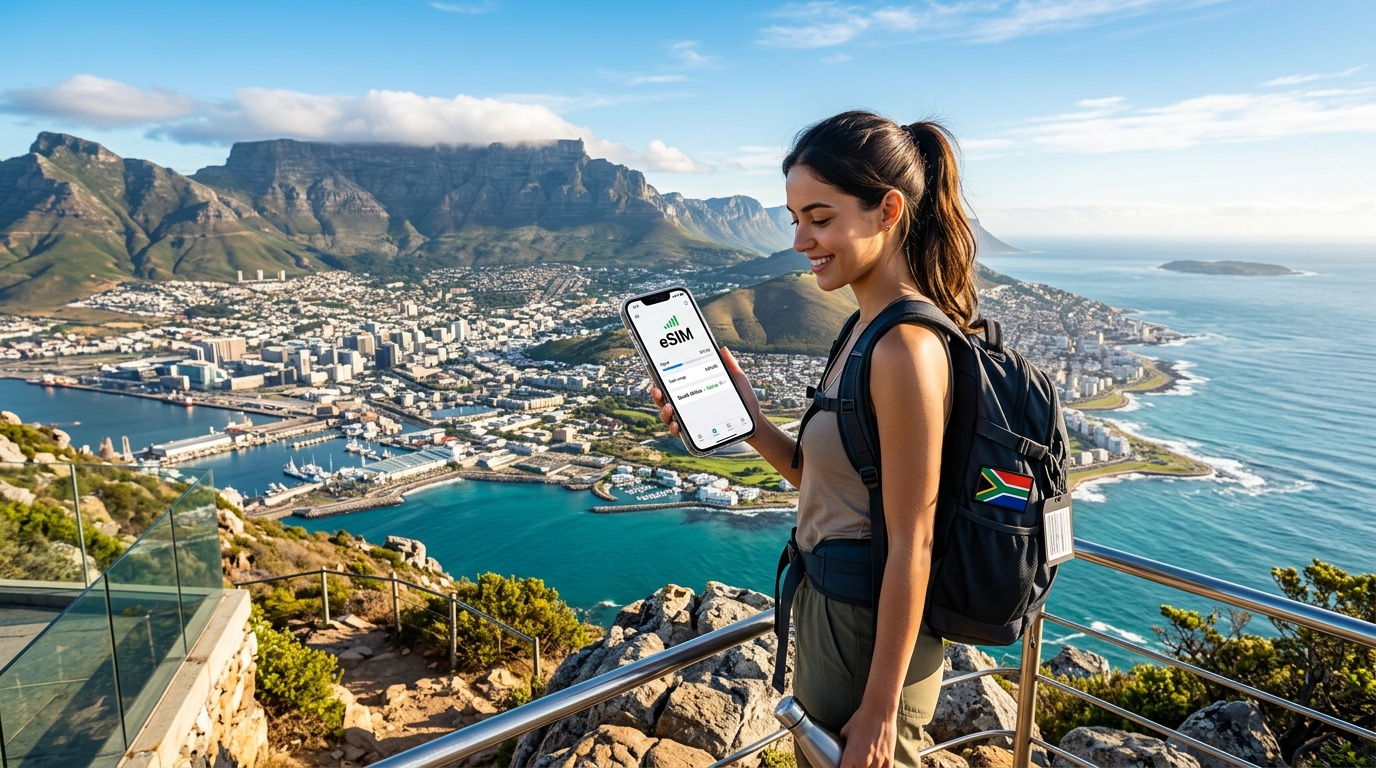
Explore the Mother City: The Essential Cape Town Travel eSIM Guide
Unlocking Cape Town: Why an eSIM is Your Ultimate Travel Companion
Cape Town, affectionately known as the Mother City, is a destination of unparalleled beauty and diverse experiences. From the iconic, cloud-draped summit of Table Mountain offering panoramic vistas to the vibrant, bustling V&A Waterfront teeming with shops, restaurants, and cultural attractions, and the poignant history etched into Robben Island, this city demands exploration. Its sun-kissed beaches, verdant Winelands just a short drive away, and a rich tapestry of cultures and cuisines create an unforgettable journey. However, to truly immerse yourself in this multifaceted metropolis – navigating its winding streets, booking last-minute tours, finding hidden gems, or simply sharing a breathtaking sunset photo with loved ones – reliable, high-speed internet is not just a luxury; it's an absolute necessity for the modern traveler.
In a city as dynamic and expansive as Cape Town, connectivity is the key to unlocking its full potential. Yet, traditional methods of staying online abroad often come with a host of frustrations that can quickly detract from the magic of your trip.
The Hidden Costs and Hassles of Traditional Connectivity
For years, international travelers have grappled with two primary, often problematic, options for mobile data:
- Exorbitant International Roaming: The convenience of using your home SIM card abroad often comes at a staggering price. Travelers frequently face exorbitant costs, unexpected bill shock upon returning home, and often throttled speeds that make even simple tasks like loading a map frustratingly slow. This constant worry about data usage and potential charges can overshadow the joy of discovery.
- The Physical Local SIM Card Gauntlet: Opting for a local physical SIM card might seem like a cost-effective alternative, but it introduces its own set of significant pain points. Upon arrival, you're faced with the time-consuming task of locating a mobile provider store, waiting in potentially long queues, navigating language barriers, and completing paperwork that often requires your passport. Then comes the fiddly process of physically swapping out your primary SIM card, risking its potential loss or damage. This means you're without data precisely when you need it most – immediately after landing – and you might miss important calls or texts to your primary number.
Embracing the eSIM Revolution: A Seamless Solution
Enter the eSIM: a revolutionary digital SIM card that eliminates these traditional headaches entirely. An eSIM is embedded directly into your compatible device, allowing you to activate a local data plan without needing a physical card. This technology transforms your travel connectivity experience, and with providers like MollySIM, it becomes an unparalleled advantage for your Cape Town adventure.
Instant Activation & Uninterrupted Connectivity
One of the most compelling benefits of an eSIM is the ability to activate your data plan instantly, often before you even depart for South Africa. Imagine landing at Cape Town International Airport, turning on your phone, and already being connected – no searching for Wi-Fi, no queues, no fumbling with tiny SIM trays. MollySIM (https://mollysim.com) allows you to purchase and install your plan from the comfort of your home, ensuring you hit the ground running.
Furthermore, an eSIM allows you to maintain your primary number for calls and texts while using the eSIM for data. This dual-SIM functionality is invaluable, ensuring you stay connected with family and friends on your home number without incurring roaming charges for data.
Empowering Exploration with Superior Speed
Cape Town's sprawling nature, from the city bowl to Camps Bay and Constantia, demands reliable navigation. Whether you're hailing an Uber, finding the best route to Boulders Beach, or locating that highly-rated restaurant, a fast and stable internet connection is paramount. MollySIM stands out here with its 384kbps Fair Use Policy speed limit, which is a remarkable 3x faster than many competitors' 128kbps. This seemingly technical detail translates into a tangible difference in your daily travel:
- Smooth Google Maps/Apple Maps Navigation: No more frustrating lags or dropped connections when you're trying to find your way.
- Seamless Apple Pay/Google Pay Transactions: Essential for quick, contactless payments in cafes, shops, and markets.
- Reliable Ride-Sharing Apps: Quickly book a Bolt or Uber without connectivity issues.
This enhanced speed ensures that your digital tools work flawlessly, empowering you to explore Cape Town with confidence and spontaneity.
Environmental Responsibility and Modern Convenience
Beyond the immediate practical benefits, eSIMs also offer an environmental advantage. By eliminating the need for physical plastic SIM cards, they contribute to reducing waste, aligning with a more sustainable approach to travel. It's a modern, digital-first solution that reflects the evolving needs of global explorers.
By choosing an eSIM, particularly one optimized for performance like MollySIM, you're not just buying data; you're investing in a seamless, stress-free, and empowered travel experience. It sets the stage for uninterrupted urban exploration, effortless navigation, and instant sharing of your incredible Cape Town moments, ensuring you stay connected with loved ones every step of the way.
Navigating the Mother City's Networks: Vodacom, MTN, Cell C & MollySIM's Seamless Integration
🇺🇸 United States High-Speed Travel eSIM & SIM Plans
Instant QR code activation, hotspot enabled, with guaranteed 384kbps fallback speed to keep Maps & Digital Wallets active.
Exploring Cape Town, from its bustling city center to its dramatic coastal roads and serene Winelands, demands reliable mobile connectivity. South Africa's telecommunications landscape is dominated by three primary mobile network operators (MNOs): Vodacom, MTN, and Cell C. Each possesses distinct strengths and weaknesses in terms of market share, network speed, and geographical coverage. Understanding these nuances is crucial for an uninterrupted travel experience, and this is precisely where an intelligent eSIM solution like MollySIM elevates your connectivity.
South Africa's Core Network Operators: A Deep Dive
Vodacom: The Extensive Reach
As the largest mobile network operator in South Africa by subscriber base, Vodacom is renowned for its extensive network coverage. Its infrastructure reaches deep into both urban and many rural areas, making it a go-to for broad geographical reliability. In Cape Town, Vodacom offers robust 4G/LTE speeds, particularly within the city bowl, major suburbs, and key tourist attractions. Its strength becomes particularly evident when venturing into less densely populated areas or challenging terrains. For instance, while no network guarantees perfect coverage on every hiking trail, Vodacom often provides the most consistent signal around the Table Mountain cable car station and along parts of the scenic Chapman's Peak Drive. Similarly, in the sprawling Winelands regions like Stellenbosch and Franschhoek, Vodacom typically offers dependable connectivity, crucial for navigating wine farms or booking tastings on the go.
MTN: Urban Performance and Speed
MTN stands as Vodacom's primary competitor, holding a significant market share and often lauded for its strong performance in urban centers. In Cape Town, MTN delivers excellent 4G/LTE speeds, frequently outperforming competitors in terms of raw data throughput in dense metropolitan areas such as the V&A Waterfront, Century City, and central business districts. Travelers relying heavily on data-intensive applications within the city will often find MTN's network exceptionally responsive. While its overall geographical footprint might be slightly less extensive than Vodacom's in very remote areas, MTN's coverage along the main coastal routes towards Cape Point and within the core Winelands towns is generally very strong.
Cell C: Competitive Pricing and Strategic Partnerships
Cell C represents the third major player, often positioning itself as a value-for-money option with competitive pricing. Historically, Cell C's own network infrastructure was more limited, especially outside major urban hubs. However, they have significantly expanded their 4G/LTE footprint and, importantly, leverage strategic roaming agreements with Vodacom and MTN to enhance their coverage in areas where their own infrastructure is less developed. This means that while Cell C's native coverage might have more gaps in challenging areas like remote sections of Table Mountain trails or isolated coastal stretches, their roaming capabilities can still provide a connection. In the main towns of the Winelands, Cell C's service is typically adequate, but consistency can be more variable compared to Vodacom or MTN when exploring off-the-beaten-path vineyards.
MollySIM's Intelligent Aggregation: Beyond a Single Network
This diverse network landscape, with its varying strengths and weaknesses, presents a challenge for travelers who want consistent, high-performance connectivity without the hassle of switching physical SIM cards or manually selecting networks. This is precisely where MollySIM (https://mollysim.com) offers a transformative solution.
MollySIM doesn't just connect you to one network; it intelligently integrates with South Africa's leading MNOs – Vodacom, MTN, and even Cell C where advantageous. Leveraging advanced multi-network roaming technology, MollySIM dynamically scans and connects to the strongest available signal at your current location.
Imagine hiking a trail on Table Mountain where Vodacom has a stronger signal, then descending into the city bowl where MTN offers superior speeds, and later driving through a Winelands valley where Cell C's partner network provides the best coverage. With MollySIM, your device seamlessly switches between these networks in the background, ensuring you always have optimal and consistent connectivity. This eliminates the frustration of dead zones or sluggish speeds that can plague single-network solutions.
Furthermore, MollySIM's commitment to performance is highlighted by its 384kbps Fair Use Policy speed limit, which is a remarkable 3x faster than many competitors' 128kbps. This enhanced speed is critical for ensuring that even when dynamically switching networks, your essential digital tools work flawlessly. You'll experience smooth Google Maps/Apple Maps navigation without frustrating lags, seamless Apple Pay/Google Pay transactions for quick payments, and reliable ride-sharing apps like Bolt or Uber, empowering you to explore Cape Town with confidence and spontaneity, regardless of which underlying network MollySIM has selected for you.
Comparative Overview of South African Networks & MollySIM's Advantage
The table below provides a detailed comparison of Vodacom, MTN, and Cell C, illustrating how MollySIM aggregates their individual strengths to deliver a superior, uninterrupted experience across the Mother City and its breathtaking surroundings.
| Feature / Network | Vodacom | MTN | Cell C | MollySIM (Aggregated Experience) |
|---|---|---|---|---|
| Market Share (Approx.) | Largest | Second Largest | Third Largest | Leverages all three for optimal reach |
| Typical 4G/LTE Speeds (Urban Peak) | Very Good | Excellent | Good (can vary) | Consistently excellent, dynamically connecting to the fastest available |
| Overall Coverage Strength | Most Extensive | Very Strong (Urban Focus) | Good (with roaming partners) | Optimal & Consistent: Automatically connects to the strongest signal from any partner network |
| Cape Town City Bowl/Urban | Excellent | Excellent | Good | Seamless, high-speed connectivity |
| Table Mountain (Cable Car/Trails) | Best (but still variable on trails) | Good (around cable car) | Variable (relies on roaming) | Maximizes chances of connection, prioritizing Vodacom/MTN in challenging spots |
| Coastal Routes (Chapman's Peak, Cape Point) | Very Good | Good | Variable | Minimizes dead zones by switching between Vodacom/MTN |
| Winelands (Stellenbosch, Franschhoek) | Excellent | Very Good | Good (main towns) | Reliable coverage across vineyards and towns |
| Pricing Focus | Premium | Competitive | Value | Focus on premium, reliable connectivity with high-speed FUP |
| Key Advantage | Broadest Reach | Urban Speed | Value/Roaming | Dynamic Network Switching for unparalleled reliability and speed (384kbps FUP) |
| MollySIM Enhancement | Utilizes Vodacom's extensive coverage in remote areas | Harnesses MTN's superior urban speeds | Fills gaps using Cell C's roaming where beneficial | Eliminates single-network limitations, ensuring continuous, high-performance connectivity for all your travel needs. |
By choosing MollySIM, you're not just selecting a data plan; you're opting for an intelligent connectivity partner that navigates the complexities of South Africa's mobile networks for you, ensuring your Cape Town adventure remains connected, smooth, and stress-free.
MollySIM's Tailored Plans for Cape Town: Data, Value, and Uninterrupted Connection
Navigating Cape Town's diverse attractions, from the bustling V&A Waterfront to the serene Winelands, requires a data plan that's as flexible and reliable as your itinerary. MollySIM understands that every traveler's needs are unique, which is why it offers a comprehensive range of eSIM data plans specifically designed for a seamless "Mother City" experience. These plans are crafted to cater to varying durations and data consumption patterns, ensuring you find the perfect fit for your Cape Town adventure.
Diverse Data Plans for Every Traveler
MollySIM's plans are structured to provide ample data for typical travel activities, coupled with convenient validity periods. Whether you're on a quick weekend getaway or an extended exploration, there's a MollySIM plan for you:
- Short Stays (7-15 Days): Ideal for quick city breaks or business trips.
- 1GB - 3GB: Perfect for light users who primarily need data for essential messaging, occasional navigation, and email checks. Great if you plan to rely heavily on hotel or café Wi-Fi.
- Standard Trips (15-30 Days): Suited for most tourists exploring Cape Town and its surrounding regions.
- 3GB - 5GB: A popular choice for moderate users who frequently use social media, upload photos, navigate extensively with Google Maps, and make occasional voice calls via messaging apps.
- Extended Adventures & Heavy Users (30 Days+): For those planning longer stays, digital nomads, or travelers who require constant, high-volume connectivity.
- 10GB+: Designed for heavy data users who might engage in video calls, stream music, share their connection via tethering, or frequently upload large files.
Selecting Your Ideal Plan: A Practical Guide
Choosing the right MollySIM plan involves a quick assessment of your anticipated data usage:
- Light User (1-3GB): If your primary needs are checking emails, sending WhatsApp messages, occasional Google Maps directions, and light web browsing, a smaller plan will suffice. This is ideal for a 3-7 day trip where you'll mostly be sightseeing and have access to Wi-Fi.
- Moderate User (3-5GB): For a typical 7-14 day trip where you'll be actively navigating, sharing photos and videos on social media, using ride-sharing apps, and making regular voice calls via apps, a 3GB or 5GB plan offers a comfortable balance.
- Heavy User (5GB+): If your Cape Town journey extends beyond two weeks, or if you plan to stream video, participate in frequent video calls, tether other devices, or work remotely, a 10GB or larger plan will provide the freedom you need without constant worry about running out of data. Always consider your personal habits; a quick check of your typical monthly data consumption at home can provide a good benchmark.
The MollySIM Fair Usage Policy (FUP): 384kbps for Uninterrupted Connectivity
Beyond generous high-speed data allowances, MollySIM distinguishes itself with a robust 384kbps Fair Usage Policy (FUP). This isn't just a standard throttle; it's a commitment to ensuring you're never truly disconnected, even after your high-speed data allowance is depleted.
What 384kbps Means in Practical Terms:
Unlike many competitors who throttle speeds down to a barely functional 128kbps, MollySIM's 384kbps FUP offers a significantly more usable experience – it's 3x faster than the industry standard for throttled speeds. This speed comfortably supports a range of essential applications and activities:
- Messaging & Communication: Sending and receiving WhatsApp, iMessage, Telegram texts and voice messages works seamlessly. You can stay in touch with family, friends, and local contacts without interruption.
- Navigation: Crucially for exploring Cape Town, Google Maps and Apple Maps navigation remain fully functional. You can search for directions, find points of interest, and get real-time traffic updates without frustrating delays. This is a critical advantage over slower FUPs where maps can become sluggish and unreliable.
- Email Checking: Sending and receiving text-based emails, even with small attachments, is perfectly manageable.
- Light Web Browsing: You can comfortably browse news sites, check opening hours for attractions, read reviews, and access informational websites. While image-heavy pages might load a bit slower, they will still render.
- Basic Social Media Updates: Posting text, uploading photos, and checking your feed on platforms like Instagram, Facebook, or X (Twitter) is possible. Heavy video streaming on these platforms, however, will be buffered.
- Mobile Payments: Essential services like Apple Pay or other mobile payment solutions that require a data connection will work reliably, ensuring smooth transactions at local shops and markets.
The Unrivaled Value Proposition of MollySIM's FUP:
The 384kbps FUP is more than just a technical specification; it's a significant value proposition that offers unparalleled peace of mind:
- No Unexpected Cut-offs: The most significant benefit is the elimination of anxiety about suddenly losing connectivity. You'll never be left stranded offline in a foreign city.
- Extended Connectivity for Essentials: Even if you've exhausted your high-speed data exploring every corner of Cape Town, you remain connected for critical tasks. This effectively extends the utility of your eSIM plan far beyond its initial data allowance.
- Emergency Preparedness: In an emergency, or simply when you need vital information, having a reliable, albeit slower, connection can be invaluable.
- Cost-Effectiveness: It prevents the need for expensive top-ups or purchasing an entirely new plan just to perform basic functions, saving you money and hassle.
Real-World Cape Town Scenarios Where FUP Proves Invaluable:
Imagine you've spent a week in Cape Town, used your high-speed data plan extensively, and now find yourself in one of these common situations:
- Checking Public Transport: You need to confirm the next MyCiTi bus schedule to get from the city center to Camps Bay, or check the status of the cable car to Table Mountain. With MollySIM's FUP, you can access these websites and apps without issue.
- Confirming Bookings: You need to send a quick WhatsApp message to your tour guide confirming your pick-up time for a shark cage diving excursion or confirm your dinner reservation at a popular restaurant in Bo-Kaap.
- Last-Minute Information: You're at the V&A Waterfront and want to quickly check the opening hours of a specific shop or look up directions to a nearby art gallery.
- Using Mobile Payments: You're at a local market in Kalk Bay and want to use Apple Pay for a purchase, which requires an active data connection.
- Emergency Communication: You need to quickly send a message to your accommodation or a family member about a change in plans or a minor issue.
In all these scenarios, MollySIM's 384kbps FUP ensures you remain connected and capable of handling essential tasks, making your Cape Town journey smoother and stress-free. With MollySIM (https://mollysim.com), you're not just buying data; you're investing in continuous, reliable connectivity that truly supports your travel experience.
Seamless Setup: Activating Your MollySIM eSIM for Cape Town Adventures
Embarking on your Cape Town adventure with uninterrupted connectivity is effortless with MollySIM. This comprehensive guide walks you through every step of purchasing, installing, and activating your MollySIM eSIM, ensuring you're connected from the moment you land.
Essential Pre-Departure Checks
Before you even think about purchasing, a few crucial checks will guarantee a smooth eSIM setup:
- Smartphone Compatibility: Verify your device supports eSIM technology. Most modern smartphones (iPhone XS/XR and newer, Samsung Galaxy S20/Note20 and newer, Google Pixel 3 and newer, etc.) are compatible. You can usually find this information in your phone's settings under "About Phone" or by checking the manufacturer's official website.
- Unlocked Device: Your smartphone must be unlocked by your home carrier. Carrier-locked phones will not allow you to install or use an eSIM from another provider. Contact your home carrier if you're unsure or need to request an unlock.
- Stable Wi-Fi Connection: A strong, stable Wi-Fi connection is absolutely essential during the eSIM installation process. The eSIM profile needs to download to your device, which requires an active internet connection. Do this before you leave home or upon arrival at your accommodation with reliable Wi-Fi.
Purchasing Your MollySIM eSIM for Cape Town
- Visit MollySIM.com: Navigate to the official MollySIM website (https://mollysim.com) using your web browser.
- Select Your Destination: Search for "South Africa" or "Cape Town" to view available eSIM plans tailored for the region.
- Choose Your Data Plan: Browse the various data packages offered. Consider your expected data usage during your trip. MollySIM offers flexible plans designed to suit different travel styles, ensuring you have ample data for navigation, social media, and staying in touch.
- Complete Your Purchase: Follow the prompts to complete your secure payment. Once successful, you'll receive a confirmation email containing your eSIM activation details, typically a QR code and manual installation information. Keep this email safe and accessible.
Installing Your MollySIM eSIM: Step-by-Step
Once you have your QR code, the installation process is straightforward for both iOS and Android devices. Remember to be connected to Wi-Fi!
For iOS Devices (iPhone):
- Go to Settings.
- Tap on Cellular or Mobile Data.
- Tap Add eSIM or Add Cellular Plan.
- Choose Use QR Code.
- Scan the QR code provided in your MollySIM confirmation email. If you're installing from the same device that received the email, you might need to select Enter Details Manually and input the SM-DP+ Address and Activation Code.
- Follow the on-screen prompts to activate your eSIM. You'll be asked to label your new plan (e.g., "MollySIM Cape Town" or "SA Travel Data") – this is highly recommended for easy identification.
- When prompted, select your new MollySIM eSIM as your Primary or Mobile Data line for data usage. You can keep your home SIM for calls/SMS if desired.
For Android Devices (Samsung, Google Pixel, etc.):
- Go to Settings.
- Tap on Network & internet or Connections.
- Tap SIMs or Mobile network.
- Tap Add eSIM or Download a SIM.
- Choose Scan QR code and scan the QR code from your MollySIM email. If scanning isn't possible, select Enter it manually and input the provided details.
- Follow the on-screen instructions to activate. Label your eSIM for clarity (e.g., "MollySIM Cape Town").
- Ensure the MollySIM eSIM is selected as your preferred SIM for Mobile data.
Post-Installation Configuration
After installation, ensure your MollySIM eSIM is correctly configured for use in Cape Town:
- Enable eSIM: In your phone's Cellular/Mobile Data settings, ensure your newly installed MollySIM eSIM is toggled ON.
- Set as Primary Data: Confirm the MollySIM eSIM is selected as the primary line for Mobile Data.
- Enable Data Roaming: This is crucial for international eSIMs. Navigate to your MollySIM eSIM settings and ensure Data Roaming is switched ON. Don't worry, with MollySIM, there are no surprise roaming charges; your plan covers the data usage.
Troubleshooting Common eSIM Issues
While MollySIM aims for a seamless experience, occasional hiccups can occur. Here's how to address them:
- eSIM Not Installing:
- Re-scan QR Code: Ensure the QR code is clear and well-lit.
- Stable Wi-Fi: Double-check your Wi-Fi connection is strong and active.
- Manual Entry: If QR scanning fails, try the manual entry option using the details from your MollySIM email.
- Restart Device: A simple restart can often resolve minor software glitches.
- "No Service" or No Data After Activation:
- Data Roaming ON: This is the most common oversight. Verify that Data Roaming is enabled for your MollySIM eSIM in your phone's settings.
- eSIM Enabled: Confirm the MollySIM eSIM is toggled ON in your mobile data settings.
- Primary Data Line: Ensure the MollySIM eSIM is selected as your active line for Mobile Data.
- APN Settings: While MollySIM's APN settings are usually automatic, if data still isn't working, you might need to check them. Navigate to your eSIM settings, then "Mobile Data Network" or "Access Point Names" (APN). The correct APN for MollySIM is typically
internet. If it's different, you can add a new APN with this setting. - Network Selection: Sometimes, manually selecting a network can help. In your eSIM settings, go to "Network Selection" and turn off "Automatic." Then, select a local network provider like Vodacom or MTN.
- Device Restart: Again, a full device restart can often refresh network connections.
Accessing MollySIM Customer Support
If you encounter persistent issues that these troubleshooting steps don't resolve, MollySIM's dedicated customer support team is ready to assist.
- Contact Channels: Visit the MollySIM website (https://mollysim.com) for access to live chat, email support, or a comprehensive FAQ section.
- Information to Provide: To expedite assistance, have your order ID, device model, and a detailed description of the issue ready.
With MollySIM, you're not just getting data; you're securing reliable connectivity backed by a superior Fair Use Policy (FUP) speed of 384kbps – three times faster than many competitors' 128kbps. This means even if your high-speed data is fully utilized, essential services like Google Maps, Apple Pay, and messaging apps will continue to function smoothly, keeping you connected and capable throughout your Cape Town adventures.
Beyond Connectivity: Maximizing Your MollySIM eSIM for the Ultimate Cape Town Experience
A robust and reliable data connection in a vibrant city like Cape Town is a transformative tool, unlocking deeper exploration, enhancing safety, and ensuring every moment of your adventure is seamless. Your MollySIM eSIM equips you to elevate your "Mother City" journey.
Seamless Urban Exploration & Navigation
Navigating Cape Town's diverse neighborhoods, from the colorful streets of Bo-Kaap to the bustling V&A Waterfront, becomes effortless. Google Maps is your indispensable co-pilot, providing precise walking directions to hidden cafes, the quickest route to Lion's Head, or pinpointing culinary delights on Bree Street. For public transport, the MyCiTi bus app relies on live data for up-to-the-minute schedules and route changes. If driving, real-time traffic updates from navigation apps, powered by MollySIM, save precious time by helping you avoid congestion. Beyond main attractions, a quick online search can reveal local markets, art galleries, or lesser-known viewpoints, enriching your itinerary.
Effortless Ride-Sharing & Transport
Getting around Cape Town, especially after dark or to distant attractions like the Winelands, is incredibly safe and convenient with ride-sharing apps. With MollySIM, booking an Uber or Bolt is instantaneous, ensuring quick driver dispatch. This is crucial for late-night returns from dinner, airport transfers, or comfortable travel to areas where public transport might be less frequent. Real-time tracking of your ride and the ability to share your journey with friends or family back home provides invaluable security and peace of mind. Seamless in-app payments further streamline your travel experience.
Staying Connected with Family & Friends
Sharing your Cape Town adventures in real-time is a joy, and MollySIM makes it possible without fear of exorbitant roaming charges. Enjoy high-quality video calls on WhatsApp or FaceTime to share breathtaking views from Table Mountain or the vibrant atmosphere of Kalk Bay harbor. Instant messaging keeps you in sync with travel companions and local contacts. Post stunning photos and videos of your experiences on Instagram, Facebook, or TikTok, letting your followers virtually explore the Mother City. Even if your high-speed data is fully utilized, MollySIM's superior Fair Use Policy (FUP) speed of 384kbps – three times faster than many competitors' 128kbps – ensures essential messaging and light social media updates continue to function smoothly.
Safety & Emergency Preparedness
While Cape Town is generally safe for tourists, having reliable connectivity for emergencies is paramount. Your MollySIM eSIM provides instant access to local emergency services (e.g., dial 10111 for police, 10177 for ambulance) or the ability to quickly search for nearby hospitals or pharmacies. Overcome language barriers with real-time translation apps like Google Translate, invaluable for communicating with locals. Furthermore, you can access your online travel insurance policy details or initiate a claim directly from your phone, ensuring preparedness for any eventuality.
Productivity & Leisure on the Go
Beyond essential communication, MollySIM supports your productivity and leisure needs, making your trip even more enjoyable. Check emails for flight updates, hotel confirmations, or access digital tickets for attractions like Robben Island Ferry or Kirstenbosch Botanical Garden. Stream your favorite music or podcasts while commuting or relaxing, enhancing every moment of your trip. For digital nomads or those needing to stay on top of urgent tasks, MollySIM offers the reliable bandwidth required for checking emails, accessing cloud documents, or participating in quick video conferences.
Practical Tips for Maximizing Data & Battery Life
To ensure your MollySIM eSIM provides continuous connectivity throughout your Cape Town adventures, consider these practical tips:
- Utilize Wi-Fi Offload: Connect to free and secure Wi-Fi networks available at your accommodation, cafes, restaurants, or the airport whenever possible to conserve your eSIM data.
- Manage Background App Refresh: Go into your phone's settings and disable background refresh for apps that don't require constant updates. This significantly reduces data consumption and extends battery life.
- Download Offline Maps & Content: Before heading out, download offline maps of Cape Town using Google Maps. Similarly, download movies, music, or e-books over Wi-Fi to enjoy offline, saving both data and battery.
- Monitor Data Usage: Regularly check your eSIM data usage through your phone's settings to stay aware of your consumption and avoid unexpected depletion.
- Optimize Battery Settings: Enable your phone's low power mode when battery is critical, reduce screen brightness, and close unused apps to maximize battery longevity in a bustling city environment.
In essence, your MollySIM eSIM is more than just a data plan; it's your key to unlocking the full potential of Cape Town. It provides unparalleled freedom to explore, the convenience to navigate, and the peace of mind that comes with reliable connectivity. MollySIM (https://mollysim.com) ensures you remain connected, capable, and ready to embrace every unforgettable moment the Mother City has to offer, with its robust 384kbps FUP speed keeping essential services like Google Maps and Apple Pay running smoothly.
🇺🇸 United States High-Speed Travel eSIM & SIM Plans
Instant QR code activation, hotspot enabled, with guaranteed 384kbps fallback speed to keep Maps & Digital Wallets active.