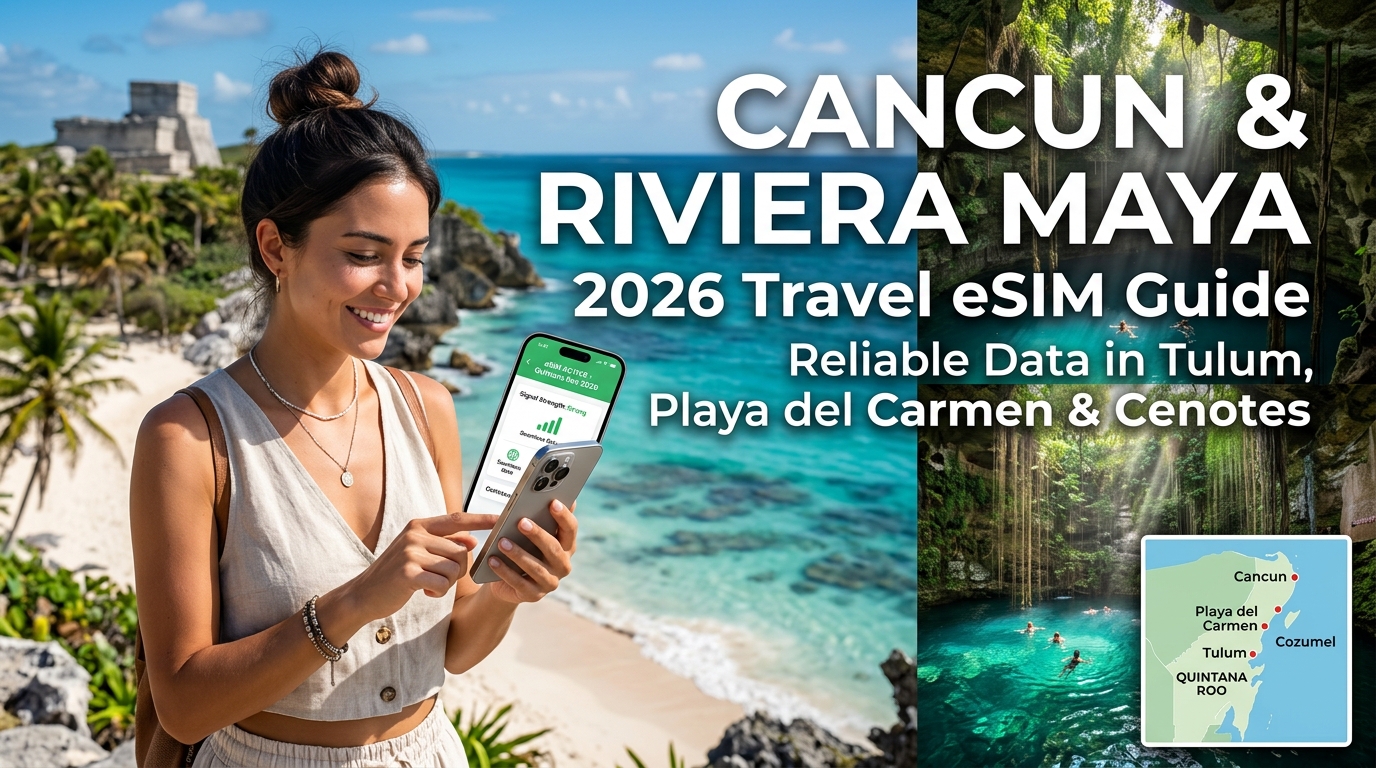
Cancun & Riviera Maya 2026 Travel eSIM Guide: Reliable Data in Tulum, Playa del Carmen, and Cenotes
The Connectivity Landscape in Quintana Roo: From CUN Airport to the Tulum Jungle
Navigating the Mexican Caribbean in 2026 requires understanding a stark telecommunications paradox: Quintana Roo is home to both ultra-modern smart-resort corridors and expansive, signal-swallowing limestone jungles. The 130-kilometer stretch of Highway 307—linking Cancun International Airport (CUN) to Tulum and extending down to the southern lagoon of Bacalar—shifts dramatically across cellular micro-climates.
Urban Infrastructure vs. Jungle Dead Zones
In Cancun's Zona Hotelera and downtown Playa del Carmen, Mexico’s primary network operators (Telcel, AT&T Mexico, and Movistar) have deployed dense 5G millimeter-wave and sub-6GHz nodes. These sectors deliver lightning-fast speeds capable of handling 4K streaming and high-bandwidth cloud uploads.
However, as soon as your transfer vehicle heads south past Puerto Morelos and veers away from Highway 307 toward the Ruta de los Cenotes, infrastructure drops precipitously. The dense canopy, combined with municipal restrictions on cell tower construction in eco-sensitive zones like Tulum’s coastal jungle (Zona Hotelera Tulum) and the Sian Ka'an Biosphere, creates significant coverage friction.
| Region | Dominant Network Coverage | Typical Speeds | Real-World Reliability |
|---|---|---|---|
| Cancun Hotel Zone & Centro | 5G / High-band LTE | 90–250+ Mbps | Near-perfect outdoor and indoor penetration. |
| Playa del Carmen (Centro/Playacar) | 5G / LTE Advanced | 60–180 Mbps | Stable throughout urban areas; drops inside concrete resorts. |
| Cozumel (West Coast vs. East Side) | LTE (West) / No Signal (East) | 25–70 Mbps | Solid in San Miguel; completely dead on the wild eastern shore. |
| Tulum Pueblo vs. Beach Road | LTE (Town) / Patchy 3G/LTE (Beach) | 5–45 Mbps | Town has steady LTE; beach strip struggles with high congestion. |
| Ruta de los Cenotes & Sian Ka'an | Patchy 3G / Total Dead Zones | 0–10 Mbps | Highly erratic; offline navigation and resilient data fallbacks needed. |
| Bacalar Lagoon Corridor | LTE (Pueblo) / Edge/3G (Outskirts) | 15–40 Mbps | Reliable in town; degrades rapidly along northern kayak access points. |
The Critical Need for Low-Latency, Immediate Connectivity
Staying connected across Quintana Roo is not merely about social media uploads; it is a critical logistical necessity:
- Ground Transportation Battles at CUN: Landing at Cancun Airport drops travelers into one of the most chaotic arrival zones in the Americas. Coordinating pre-booked private transfers, verifying official airport shuttle QR codes, or pinpointing designated Uber pickup zones (which sit outside the primary terminal taxi rings due to ongoing union disputes) requires an active data connection the second your plane taxi stops.
- Transit Ticketing on the Move: Buying tickets on the ADO mobile app allows you to skip massive terminal queues in Playa del Carmen and Tulum. Real-time GPS is also mandatory when tracking regional colectivos (shared vans) across unlisted highway stops.
- Micro-Transactions & Translations: While high-end beach clubs accept international cards, authentic taco spots, street markets, and remote cenote entry booths operate almost exclusively in cash or Mexican bank SPEI transfers. Running conversational translation on Google Translate and managing currency conversions via live-rate apps prevents costly tourist markups.
- Security & Digital Wayfinding: Navigation in the Yucatan peninsula requires active rerouting. Dense jungle tracks leading to hidden cenotes like Cenote Dos Ojos or Cenote Calavera often have ambiguous signage where an active mapping query is the difference between finding the entrance or wasting an hour on an unpaved logging road.
       CUN Airport (Dense 5G)
                 │
                 ▼ (Hwy 307: Fast LTE)
       Playa del Carmen (5G / LTE)
                 │
                 ▼ (Fringe Coverage)
       Tulum Town (LTE) ──► Tulum Beach Road (Congested 3G/LTE)
                 │
                 ▼ (Deep Jungle Dead Zones)
       Ruta de los Cenotes / Sian Ka'an (Sporadic 3G / Offline)
Bridging the Transit Gap with Travel eSIMs
Waiting until you reach your resort to hunt for Wi-Fi—or spending 45 minutes in line at an airport convenience store to buy a plastic SIM card with an inflated tourist markup—leaves you vulnerable during the most logistically demanding leg of your trip.
Deploying a pre-configured travel eSIM like MollySIM ensures your handset handshakes with local cellular towers the moment your flight touches down on the tarmac at CUN. Furthermore, because network switching is automated, your device hops across the best available local backbone as you move from Cancun down to Tulum.
Critically, even when data allocations are heavily taxed by navigation and media, MollySIM's Fair Use Policy (FUP) throttle floor sits at 384 kbps—triple the standard 128 kbps industry threshold. This bandwidth differential is significant: 384 kbps maintains continuous real-time Google Maps routing, frictionless Apple Pay/Google Wallet authentications, and clear WhatsApp messaging, preventing you from being stranded in the Mayan jungle without a lifeline.
Mexican Mobile Carrier Breakdown: Telcel vs. AT&T Mexico vs. Movistar
🌐 Global Travel High-Speed Travel eSIM & SIM Plans
Instant QR code activation, hotspot enabled, with guaranteed 384kbps fallback speed to keep Maps & Digital Wallets active.
Navigating the telecom landscape of the Yucatan Peninsula requires an understanding of how local network operators deploy spectrum and maintain cellular backhaul across Quintana Roo’s contrasting environments—from hyper-dense resort corridors to low-density jungle canopies.
Mexico’s cellular market is dominated by three main players: Telcel, AT&T Mexico, and Movistar. However, their infrastructure strategies diverge significantly in regional deployment, frequency bands, and performance reliability outside municipal boundaries.
┌────────────────────────────────────────────────────────────────────────┐
│                   MEXICAN SPECTRUM & COVERAGE OVERVIEW                  │
├──────────────┬─────────────────────────────┬───────────────────────────┤
│ Carrier      │ Core LTE / 5G Bands         │ Infrastructure Footprint  │
├──────────────┼─────────────────────────────┼───────────────────────────┤
│ Telcel       │ B4 (AWS), B7, B2, n78 (5G)  │ Proprietary towers; rural │
│ AT&T Mexico  │ B4 (AWS), B2, B5, n78 (5G)  │ Dense urban; highway gaps │
│ Movistar     │ Uses AT&T RAN (B4, B2, B5)  │ Virtualized access model  │
└──────────────┴─────────────────────────────┴───────────────────────────┘
1. Telcel (América Móvil): The Undisputed Regional Backbone
Telcel is the legacy state carrier evolved into a telecom giant, controlling over 60% of Mexico's total mobile market. In Quintana Roo, Telcel’s physical tower density is unmatched.
- Spectrum Deployment: Telcel’s primary LTE workhorse is Band 4 (AWS 1700/2100 MHz) supplemented by Band 7 (2.6 GHz) for high-density capacity in Cancun's Hotel Zone and central Playa del Carmen. For long-range transmission into suburban and jungle perimeters, it deploys Band 2 (1900 MHz) and low-band allocations. Telcel's 5G rollout operates predominantly over Band n78 (3.5 GHz).
- Geographic Strengths: Telcel is the only carrier with consistent, standalone macro-towers erected along Highway 307 between Playa del Carmen and Tulum, through Puerto Aventuras, and extending inward toward Valladolid and Cobá.
- Limitations: Extreme network congestion during peak tourist season (December–April) on localized sectors, particularly around Tulum's coastal hotel strip.
2. AT&T Mexico: High Urban Throughput, Weak Hinterlands
AT&T entered the Mexican market by acquiring Iusacell and Nextel, rapidly upgrading urban sites to modern LTE and mid-band 5G.
- Spectrum Deployment: AT&T utilizes Band 4 (AWS) alongside Band 2 (1900 MHz) and Band 5 (850 MHz) for its LTE network. Its 5G footprint also relies on Band n78 (3.5 GHz) in select metropolitan centers.
- Geographic Strengths: Within downtown Cancun, the northern Hotel Zone, and urban Playa del Carmen, AT&T delivers low-latency, symmetrical throughput that often outperforms Telcel during peak hours due to lower localized subscriber saturation.
- Limitations: AT&T suffers sharp signal roll-off once you move 2 kilometers west of Highway 307 or past the Tulum town boundary. In cenote corridors like Ruta de los Cenotes (Puerto Morelos to Leona Vicario), AT&T signals drop to emergency-only or zero bars.
3. Movistar (Telefónica): The Virtualized Network Model
Movistar restructured its Mexican operations by returning its access spectrum to the Mexican state and operating via a wholesale Radio Access Network (RAN) sharing agreement with AT&T Mexico.
- Infrastructure Reality: Movistar no longer operates independent physical cell towers in Quintana Roo. Instead, your device connects via AT&T’s local radio towers while traffic is routed through Movistar’s core network.
- Performance Profile: Movistar shares AT&T's coverage map and dead zones. However, during high cell-load scenarios, native AT&T traffic is prioritized over Movistar roaming traffic, leading to higher packet loss and throttling in crowded tourist centers.
Carrier Comparison Matrix
| Evaluation Vector | Telcel (América Móvil) | AT&T Mexico | Movistar (Telefónica) | MollySIM Multi-Carrier eSIM |
|---|---|---|---|---|
| 5G Availability | Cancun, PDC, Tulum Town (n78) | Cancun, PDC Urban (n78) | Limited (Tied to AT&T RAN) | Dynamic 5G/LTE Switching |
| Cenote & Jungle Footprint | Excellent (Active B2/B4 Coverage) | Poor (Frequent Dead Zones) | Poor (Identical to AT&T) | Highest Available Signal |
| Tourist SIM Friction | High (OXXO registration, CURP/ID checks) | Moderate (Official store visits required) | Moderate (Retailer dependency) | Instant Digital Installation (QR) |
| Pricing Fairness | High roaming markups | Strict prepaid bucket expirations | Lower tier; inconsistent data | Transparent, prepaid rates |
| Throttled Speed Floor | 64 kbps (Unusable) | 64–128 kbps (Map failure) | 64 kbps (Unusable) | 384 kbps (Google Maps & Pay intact) |
| Network Redundancy | Single Carrier Lock | Single Carrier Lock | Single Carrier Lock | Multi-IMSI Auto-Switching |
Why Single-Carrier Dependency Fails in Quintana Roo
Buying a physical local plastic SIM locks your smartphone to a single carrier’s radio frequency footprint. If you choose Telcel, you face heavy data saturation inside dense beach clubs; if you choose AT&T or Movistar, you lose your navigation and messaging connectivity the moment you venture out to an inland cenote or private eco-resort.
Using an agile roaming solution like MollySIM bypasses single-network vulnerabilities. MollySIM features tier-1 roaming agreements with Mexican backbones, enabling automatic handover between regional networks depending on real-time signal strength.
If AT&T’s urban 5G node is congested in Playa del Carmen, the eSIM can route through Telcel's high-capacity AWS channels. When traveling south toward the deep cenotes, your handset switches to Telcel's extended-range rural towers. Combined with MollySIM’s 384 kbps Fair Use Policy (FUP) baseline—which is triple the 128 kbps industry standard—you retain unbroken access to WhatsApp communication, rideshare apps, and GPS coordinate tracking without risking jungle dead-zones.
Navigating Dead Zones: Jungle Cenotes, Cozumel Ferries, and Ancient Ruins
Venturing off Highway 307 into Quintana Roo’s interior reveals the physical limitations of cellular infrastructure. Dense tropical foliage, underground limestone karst formations, and open-water maritime channels create substantial signal degradation that catches unprepared travelers off-guard.
Understanding where coverage breaks down—and how your device negotiates network handshakes—is essential for maintaining connectivity across the Yucatan Peninsula's premier excursions.
                    RIVIERA MAYA COVERAGE TOPOGRAPHY

  [ Open Ocean / Ferry ]       [ Coast / Hwy 307 ]       [ Dense Jungle / Cenotes ]
         ~~~~~~~~~                  |=======|                  /\/\/\  (Canopy)
    Signal Attenuation         Consistent 4G/5G           High-Band (AWS) Blocked
    Mid-Channel Dropouts        Urban Micro-Cells         Sub-1GHz (B28) Essential
The Anatomy of Regional Signal Attenuation
High-speed mobile data primarily relies on high-frequency spectrum bands (such as AWS 1700/2100 MHz and 2.5 GHz) to deliver high bandwidth in urban centers like Cancun and Playa del Carmen. However, these high-band frequencies have poor penetration capabilities.
- Thick Jungle Canopies & Water Content: In biological corridors like the Sian Ka'an Biosphere Reserve and the archaeological zones around Cobá, moisture-dense foliage absorbs high-frequency radio waves, causing severe attenuation within tens of meters of the access road.
- Subterranean Karst Limestone: Popular spots along the Ruta de los Cenotes (Puerto Morelos), Gran Cenote, and Cenote Dos Ojos are situated below ground level inside cavernous limestone formations. Limestone acts as a natural signal dampener, blocking line-of-sight radio frequency (RF) propagation the moment you descend into the water basin.
- Maritime Crossings: During the 45-minute ferry transit between Playa del Carmen and San Miguel de Cozumel, devices lose line-of-sight contact with mainland littoral cell towers roughly 15 minutes into the channel, causing data handshakes to fail until the handset locks onto Cozumel’s western coastal base stations.
Dead Zone Vulnerability Matrix
| Location | Typical Signal State | Dominant Cause | Recommended Survival Protocol |
|---|---|---|---|
| Ruta de los Cenotes | Intermittent 3G / Edge | Canopy attenuation & low tower density | Lock handset to Band 28 (700 MHz) roaming |
| Cobá Ruins | 1 Bar LTE / No Service | Remote jungle interior away from major backbones | Download offline historical guides & maps prior |
| Cenote Dos Ojos | No Service inside cavern | Subterranean limestone containment | Cache return transport details on device |
| Sian Ka’an Biosphere | Zero connectivity past Punta Allen gate | Zero macro-tower infrastructure | Inform accommodation of arrival time via WhatsApp |
| Cozumel Ferry Channel | Mid-channel data freeze | Coastal antenna RF refraction over water | Complete digital ticketing checks before boarding |
Critical Protocols for Remote Excursions
To avoid being stranded without transportation or navigation when exploring Quintana Roo's interior, implement the following operational safeguards:
1. Cache Navigation Vectors and Transit Credentials
Before departing coastal fiber-optic corridors, download offline map sectors of the entire Yucatan Peninsula on Google Maps or Apple Maps. Offline map caches preserve turn-by-turn routing and GPS coordinate queries even without an active data link. Similarly, download PDF versions or take screenshots of your ADO bus mobile barcodes, private driver contact sheets, and excursion vouchers into your local storage or Apple/Google Wallet.
2. Leverage Dynamic Carrier Handshakes
When locked to a single local carrier's physical SIM, a dead spot on that provider's network cuts off all data completely. Travel eSIMs like MollySIM utilize multi-carrier profile logic, meaning if Telcel's urban cell drops signal along the Ruta de los Cenotes, your device automatically attempts a registration handshake with available AT&T or Movistar fallback channels operating on long-range sub-1GHz frequencies (Band 28 / Band 5).
3. Maintain Operational Minimums via Elevated FUP
When traveling through fringe zones where background synchronization depletes daily high-speed quotas, typical travel eSIMs throttle downstream speeds to 64 kbps or 128 kbps—rendering mapping requests and location-sharing unresponsive. MollySIM maintains a 384 kbps Fair Use Policy (FUP) speed floor, which is 3x faster than the industry baseline. This provides sufficient throughput to load vector map routes, authenticate Apple Pay transactions, and transmit live WhatsApp emergency coordinates without timing out.
The Real Cost of Staying Connected: Airport Kiosk Scams vs. Daily Roaming vs. Travel eSIM
Navigating connectivity upon landing at Cancún International Airport (CUN) places travelers inside an aggressive monetization funnel. Between navigating Terminal 2, 3, or 4 arrivals and clearing customs, you are immediately confronted with inflated airport retail markups, predatory roaming daily charges, or digital alternatives. Evaluating the true financial, technical, and security costs reveals stark differences between these three pathways.
1. The Cancún Airport (CUN) Kiosk Trap: Overpriced Plastic and Identity Risks
The arrivals concourses at CUN—often referred to locally as the "Shark Tank"—house convenience stands and dedicated tech booths pitching physical SIM cards to newly arrived tourists.
- Exorbitant Markups: A standard Telcel Amigo starter pack containing 2GB to 3GB of data retails in downtown Cancún or any local OXXO convenience store for roughly 70 to 150 MXN ($4 to $8 USD). In contrast, CUN airport vendors regularly sell identical or smaller packages for $40 to $60 USD—a markup exceeding 600%.
- Security & Privacy Liabilities: Mexican telecommunications compliance often leads airport vendors to demand your physical passport to photograph or manually log your details into unverified third-party retail tablets. Handing over sensitive identity documents in high-traffic tourist hubs introduces unnecessary privacy vulnerabilities.
- Hardware Friction: Swapping physical SIM cards while balancing luggage creates an immediate risk of losing your primary domestic carrier SIM card or bending the device's internal SIM tray pins.
2. Carrier Daily Roaming Passes: The $12–$16/Day Trigger Trap
North American and European carriers promote "frictionless" international add-ons, such as AT&T’s International Day Pass, Verizon’s TravelPass, or Canadian carrier roaming packages (e.g., Rogers Roam Like Home). While convenient on paper, they present distinct operational drawbacks:
- Accumulative Cost: At $12 to $16 USD per 24-hour cycle, a 10-day trip down the Riviera Maya adds $120 to $160 USD per device to your monthly billing statement.
- Background Data Auto-Triggers: These daily passes activate automatically the millisecond your phone pings a Mexican cell tower—even for a single background email check or silent app update while your phone is in your pocket.
- Aggressive Fair Use Throttles: Most home carrier roaming arrangements enforce soft caps (frequently between 500MB and 2GB daily). Once crossed, speeds are aggressively throttled to 2G/3G tiers (64–128 kbps), rendering cloud backups, Instagram stories, and video calls unusable until the next calendar day.
3. Modern Travel eSIMs: Security, Eco-Efficiency, and Total Cost Control
A travel eSIM operates purely via software profiles embedded in your phone's logic board, bypassing physical supply chains and airport middlemen entirely.
+---------------------------+---------------------------+---------------------------+
| Feature / Metric          | CUN Airport Kiosks        | Carrier Daily Roaming     | Travel eSIM (MollySIM)    |
+---------------------------+---------------------------+---------------------------+
| Average 10-Day Cost       | $40 - $60 USD             | $120 - $160 USD           | $8 - $25 USD (Prepaid)    |
| Activation Speed          | 15–30 min queue/paperwork | Automatic (Expensive)     | Instant (Scan QR Code)    |
| Identity Verification     | Physical Passport Scan    | Existing Home Account     | None / Email Only         |
| Physical SIM Tray Risk    | High (Loss/Pin Damage)    | None                      | None (100% Digital)       |
| Throttled Baseline Speed  | Hard Cutoff / 64 kbps     | 64 - 128 kbps             | 384 kbps (Elevated FUP)   |
| Multi-Network Support     | Single Carrier Locked     | Varies (Roaming Partner)  | Dynamic Auto-Switching    |
+---------------------------+---------------------------+---------------------------+
By switching to a digital architecture via providers like MollySIM, travelers eliminate plastic packaging, skip the arrival-hall gauntlet, and keep their primary SIM active strictly for receiving dual-factor authentication (2FA) SMS codes from banks. Furthermore, if you consume your high-speed quota while tracking a remote route in Quintana Roo, MollySIM's 384 kbps baseline speed floor ensures mission-critical tools—such as Apple Pay, Uber, and Google Maps routing—continue working smoothly without forcing an emergency top-up purchase.
Step-by-Step Installation & Troubleshooting Guide for Your Mexico eSIM
Setting up your travel profile before boarding your flight ensures immediate cellular handshake the moment your wheels touch down at Cancun International Airport (CUN). Follow this OS-specific deployment guide to configure your MollySIM eSIM correctly while keeping your home number active for verification texts without incurring accidental roaming charges.
Step 1: Pre-Departure Installation (Recommended)
Install your eSIM profile 1–2 days before departure or in the airport departure lounge while connected to a stable Wi-Fi network.
Apple iOS (iPhone XS and newer)
- Navigate to Settings: Open Settings > Cellular (or Mobile Data) > Add eSIM.
- Scan the QR Code: Select Use QR Code and scan the digital token sent to your email from MollySIM.
- Label Your Cellular Plans:
- Name your existing physical/home carrier line: "Primary" or "Home".
- Name the newly added MollySIM profile: "Mexico" or "Travel".
- Configure Default Lines:
- Default Voice Line: Select Primary (so your contacts remain linked to your standard number for iMessage/WhatsApp).
- iMessage & FaceTime: Select your Primary line.
- Cellular Data: Select Mexico / MollySIM.
- Critical Toggles:
- Allow Cellular Data Switching: Set to OFF. (Prevents your iPhone from automatically using your domestic line for background data if the local signal fluctuates).
- Scroll down to the very bottom of the Cellular menu and turn Wi-Fi Assist to OFF to avoid consuming high-speed bucket data when on weak hotel Wi-Fi.
Android (Samsung Galaxy, Google Pixel, and modern flagships)
- Access SIM Manager: Go to Settings > Connections (or Network & Internet) > SIM Manager > Add eSIM.
- Scan Code: Choose Scan QR code from service provider and complete the profile download.
- Set Preferences:
- Set Mobile Data to MollySIM.
- Set Calls & Messages to your Primary SIM.
- Disable Smart Switching: Go to Settings > Wi-Fi > Three dots (top right) > Intelligent Wi-Fi and disable Switch to mobile data.
Step 2: On-Arrival Activation in Cancun
When your plane touches down on the tarmac at Terminal 2, 3, or 4 at CUN:
- Turn off Airplane Mode.
- Open Settings > Cellular / Mobile Data and tap your MollySIM profile.
- Toggle Turn On This Line to ON.
- Toggle Data Roaming to ON (MollySIM utilizes secure localized roaming infrastructure; keeping this off will prevent data transmission).
- Ensure Data Roaming on your Primary / Home SIM remains strictly OFF to prevent your domestic carrier from billing daily roaming fees.
Diagnostic Troubleshooting Matrix
If your device displays "No Service", "Searching", or edge speeds after landing, apply these diagnostic fixes:
| Issue | Root Cause | Exact Resolution Path |
|---|---|---|
| Stuck on "3G" or "No Service" at CUN Gate | Network handshake congestion across saturated airport cell towers. | Toggle Airplane Mode ON for 15 seconds, then back OFF. This forces the modem to ping local base stations anew. |
| eSIM Active, but Apps Won't Load | Missing or incorrect Access Point Name (APN) configuration. | Go to Cellular Data Network > Set APN to the parameter specified in your MollySIM confirmation email (most profiles populate automatically; leave Username/Password blank). |
| Weak Signal in Mayan Jungle / Cenote Routes | Device locked to a distant partner tower instead of the nearest mast. | Go to Settings > Cellular > Network Selection > Toggle off Automatic > Manually select Telcel (strongest regional footprint). |
| Accidental Domestic Carrier Fees | Home line data roaming leaked background telemetry. | Ensure Allow Cellular Data Switching is OFF (iOS) and domestic carrier line has Data Roaming toggled OFF. |
Even if you push your high-speed allowance to the limit while uploading 4K video clips along the coast, MollySIM's transparent 384 kbps Fair Use Policy (FUP) baseline keeps mission-critical tools active. Unlike standard travel eSIMs that drop speeds to an unusable 64–128 kbps, MollySIM maintains triple the baseline bandwidth, ensuring your Google Maps navigation, Uber ride requests, and Apple Pay checkouts continue operating without interruption.
Safety, Ride-Hailing, and Navigation: The Power of MollySIM's 384kbps Safety Baseline
Running out of primary high-speed data in a foreign destination is more than an inconvenience; in Quintana Roo, it is an operational and safety liability. Many budget eSIM providers advertise "unlimited data" with an undisclosed catch: once your daily or package allotment is exhausted, speeds drop to an abysmal 64 kbps or 128 kbps. At 128 kbps, modern HTTPS/TLS security handshakes routinely time out, leaving ride-hailing apps, banking portals, and navigation tools completely dead in the water.
MollySIM solves this vulnerability by engineering a continuous 384 kbps safety baseline into its Fair Use Policy (FUP). By providing triple the bandwidth of conventional travel eSIMs, your device retains enough throughput to execute lightweight data calls, authenticate security tokens, and transmit real-time telemetry across Mexico's cellular grid.
Bandwidth Threshold Performance Comparison:
┌──────────────────────────────────────┬─────────────┬──────────────┬──────────────────┐
│ Critical Travel Task                 │ 64-128 kbps │ 384 kbps     │ MollySIM Status  │
│                                      │ (Competitor)│ (MollySIM)   │                  │
├──────────────────────────────────────┼─────────────┼──────────────┼──────────────────┤
│ Uber / DiDi Ride Requests            │ Fails (SSL) │ 1.5s Load    │ Operational      │
│ Google Maps Turn-by-Turn Vectoring   │ Freezes     │ Smooth       │ Operational      │
│ WhatsApp Voice Calls & Live Location │ Drops Audio │ Crisp Audio  │ Operational      │
│ Google Translate Voice / Live Text   │ Times Out   │ Instant      │ Operational      │
│ CUN Airport Digital Boarding Passes  │ Token Error │ Instant Sync │ Operational      │
└──────────────────────────────────────┴─────────────┴──────────────┴──────────────────┘
Why 384 kbps Is the Critical Utility Threshold in Riviera Maya
Operating on a dependable 384 kbps fallback safeguards your daily logistics across several key scenarios:
- Bypassing Inflated Taxi Fares via Uber and DiDi: Street taxi pricing in Cancun's Hotel Zone and downtown Tulum can fluctuate unpredictably. 384 kbps guarantees that your ride-hailing apps can load map tiles, calculate dynamic pricing, ping nearby drivers, and process in-app credit card authorizations without stall errors.
- Vector Navigation on Unpaved Jungle Corridors: Driving rental cars down unlit secondary roads toward remote cenotes near Cobá or Chemuyil requires active location polling. While high-resolution satellite imagery won't stream at throttled speeds, standard vector map coordinates in Apple Maps, Google Maps, and Waze update in real time at under 100 kbps.
- Emergency Voice & Real-Time GPS Tracking: If you are separated from your travel group in a crowded eco-park or need to send your real-time GPS pin to your hotel concierge, WhatsApp live location and VoIP voice compression algorithms run smoothly within the 250–350 kbps window.
- Live Translation in Medical or Police Checkpoint Contexts: Communicating precise symptoms at a local farmacia or verifying identification details during roadside checks requires responsive translation. Google Translate’s bi-directional voice API transmits lightweight audio packets that function flawlessly on a 384 kbps pipe.
The 2026 Riviera Maya Connectivity Checklist
Follow this pre-departure and arrival checklist to ensure uninterrupted high-speed coverage from Cancun International (CUN) to the southernmost tips of Sian Ka'an:
- [ ] Verify Carrier Unlock Status: Check your smartphone settings (
Settings > General > About > Carrier Lockon iOS) to confirm no carrier restrictions are applied before purchasing your eSIM. - [ ] Install Profile Prior to Departure: Scan your MollySIM QR code while connected to reliable home or airport Wi-Fi before boarding your flight.
- [ ] Configure Roaming Boundaries: Toggle Data Roaming ON for your MollySIM line, but ensure Data Roaming is OFF and Cellular Data Switching is Disabled on your domestic carrier profile to prevent accidental billing.
- [ ] Pre-Download Offline Maps: Download regional offline map areas for Quintana Roo and Yucatán inside Google Maps to preserve high-speed data for live streaming, social uploads, and browsing.
- [ ] Set Network Selection to Manual If Stalling: If transitioning between deep cenote limestone formations or coastal jungle stretches where signal drops, manually force the cellular connection to Telcel to lock onto the strongest localized tower.
🌐 Global Travel High-Speed Travel eSIM & SIM Plans
Instant QR code activation, hotspot enabled, with guaranteed 384kbps fallback speed to keep Maps & Digital Wallets active.