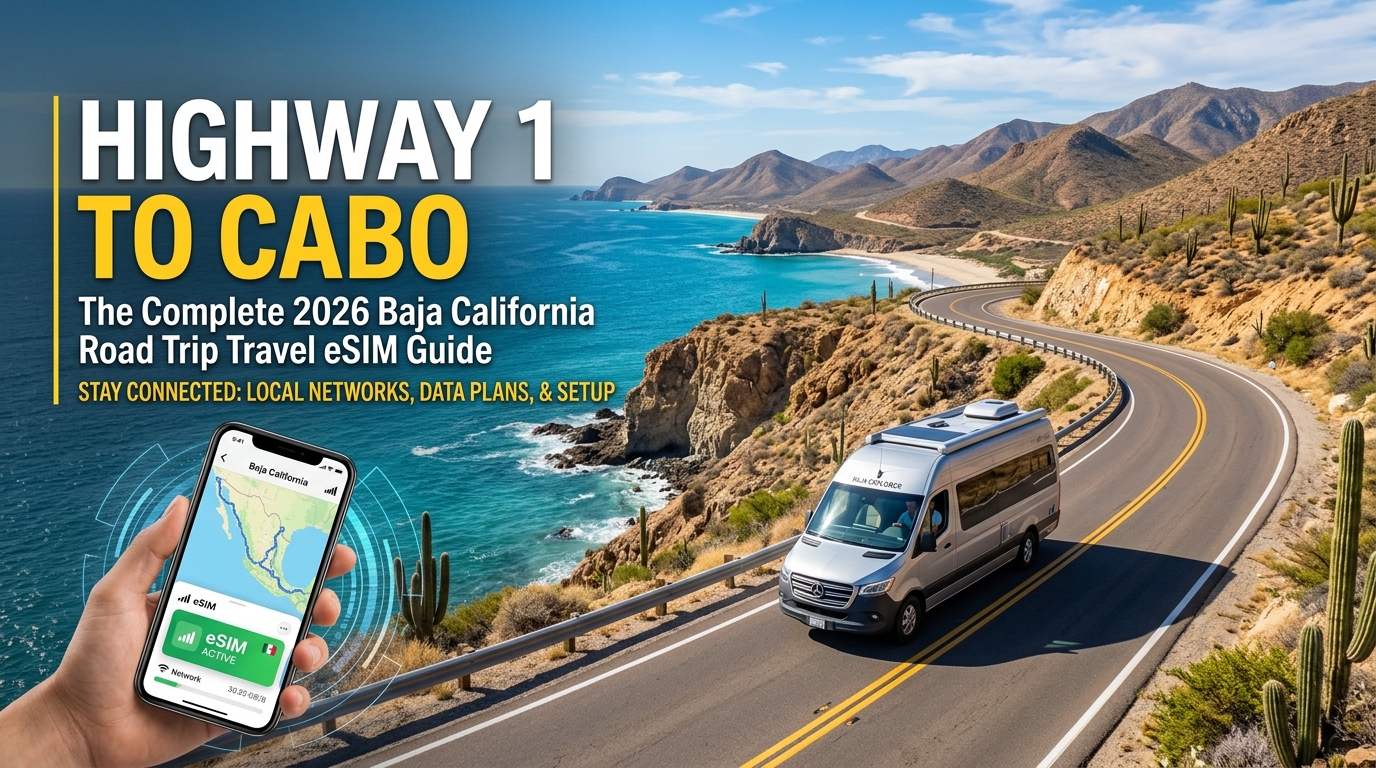
Highway 1 to Cabo: The Complete 2026 Baja California Road Trip Travel eSIM Guide
The Realities of Baja Highway 1: Why Connectivity is Critical on Mex 1
Stretching over 1,000 miles (1,700 km) from Tijuana to Cabo San Lucas, Mexico Federal Highway 1 (Carretera Transpeninsular) is one of the most visually stunning yet unforgiving long-distance driving routes in North America. Beyond the paved coastal towns, Mex 1 transforms into a narrow, two-lane ribbon with zero paved shoulders, unpredictable livestock (ganado en la pista), steep drop-offs, and brutal expanses of remote topography.
Navigating this terrain requires more than just mechanical readiness; it demands an active digital lifeline.
The Central Desert Dead Zone: San Quintín to Guerrero Negro
The most vulnerable stretch of Highway 1 spans the Valle de los Cirios and the El Vizcaíno Biosphere Reserve, particularly between San Quintín, Cataviña, and Guerrero Negro. In this 300-mile corridor:
- Infrastructural Isolation: Towns are separated by dozens of miles of uninhabited boulder fields, cacti forests, and arid flats.
- Spotty Offline Map Reliability: While downloaded offline maps provide basic geometry, they cannot warn you of flash-flood washouts (vados), road closures, or military checkpoint queues.
- Emergency Response Delays: Mechanical breakdowns, tire sidewall cuts, or running dry between intermittent Cataviña barrel-fuel stations require instant coordination.
EMERGENCY DIRECTORY (Baja Mex 1):
• Ángeles Verdes (Highway Patrol/Mechanics): Dial 078 / WhatsApp Dispatch
• National Emergency Line: Dial 911
• Towing/Roadside SOS: Requires active WhatsApp/VoIP data packets
The Flaw of Traditional Home Carrier Roaming
Most North American and European travelers assume their home provider's "International Day Pass" will suffice. On Mex 1, standard roaming protocols fall apart due to routing inefficiencies:
- High-Latency "Home Routing": Standard roaming routes your data requests all the way back to your domestic carrier's home gateway before returning to your device. This creates latency spikes (300ms–800ms), making real-time GPS re-routing and VOIP calls impossible during weak signal transitions.
- Deprioritized Tower Access: During handoffs between distant cell towers, roaming SIMs sit at the lowest QoS (Quality of Service) priority, causing dropped connections where local devices maintain service.
- Severe Speed Throttles: Many domestic carriers drop your connection to unusable 2G speeds (64kbps to 128kbps) after small daily caps.
| Feature | Standard Home Carrier Roaming | Optimized Travel eSIM (Local Peering) |
|---|---|---|
| Primary Network | Variable (often locked to secondary networks) | Direct Tier-1 Access (Telcel LTE / 5G) |
| Data Routing | Home-routed (via USA/Europe) | Local Edge Breakout |
| Latency | 250ms – 800ms | 35ms – 70ms |
| Tower Hand-off Recovery | Slow (often requires toggling Airplane Mode) | Instantaneous |
| FUP Throttled Speed | 64 kbps – 128 kbps (Timeout failure) | 384 kbps (Maps & WhatsApp remain operational) |
Uninterrupted Data via Local Tier-1 Infrastructure
Staying safe on Mex 1 requires direct access to Telcel, the only carrier with widespread rural transmission towers stationed near strategic mountain passes and central desert settlements.
Using a specialized provider like MollySIM bridges the gap between urban centers and isolated highway stretches. Because MollySIM utilizes direct Tier-1 network peering on local Mexican infrastructure, your phone reconnects to live LTE/5G cells the moment a signal corridor opens up.
Furthermore, MollySIM’s 384kbps Fair Use Policy (FUP) speed limit is 3x faster than the industry-standard 128kbps. Even if you exhaust your high-speed bucket in the middle of Baja California Sur, your connection retains enough bandwidth to load vector maps, send live WhatsApp location pins to emergency services, and process Apple Pay or digital transactions without timing out.
Baja Carrier Breakdown: Telcel vs. AT&T Mexico vs. Movistar Across the Peninsula
🇺🇸 United States High-Speed Travel eSIM & SIM Plans
Instant QR code activation, hotspot enabled, with guaranteed 384kbps fallback speed to keep Maps & Digital Wallets active.
Driving the 1,000-mile length of Mexican Federal Highway 1 (Mex 1) exposes your smartphone to dramatically shifting radio frequency environments. Navigating this vast terrain requires an understanding of how Mexico’s three primary Mobile Network Operators (MNOs)—Telcel (América Móvil), AT&T Mexico, and Movistar (Telefónica)—deploy their physical cellular infrastructure across the Baja Peninsula.
The MNO Landscape: Rural Dominance vs. Urban Density
Outside of the northern border hubs and the southern resort corridor, carrier availability drops off a cliff for two of the three operators.
+-------------------+---------------------------+----------------------------+-----------------------+
| Metric            | Telcel (América Móvil)    | AT&T Mexico                | Movistar (Telefónica) |
+-------------------+---------------------------+----------------------------+-----------------------+
| Rural Coverage    | Exceptional (90%+ Mex 1)  | Very Limited (<20% Mex 1)  | Negligible (<5% Mex 1)|
| Urban Performance | 4G LTE / Nationwide 5G    | Strong 4G LTE / Urban 5G   | Moderate 4G LTE (MVNO)|
| Highway Outposts  | Live in San Quintín,      | Drops after El Rosario;    | Disconnects south of  |
|                   | Cataviña, Mulegé, Loreto  | intermittent in La Paz     | Ensenada limits       |
| Primary Spectrum  | B4, B7, B28, n78          | B4, B2, B5                 | B4, B2 (via AT&T RAN) |
+-------------------+---------------------------+----------------------------+-----------------------+
1. Telcel: The Undisputed King of the Transpeninsular Highway
Telcel operates a near-monopoly on cellular infrastructure across the interior of Baja California Norte and Baja California Sur. Because Telcel was historically mandated to build out rural telephony under its universal service framework, its physical cell sites dot remote outposts including Cataviña, Punta Prieta, Bahía de Los Ángeles, San Ignacio, and the agricultural spine of San Quintín. If you need cellular signal to verify a fuel stop at a remote Pemex station or ping an emergency mechanic in the Vizcaíno Desert, Telcel is frequently the only functional radio access network (RAN).
2. AT&T Mexico: Urban Capacity with Desert Blackouts
AT&T Mexico delivers robust high-speed 4G and growing 5G coverage throughout urban centers like Tijuana, Rosarito, Ensenada, La Paz, and Los Cabos (San José del Cabo & Cabo San Lucas). However, once your vehicle passes south of El Rosario into the Central Desert National Park (Valle de los Cirios), AT&T towers disappear almost entirely until you reach the outskirts of Ciudad Constitución or La Paz.
3. Movistar: Sub-Leased Infrastructure
Movistar decommissioned its own physical radio access network in Mexico, operating instead as a full-MVNO utilizing AT&T Mexico’s transmission towers. Consequently, Movistar inherits all of AT&T’s rural limitations while often being deprioritized during periods of heavy cell tower congestion in major tourist zones.
Critical Baja Cellular Bands: Hardware Compatibility Guide
Modern unlocked dual-SIM smartphones interface with multiple Radio Frequency (RF) bands to maintain voice and data links across the peninsula. Ensuring your device supports these specific LTE and 5G bands is critical for long-range connectivity:
- Band 28 (700 MHz APT - Lower Sub-1GHz): The backbone of rural coverage. Operating at a low frequency, Band 28 penetrates deep into mountain canyons, passes through thick concrete walls, and propagates signals across 15–20 miles of open desert terrain from a single tower.
- Band 4 / AWS (1700/2100 MHz): The primary workhorse band for high-speed 4G LTE in urban corridors, mid-sized coastal towns like Loreto, and along standard highway runs.
- Band 7 (2600 MHz): Deployed exclusively in dense metropolitan sectors (Tijuana, Mexicali, Cabo San Lucas) to absorb heavy data loads.
- Band n78 (3.5 GHz 5G): Powers ultra-fast, low-latency 5G downloads in northern commercial areas and southern luxury corridor zones.
MollySIM Dynamic Multi-Network Switching & Failover
Standard travel eSIM profiles lock your handset to a single roaming agreement. If your provider contracts exclusively with AT&T Mexico or Movistar, your device will display "No Service" for hundreds of continuous miles along Mex 1.
MollySIM solves this fragmentation by deploying an intelligent multi-network routing engine. The eSIM prioritizes direct Tier-1 access to Telcel’s primary infrastructure, ensuring seamless handoffs across remote stretches like the Sierra de San Pedro Mártir foothills and the Mulegé coastline.
When entering congested urban environments—such as the toll road between Tijuana and Ensenada or downtown San José del Cabo—the eSIM can dynamically route traffic through local partner networks to avoid overloaded cells.
Combined with MollySIM's 384kbps Fair Use Policy (FUP) baseline, your device retains the continuous throughput required to run navigation apps, authenticate fuel purchases via Apple Pay, and transmit telemetry without dropping offline.
Highway 1 Waypoint Guide: Cellular Coverage from Tijuana to Cabo San Lucas
Traversing the 1,000-mile length of the Baja Peninsula on Federal Highway 1 (Carretera Transpeninsular) exposes mobile devices to extreme shifts in network infrastructure. Coverage swings from dense 5G urban arrays to standalone solar-powered rural macro towers connected via high-latency satellite backhaul.
Below is an operational, waypoint-by-waypoint cellular audit to help you navigate coverage gaps, schedule your critical downloads, and maintain navigation integrity.
1. The Northern Coastal Run: Tijuana to San Quintín (KM 0 – KM 300)
- Coverage Type: 5G / 4G LTE (Telcel, AT&T Mexico, Movistar)
- Average Download Speed: 45–120 Mbps
The drive begins with heavy multi-carrier coverage along the Mex 1D Cuota (Toll Road), hugging the Pacific coast past Rosarito down to Ensenada.
- Valle de Guadalupe Detour (Mex 3): Wineries between San Antonio de las Minas and El Porvenir maintain solid LTE coverage via Telcel, though boutique properties tucked behind the northern ridges (e.g., Valle de San Rafael) experience signal degradation due to granite topography.
- Maneadero to San Quintín: Highway 1 transitions from a multi-lane highway to a high-traffic two-lane road. Coverage remains stable through the agricultural hubs of Camalú, Vicente Guerrero, and San Quintín.
2. The Central Desert Void: El Rosario to Villa Jesús María (KM 360 – KM 600)
- Coverage Type: Isolated 3G / Low-Band B28 LTE / Extended Dead Zones
- Average Download Speed: 0–5 Mbps
South of El Rosario (the traditional "point of no return" for fuel and provisions), Mex 1 swings inland into the harsh Valle de los Cirios. This is the most demanding connectivity stretch on the peninsula.
┌──────────────────────────────────────────────────────────────────────────┐
│                      CENTRAL DESERT CONNECTIVITY AUDIT                  │
├──────────────────────┬───────────────────────┬───────────────────────────┤
│ Waypoint             │ Available Network     │ Service Type              │
├──────────────────────┼───────────────────────┼───────────────────────────┤
│ El Rosario (KM 360)  │ Telcel 4G LTE         │ Reliable Fuel/Data Stop   │
│ Cataviña (KM 495)    │ Telcel 3G (Satellite) │ Low-bandwidth Micro-tower │
│ Punta Prieta (KM 590)│ Telcel Emergency 3G   │ Intermittent              │
│ Bahía de LA Junction │ No Service            │ 45km Dead Zone            │
└──────────────────────┴───────────────────────┴───────────────────────────┘- The Cataviña Boulder Fields: A standalone Telcel macro site operates in Cataviña, powered by solar arrays with satellite backhaul. Voice calls and lightweight data work near the village center, but throughput quickly drops off 3 kilometers in either direction.
- The 384kbps Advantage in the Void: If your primary data bucket expires while navigating this remote interior, standard international roaming eSIMs throttle speeds to an unusable 128kbps—causing vector map tiles in Google Maps or Apple Maps to fail completely. MollySIM’s continuous 384kbps baseline delivers triple the throughput, ensuring live vector rendering, SMS-over-IP, and offline cache updates remain functional when staging emergency routes.
3. The Sea of Cortez Corridor: Guerrero Negro to Loreto (KM 710 – KM 1100)
- Coverage Type: 4G LTE in Municipal Hubs; Spotty Coastal Passes
- Average Download Speed: 15–40 Mbps
Crossing the 28th Parallel into Baja California Sur brings you into Guerrero Negro (and shifts your clock from Pacific to Mountain Time).
- San Ignacio & Santa Rosalía: San Ignacio’s palm oasis has reliable Telcel LTE. As you approach the Sea of Cortez through the steep switchbacks of the Cuesta del Infierno into Santa Rosalía, highway coverage drops entirely due to steep volcanic canyons before recovering at sea level.
- Bahía Concepción (South of Mulegé): The iconic white-sand beaches along Mex 1 (Playa Santispac, Playa El Burro, Playa El Requesón) sit in cellular shadows. Highway passes directly adjacent to the water have intermittent line-of-sight to regional towers, but base-camp connectivity inside beach coves is minimal.
- Loreto: Full 4G LTE deployment with multi-carrier coverage extending from the international airport through the historic center and south into Nopoló.
4. The Southern Cape: Ciudad Constitución to Cabo San Lucas (KM 1100 – KM 1450)
- Coverage Type: Continuous 4G LTE / Dense 5G Urban Arrays
- Average Download Speed: 50–150 Mbps
After ascending the Sierra de la Giganta and crossing the agricultural plains of Ciudad Constitución and Ciudad Insurgentes, Mex 1 enters the high-density infrastructure of southern Baja.
- La Paz: Excellent 5G availability across the Malecón and interior commercial districts via primary Tier-1 Telcel routing.
- The Mex 19 Corridor (Todos Santos): The modern four-lane divide from La Paz down through Todos Santos and Cerritos delivers uninterrupted LTE, making it the preferred route for continuous navigation and telematics tracking.
- Los Cabos Corridor: From San José del Cabo across the 20-mile tourist corridor to Cabo San Lucas, network density is at its highest, with dynamic carrier failover handling heavy local bandwidth consumption.
Comparative Analysis: Connectivity Solutions for the Baja Road Trip
Navigating the logistical realities of Highway 1 requires a connectivity strategy that balances network reach, data throughput, hardware reliability, and ease of deployment. While urban hubs like Tijuana and La Paz offer ubiquitous LTE and 5G, the middle stretches of the peninsula quickly expose the limitations of inferior roaming agreements and locked hardware.
The table below contrasts the four primary mobile data methods used by overlanders, van-lifers, and cross-border road-trippers tackling the drive to Cabo.
| Feature / Metric | MollySIM Travel eSIM | Local Physical SIM (Telcel via OXXO) | US/CA Carrier Roaming (e.g., DayPass) | Portable Pocket Wi-Fi Rental |
|---|---|---|---|---|
| Pricing Model | Transparent prepaid bundles (from ~$1.50–$3.50/GB) | Low-cost prepaid packages (~$10–$15 for 3–5GB) | $10–$16 USD per day flat charge | $8–$14/day + shipping & hardware deposit |
| Activation Friction | Zero: Instant QR scan prior to departure | High: In-store Spanish registration, CURP/ID hurdles, APN setup | Low: Automatic trigger upon border crossing | Medium: Requires battery charging, physical device collection |
| Multi-Network Auto-Switching | Yes: Dynamically hops across Tier-1 networks (Telcel + AT&T MX) | No: Locked strictly to Telcel towers | Variable: Dependent on home carrier's roaming agreements | Variable: Virtual SIM switching (often delayed handshake) |
| Hotspot & Tethering Support | Full 100% Unrestricted Support | Supported (may deduct from specialized bucket) | Often restricted or throttled after 2–5GB/day | Supported (inherent routing mode) |
| Hardware Overhead | None (embedded device chip) | Requires SIM ejector tool, swapping physical trays | None (uses native SIM) | High: Extra battery to charge; overheats on desert dashboards |
| Post-Cap Fallback Speed | 384 kbps Fair Use Policy | Complete hard cutoff (requires manual OXXO top-up) | Severe throttle (often 64–128 kbps) or massive overage charges | Throttled to 128 kbps or complete disconnect |
Remote Work, Van-Life, and Tethering on Baja's Remote Coastlines
For digital nomads, remote engineers, and van-lifers running remote workstations out of a camper van or 4x4 tailgate, tethering capability is non-negotiable. Prime coastal campsites—such as the white sands of Playa Balandra outside La Paz or the secluded coves of Bahía Concepción (Playa Santispac, El Burro, and Playa Requesón)—frequently sit on the geographic periphery of rural cell towers.
In these remote coastal offices, consumer roaming passes from domestic carriers often fail due to aggressive background throttling policies that penalize hotspot traffic after a minimal daily threshold.
MollySIM solves this operational bottleneck by treating tethered data equally:
- Unrestricted Laptop Workstations: Tether your MacBook, ThinkPad, or dual-screen setup directly to your iPhone or Android without carrier-level packet inspection downgrading your bandwidth to 3G speeds.
- Resilience During High-Friction Tasks: Even if you deplete your high-speed allowance mid-workday while uploading large project assets from Mulegé, MollySIM’s generous 384 kbps Fair Use Policy (FUP) baseline is three times faster than the standard 128 kbps throttle applied by legacy roaming providers. This 384 kbps pipeline is robust enough to keep Slack notifications, Apple Pay authentications, SSH terminal sessions, and vector map rendering in Google Maps functional without dropping the connection.
- Thermal Management: Unlike pocket Wi-Fi hockey pucks—whose lithium-ion batteries frequently swell or trigger emergency thermal shutdowns when exposed to the intense ambient heat of the Vizcaíno Desert dashboard—an embedded travel eSIM relies exclusively on your smartphone’s internal power management, eliminating unnecessary hardware vulnerabilities.
Dual-SIM Configuration Masterclass for iOS and Android on Remote Baja Routes
Running a dual-SIM setup is mandatory for maintaining operational continuity across Baja. You need your domestic line active to receive critical banking two-factor authentication (2FA) SMS messages and emergency voice calls, while routing 100% of your high-bandwidth mobile data through your travel eSIM to eliminate home-carrier roaming fees.
Below is the definitive deployment blueprint for both ecosystems before hitting the border crossing at Tijuana or Mexicali.
Step-by-Step Setup: iOS (iPhone 13 through iPhone 16 Pro)
[ Primary Home SIM ]  ---> Calls & 2FA SMS Only (Data Roaming: OFF)
[ MollySIM eSIM ] ---> Mobile Data Engine (Data Roaming: ON)- Install and Label Profiles:
- Navigate to Settings > Cellular (or Mobile Data).
- Under SIMs, tap your physical or primary home eSIM and rename the label to "Home".
- Tap your MollySIM profile and label it "Baja Data".
- Assign Traffic Routing:
- Default Voice Line: Set to "Home" (allows standard calls and SMS to arrive normally).
- Cellular Data: Set explicitly to "Baja Data".
- Lock Down the Data Switcher (Crucial Step):
- While inside the Cellular Data submenu, toggle "Allow Cellular Data Switching" to OFF.
- Why this matters: If this toggle remains active, your iPhone will silently failover to your home carrier's roaming pipeline when you encounter weak Mexican cell towers in southern San Quintín, instantly triggering daily international carrier charges (often $10–$15/day).
- Enable Data Roaming on the eSIM Only:
- Tap "Baja Data" under SIMs > toggle Data Roaming to ON.
- Tap "Home" under SIMs > verify Data Roaming is set to OFF.
Step-by-Step Setup: Android (Google Pixel & Samsung Galaxy)
Settings > Network & Internet / Connections > SIMs
├── Primary SIM (Carrier) -> Calls: Preferred | SMS: Preferred | Mobile Data: OFF
└── MollySIM (eSIM) -> Mobile Data: Preferred | Roaming: ON- Configure the SIM Manager:
- Go to Settings > Connections > SIM Manager (Samsung) or Settings > Network & Internet > SIMs (Pixel).
- Designate your home carrier for Calls and Messages.
- Designate MollySIM as your primary engine for Mobile Data.
- Deactivate Auto Data Switching:
- On Samsung devices, turn off "Auto data switching".
- On Google Pixel, disable "Switch mobile data automatically" or "Backup Calling" over mobile data to isolate your domestic balance.
- Set Roaming Flags:
- Open the MollySIM profile > toggle Roaming to ON.
- Open your Home SIM profile > toggle Roaming to OFF.
APN Verification and Network Cache Reset in Highway 1 Dead Zones
Modern eSIMs automatically configure your Access Point Name (APN), but tower handoffs between Ensenada and the Vizcaíno Desert can occasionally desynchronize the local cellular baseband cache.
| Issue on Highway 1 | Diagnostic Indicator | Technical Resolution |
|---|---|---|
| Dead Handshake | Shows 4G/LTE signal bars with an exclamation mark (!), but zero data throughput. | Toggle Airplane Mode ON for 15 seconds to force the baseband radio to release stale tower credentials and acquire a clean IP lease from the nearest Telcel/AT&T MX node. |
| APN Drop | Signal connects to 3G or shows "No Internet Connection" after traversing Cataviña. | Navigate to Cellular Data Network (iOS) or Access Point Names (Android) under the MollySIM profile. Ensure APN fields are populated as instructed in your MollySIM activation voucher. |
| Tower Locking | Phone clings to a non-functional, distant AT&T MX micro-cell instead of a stronger local Telcel rural node. | Disable Automatic Network Selection (Settings > Cellular > Network Selection). Manually force-select Telcel to lock onto long-range Band 28 (700 MHz) infrastructure. |
Pre-Departure Offline Asset Caching
Before leaving San Vicente and heading south into the 300-kilometer cellular vacuum of the Valle de los Cirios, complete these essential offline caching protocols over high-speed connectivity:
- Google Maps: Tap your profile icon > Offline maps > Select Your Own Map. Draw a perimeter covering the entire Highway 1 corridor from Tijuana down to Guerrero Negro, and a second block from Mulegé down to Los Cabos. Download size is approximately 2.5 GB.
- FUP Safety Net: If you forget to cache a sub-region or deviate off-pavement toward the remote Bahia de los Angeles, MollySIM's 384 kbps Fair Use Policy baseline delivers sufficient bandwidth to dynamically stream vector map tiles and recalculate navigation routes on the fly, unlike legacy 128 kbps throttles that time out during map server requests.
Digital Nomad & Overlander Survival Guide: Remote Hotspots, Cabo Hubs, and Safety Tips
Crossing the Tropic of Cancer brings you back into fiber-fed infrastructure, but navigating the workspace landscape across the Cape region requires strategic planning. Whether you are running a remote sprint from a campervan or anchoring at a dedicated workstation in Los Cabos, balancing cellular bandwidth, grid stability, and hardware backups is essential.
Southern Baja Coworking Hubs & High-Speed Workspaces
When your workflow demands sustained upstream bandwidth for video rendering or client calls, transition from vehicle-based setups to these vetted hubs featuring redundant fiber lines and dedicated 5G coverage:
| Location | Recommended Venue | Connectivity Type | Average Speeds (Down / Up) | Power & Work Environment |
|---|---|---|---|---|
| La Paz | Nomad Coworking (Downtown) | Dedicated Dual-Fiber | 150 Mbps / 40 Mbps | Ergonomic seating, private call booths, backup generator. |
| La Paz | Doce Cuarenta (Café) | Fiber Wi-Fi + Telcel 5G | 65 Mbps / 20 Mbps | High ambient noise; ideal for asynchronous work and email sprints. |
| Todos Santos | Pura Vida Cowork | Starlink Business + Fiber | 120 Mbps / 25 Mbps | Shaded outdoor desks, air-conditioned meeting rooms, solar-backed. |
| San José del Cabo | Koral Desk (The Shoppes at Koral) | Enterprise Fiber Tier-1 | 250 Mbps / 100 Mbps | Full-service corporate coworking, 24/7 access, dedicated fiber lines. |
| Cabo San Lucas | Cabo Hub Coworking | Redundant Fiber | 180 Mbps / 50 Mbps | Central location, soundproof pods, dual-monitor rental availability. |
Hardware Architecture: 12V Boosters, Starlink, and eSIM Integration
Operating reliably off-grid along remote stretches like the East Cape or Playa Santispac requires a tiered power and data architecture:
- Cellular Booster Pairing: Mount an omnidirectional antenna (e.g., WeBoost Drive Reach) to your roof rack. When paired with a MollySIM data profile, the amplifier locks onto distant 700 MHz (Band 28) Telcel towers up to 45 kilometers away, turning a borderline "No Service" zone into usable 1–2 bar LTE.
- Power Budgeting: Starlink draws between 25W to 45W of continuous DC power, quickly draining auxiliary battery banks during cloudy desert days. Use your eSIM data for daily operations, Slack messaging, and navigation. Reserve Starlink exclusively for heavy data transfers.
- Bandwidth Throttling Protection: In remote zones where heavy data burns through base allocations, MollySIM's 384 kbps Fair Use Policy (FUP) floor—triple the 128 kbps industry standard—ensures critical apps like WhatsApp voice calls, Apple Pay transactions at rural Pemex stations, and live GPS map tracking continue functioning without total network dropouts.
Baja Emergency Roadside Protocol & Critical Contacts
In remote desert corridors, cellular connectivity transitions from a remote-work convenience to a critical life-safety tool. Store these local dispatch numbers offline and program them directly into your device:
- *Green Angels (Ángeles Verdes): Dial
078*
The Mexican Ministry of Tourism operates a fleet of bilingual mechanics providing free roadside mechanical diagnostics, radiator flushes, tire repairs, and emergency fuel deliveries along Highway 1.
- Universal Emergency Hotline: Dial
911
Directs to regional C4/C5 dispatch centers in Ensenada, La Paz, and Los Cabos. Works from any active SIM profile on local Mexican infrastructure.
- *Red Cross (Cruz Roja Mexicana): Dial
065*
Direct ambulance and emergency medical dispatch.
- CAPUFE Road Assistance (Toll Roads): Dial
074
Covers the Tijuana–Ensenada Scenic Toll Road (Highway 1D) and Cabo San Lucas–San José del Cabo toll corridors.
Pre-Crossing Connectivity Checklist (San Ysidro / Otay Mesa)
Execute this final operational check before entering the Mexican border customs gates:
- [ ] Install and Verify eSIM: Download your MollySIM profile over home/hotel Wi-Fi while still in San Diego.
- [ ] Set Data Roaming: Set the eSIM as your primary Cellular Data line and toggle Data Roaming to ON.
- [ ] Lock Out Auto-Updates: Disable iCloud Photos Sync, Google Drive sync, and app store automatic updates over cellular data to preserve initial high-speed bandwidth.
- [ ] Pre-Load Toll Cash: Calculate toll fees for Highway 1D (Tijuana to Ensenada requires approximately 140 MXN cash across three plazas; card readers frequently experience offline network timeouts).
- [ ] Sync Offline Translators: Download the Spanish offline language pack via Google Translate or Apple Translate for mechanical and medical communication in non-English speaking municipalities.
🇺🇸 United States High-Speed Travel eSIM & SIM Plans
Instant QR code activation, hotspot enabled, with guaranteed 384kbps fallback speed to keep Maps & Digital Wallets active.