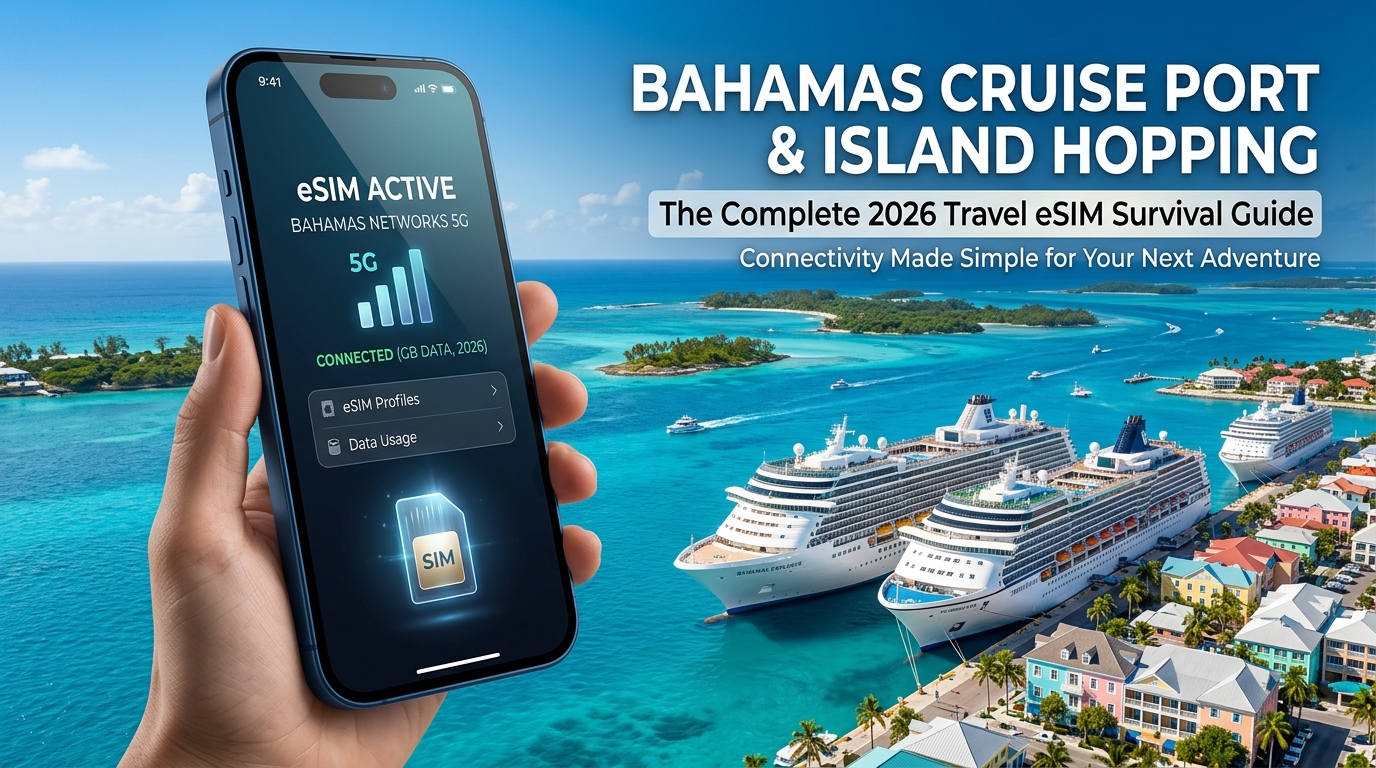
Cruise Port Arrival & The Maritime Roaming Trap: Prince George Wharf Reality Check
Pulling into Prince George Wharf in Nassau or docking at Lucayan Harbour in Freeport offers one of the most deceptively expensive technical pitfalls in modern travel. Long before your ship ties off at the pier, your smartphone is caught in an invisible, high-stakes tug-of-war between high-cost satellite backhauls and local terrestrial towers. If your device makes the wrong connection, you risk racking up hundreds of dollars in charges before you even step down the gangway.
The Mechanics of "Cellular at Sea" and Satellite Bleed
While cruising in international waters, your phone connects to proprietary maritime networks—such as Wireless Maritime Services (WMS) or Cellular at Sea. These networks route cellular data through geostationary or low-Earth-orbit satellites rather than cell towers on land.
Unlike standard international roaming, maritime connectivity is billed under specialized satellite carrier agreements. Standard domestic carrier travel passes (like the AT&T International Day Pass or Verizon TravelPass) do not cover maritime networks.
On these satellite relays, pay-as-you-go data rates regularly reach $10.00 to $15.00 per megabyte. At that rate:
- A silent 50MB background cloud photo sync costs $500 to $750.
- An automated OS patch or app store refresh can easily generate an invoice exceeding $1,500 within thirty minutes.
The 12-Nautical-Mile Handoff Problem
Under international maritime protocol, cruise operators are required to deactivate their onboard cellular transceivers once the vessel enters territorial waters—typically within 12 nautical miles of the coastline—or when the ship is securely berthed.
However, reality at Prince George Wharf rarely matches the manual. Shipboard satellite transceivers frequently remain active during the docking approach, and internal signal repeaters inside cabin corridors often bleed satellite signals onto open decks even while the ship is docked alongside Bay Street. If your device is set to search for networks automatically, its internal radio will aggressively hold onto the powerful, line-of-sight maritime repeater inside the ship rather than locking onto terrestrial BTC (Bahamas Telecommunications Company) or Aliv towers on shore.
| Feature | Shipboard Maritime Network (Cellular at Sea) | Local Bahamas eSIM (e.g., MollySIM) |
|---|---|---|
| Network Type | Satellite Backhaul | Local Terrestrial LTE / 5G (BTC / Aliv) |
| Data Rate | $10.00 – $15.00+ per MB | Fixed prepaid package (Cents per GB) |
| Risk of Bill Shock | Critical (Uncapped satellite metering) | Zero (Prepaid, no auto-overages) |
| FUP Throttling Speed | N/A (Pay-per-megabyte) | 384kbps (Runs maps, messaging, and Apple Pay smoothly) |
| Dockside Handshake | Often stays connected via ship repeaters | Instantly routes through Bahamian cell towers |
Step-by-Step Pre-Docking Protocol for Cruise Passengers
To guarantee your smartphone never defaults to maritime satellite rates while navigating the port, execute this sequence 30 minutes before your ship arrives within 12 nautical miles of Nassau or Freeport:
1. Sever Primary Carrier Data Roaming
Navigate to your device settings and permanently toggle off Data Roaming on your primary domestic SIM/eSIM:
- iOS: Settings > Cellular (or Mobile Data) > Primary SIM > Toggle OFF "Data Roaming".
- Android: Settings > Network & Internet > SIMs > Primary SIM > Toggle OFF "Roaming".
2. Switch Cellular Data Line to Your Travel eSIM
Assign your travel eSIM as the dedicated, sole provider for cellular data:
- iOS: Settings > Cellular > Cellular Data > Select your Travel eSIM. Make sure "Allow Cellular Data Switching" is turned OFF to prevent your phone from defaulting back to your home SIM if the local signal fluctuates.
- Android: Settings > Network & Internet > SIMs > Data Preference > Set to Travel eSIM.
3. Disable Automatic Network Selection (Defeat Satellite Bleed)
To stop your phone from grabbing the ship's lingering maritime signal while docked at Prince George Wharf, force it to register exclusively on local Bahamian infrastructure:
- Go to your eSIM's Network Selection menu (Settings > Cellular > eSIM Line > Network Selection).
- Toggle Automatic to OFF.
- Wait for the device to populate available networks, then manually select BTC or Aliv.
4. Enable eSIM Roaming (If Required by the Profile)
Toggle Data Roaming to ON only under your travel eSIM profile. This allows the digital SIM to route through authorized local partners without incurring secondary home-carrier fees.
Uninterrupted Port Navigation with MollySIM
Stepping off the gangway into the bustle of Prince George Wharf demands immediate, reliable connectivity for taxi coordination, walking navigation around downtown Nassau, and mobile payments. Utilizing a dedicated travel eSIM from MollySIM completely eliminates satellite billing liabilities by locking directly into top-tier Bahamian cellular arrays the moment you cross into port waters.
Furthermore, if heavy photo uploads or navigation during your excursion push your data usage past your high-speed tier, MollySIM’s 384kbps Fair Use Policy (FUP) keeps your device fully functional. While legacy travel eSIMs throttle users to an unusable 128kbps—effectively breaking map routing and verification apps—MollySIM’s 384kbps speed floor is 3x faster, ensuring that Google Maps turn-by-turn navigation, WhatsApp voice notes, and contactless Apple Pay / Google Wallet authentications process seamlessly while you explore the island.
BTC vs. Aliv: Deconstructing Bahamas Cellular Infrastructure Across 700 Islands
🌐 Global Travel High-Speed Travel eSIM & SIM Plans
Instant QR code activation, hotspot enabled, with guaranteed 384kbps fallback speed to keep Maps & Digital Wallets active.
Navigating cellular connectivity across the Commonwealth of the Bahamas requires understanding a unique geographic challenge: delivering reliable broadband across an archipelago of 700 islands, cays, and islets spanning more than 100,000 square miles of ocean. The market is defined by a strict duopoly between the legacy incumbent, Bahamas Telecommunications Company (BTC), and the newer challenger, Aliv (BeAliv Limited).
Both carriers operate modern 4G LTE and LTE-Advanced (LTE-A) networks, but their underlying spectrum allocations, base-station footprints, and congestion-management strategies produce distinctly different real-world performance profiles.
Spectrum Allocation and Radio Access Networks (RAN)
The performance of your eSIM in Bahamian waters depends heavily on which radio frequency bands your device negotiates with local cell towers:
- BTC (Bahamas Telecommunications Company): Majority-owned by Liberty Latin America, BTC leverages legacy infrastructure upgraded to LTE-A. BTC relies heavily on Band 17 (700 MHz Lower Block B/C) and Band 20 (800 MHz) for wide-area coverage, alongside Band 4 (AWS 1700/2100 MHz) and Band 2 (1900 MHz PCS) for urban capacity. BTC’s extensive microwave backbone links deep outer settlements that lack subsea fiber connections.
- Aliv: Entering the market as a greenfield LTE network, Aliv deployed a modern, pure IP-based cellular network. Aliv utilizes Band 13 (700 MHz Upper Block C) for baseline rural/marine coverage and Band 4 (AWS) for urban core transmission. Because Aliv bypassed legacy 2G/3G equipment during initial deployment, its tower architecture features high-order MIMO and advanced carrier aggregation out of the box.
| Cellular Metric | BTC (Bahamas Telecommunications Co.) | Aliv (BeAliv Limited) |
|---|---|---|
| Primary Low-Band (Propagation) | Band 17 (700 MHz), Band 20 (800 MHz) | Band 13 (700 MHz) |
| Primary Mid-Band (Capacity) | Band 4 (AWS), Band 2 (PCS) | Band 4 (AWS) |
| Urban Footprint (Nassau/Freeport) | Dense tower grid; prone to daytime port saturation | Dense microcell grid; superior load balancing |
| Outer Family Islands Coverage | Deepest penetration in remote settlements | Exceptional along high-traffic cruising routes (Exumas/Abacos) |
| Average LTE Download Speeds | 22–45 Mbps (Uncongested) | 35–65 Mbps (Uncongested) |
| Network Core Architecture | Upgraded Hybrid IP/Legacy | Pure Greenfield LTE-A / VoLTE-native |
Peak Port Congestion: The Prince George Wharf Stress Test
On peak cruise days, Nassau Harbour hosts up to seven mega-ships simultaneously, disembarking upwards of 30,000 passengers within a four-block radius of Prince George Wharf and Bay Street. This sudden, massive concentration of devices causes immediate Radio Frequency (RF) resource exhaustion on local NodeB/eNodeB towers.
During these congestion spikes:
- BTC cell sites around downtown Nassau frequently experience high packet loss and latency spikes exceeding 250ms as commercial roaming agreements flood the base stations.
- Aliv deploys localized small-cell arrays along Woodes Rogers Walk and Parliament Street, delivering more consistent throughput and lower jitter when validating mobile boarding passes or processing digital transactions.
Remote Island & Marine Penetration: Exumas, Eleuthera, and the Abacos
Once your itinerary moves into the Family Islands, line-of-sight propagation over open water becomes the primary factor for signal stability.
- The Exuma Cays: Navigating from Highbourne Cay down to Staniel Cay exposes travelers to cellular black zones between limestone cays. Aliv has installed high-gain, solar-backed macro sites along key marine waypoints, offering continuous Band 13 (700 MHz) coverage up to 10–12 nautical miles offshore. BTC maintains strong coverage over long-established settlements like George Town and Barraterre.
- Eleuthera and Harbour Island: Both carriers provide reliable LTE along Queen’s Highway. However, the rugged bluffs of North Eleuthera and the narrow corridors of Dunmore Town favor BTC’s multi-frequency fallback.
- The Abacos: Following post-hurricane infrastructure rebuilds, Aliv’s fiber-backed microwave towers around Marsh Harbour, Hope Town, and Green Turtle Cay deliver some of the fastest offshore data rates in the country, frequently exceeding 50 Mbps down.
Dynamic Carrier Redundancy with MollySIM
Locking your device to a single local carrier profile leaves you vulnerable to regional outages, localized tower congestion, or blind spots behind isolated cays. MollySIM solves this architectural bottleneck through direct multi-carrier agreements, enabling your device to dynamically negotiate handshakes with the strongest available Bahamian carrier—switching between BTC and Aliv without requiring physical SIM swaps or secondary installations.
This structural redundancy is paired with a safety net for uninterrupted data access: if intensive media streaming or video calls exhaust your high-speed data allotment during an offshore excursion, MollySIM’s 384kbps Fair Use Policy (FUP) maintains continuous connectivity.
While legacy roaming profiles throttle users down to an unusable 128kbps—causing navigation tools to fail—MollySIM’s 384kbps speed floor delivers 3x faster baseline throughput. This allows critical utilities like Google Maps vector rendering, WhatsApp location pins, and Apple Pay payment authorizations to function smoothly anywhere in the archipelago.
Bahamas Island-Hopping Data Matrix: Connectivity & Carrier Benchmark
Navigating the 700 islands and cays of the Bahamas requires an understanding of how cellular performance fluctuates once you transition from cruise terminal microcells to remote out-island repeater towers. Marine topography, mangrove clusters, and open-water distances introduce severe RF attenuation that generic carrier maps fail to disclose.
The comparative matrix below benchmarks real-world throughput, carrier prevalence, and navigation resilience across the primary transit hubs and remote excursion corridors.
Comprehensive Regional Connectivity Matrix
| Region / Island Hotspot | Dominant Local Carrier | Avg DL / UL Speeds (Mbps) | 4K Video Upload Viability | GPS / Nav Stability (Scooter / Boat) | MollySIM 384kbps Fallback Performance |
|---|---|---|---|---|---|
| Nassau & Paradise Island (Prince George Wharf, Cable Beach) | Aliv / BTC (Dense 5G/LTE-A deployment) | 85 / 28 Mbps (Drops to 22/8 during 5-ship port days) | Instantaneous; sub-4s upload times for reels/stories. | Rock solid (99.8%) across all urban, resort, and bridge sectors. | Seamless. Apple Pay, WhatsApp voice calls, and Google Maps caching run at full UI responsiveness. |
| Freeport & Grand Bahama (Lucaya, Deadman's Reef) | BTC (Broader outer-island mast reach) | 45 / 15 Mbps | Viable along southern coastal strip; intermittent buffering inland. | High (95%) on Grand Bahama Hwy; drops near East End mangroves. | Flawless turn-by-turn navigation on rental scooters; vector map tiles download reliably. |
| Great Exuma & Big Major Cay (Pig Beach, Staniel Cay) | BTC / Aliv Dynamic Handover | 18 / 6 Mbps (Cays) <br>35 / 12 Mbps (George Town) | Variable; queued uploads recommended at Thunderball Grotto. | Moderate to Critical; open water dead zones between remote cays. | Vital fail-safe. Vector marine charts update; coordinates send via WhatsApp without timing out. |
| Eleuthera & Harbour Island (Dunmore Town, Glass Window) | Aliv (Strong in Dunmore Town); BTC (North/South Spine) | 40 / 18 Mbps (Harbour Is) <br>14 / 4 Mbps (Eleuthera Cliffs) | Stable in town centers; fails along unshaded stretches of Queen's Hwy. | High on Harbour Is golf carts; intermittent signal beneath southern cliffs. | Stable baseline. Resolves point-of-sale terminal handshakes and restaurant digital menus instantly. |
| Bimini (North & South) (Alice Town, Resorts World) | BTC / Aliv | 52 / 20 Mbps | Fast and reliable across both islands and resort marinas. | Near-perfect (98%) on golf cart tracks and inter-island water taxis. | Full operational support for messaging, ride coordination, and digital boarding passes. |
Critical Takeaways for Cruise Excursionists & Day-Trippers
When three to six mega-cruise ships dock simultaneously at Prince George Wharf in Nassau, over 20,000 passengers connect to the nearest cellular base stations within a 1.5-mile radius. This creates sudden macrocell congestion, causing ping spikes over 300ms and choking standard roaming access.
Using MollySIM allows your device to bypass single-carrier saturation by seamlessly hopping between Aliv and BTC cell towers based on real-time signal-to-noise ratios. If your speed drops on an overloaded downtown Nassau sector, the profile automatically routes traffic through the secondary carrier's less congested suburban mast.
Off-Grid Realities for Liveaboard Sailors & Boat Charters
For travelers chartering powerboats through the Exuma Cays or renting center consoles to cross between Great Exuma and Stocking Island, cellular signal strength dictates navigational safety.
- Water Attenuation: Radio waves degrade rapidly over open water. While cellular towers stationed on Staniel Cay and Black Point project signals roughly 8–12 nautical miles offshore, signal fringe areas cause aggressive battery drain as modems search for signal.
- The 384kbps Data Safety Net: If you exhaust your high-speed tier while streaming or backing up footage mid-voyage, standard international roaming profiles drop your bandwidth down to 128kbps or hard-disconnect your line. At 128kbps, dynamic mapping engines (such as Google Maps, Apple Maps, or marine overlays) time out completely, leaving you without navigational caching.
- MollySIM’s 384kbps continuous FUP floor provides 3x higher baseline throughput, ensuring raster/vector map rendering, GPS waypoint transmission, emergency VoIP messaging, and local digital card payments continue functioning uninterrupted—even in low-signal anchorages.
High-Bandwidth Demands: 4K Pig Beach Uploads, Scooter GPS, and Excursion Logistics
Bahamian shore excursions split your cellular connectivity into two distinct profiles: high-throughput multimedia uploading and mission-critical logistical data. A single six-hour day trip off the cruise ship often pushes consumer mobile hardware to its limits, oscillating between streaming 4K video clips and relying on live satellite telemetry to navigate remote roads.
Understanding your bandwidth burn rate prevents unexpected cutoffs when you need your connection most.
Excursion Data Consumption Breakdown
| Excursion Activity | Typical Bandwidth Demand | Hourly Data Burn Rate | Network Sensitivity |
|---|---|---|---|
| 4K60 HDR Video Upload (TikTok/Reels) | 25–45 Mbps (Upstream) | 1.8 GB – 3.5 GB / hr (batch upload) | Moderate (tolerates buffering) |
| Turn-by-Turn GPS (Scooter/ATV Rental) | 1.5–3.0 Mbps (Downstream) | 35 MB – 65 MB / hr (vector caching) | High (requires continuous ping <100ms) |
| WhatsApp Tender Coordination (VoIP) | 64–128 kbps (Symmetric) | 25 MB – 50 MB / hr (continuous audio) | Critical (packet loss causes dropouts) |
| iCloud / Google Photos Auto-Sync | Peak available pipe | 4.0 GB – 8.0 GB / hr (background) | Low (can drain entire data plan silently) |
| Dynamic Cruise Port Pass / Mobile Pay | Burst: 256 kbps | <5 MB / transaction | Critical (TLS handshake timeout if throttled <128kbps) |
4K Video Surges at Pig Beach & Compass Cay
Excursions to Big Major Cay (Pig Beach) and the nurse shark sanctuaries at Compass Cay present unique data challenges. Modern smartphones default to recording 4K video at 60fps using HEVC compression, producing roughly 400 MB to 600 MB of raw media per minute.
When background cloud synchronization (Google Photos or Apple iCloud) detects an active 4G/LTE connection on local cell towers, it attempts an unthrottled backup of your library. Without proactive plan management, a traveler's 5GB or 10GB high-speed bucket can vanish before their powerboat docks back at Staniel Cay.
Real-Time Telemetry: Nassau ATV & Scooter Rentals
Renting an ATV or scooter to explore beyond Nassau’s downtown cruise perimeter—heading westward along Bay Street toward Clifton Heritage National Park, Nirvana Beach, or the historic forts—demands uninterrupted turn-by-turn navigation.
- Vector Tile Rendering: Unlike static map screenshots, dynamic map engines continuously fetch 3D vector geometries and live congestion overlays.
- Traffic Rerouting: In high-congestion corridors like Shirley Street and East Street, split-second lane decisions require uninterrupted data packets to compute live detours.
- Cellular Handoffs: As you transit between central Nassau macrocells and southwestern suburban sectors, connection drops can cause map rendering failures if the carrier SIM lacks multi-network roaming agreements.
The 384kbps Continuity Floor: Why 128kbps Throttling Fails
When tourists exhaust their high-speed data tier on generic travel SIMs, providers routinely throttle connections down to 128kbps—or sever the pipe completely. In practice, a 128kbps throttle renders modern apps unusable due to TLS security handshake timeouts:
To eliminate the risk of travelers being stranded without communication or navigation, MollySIM provisions its Caribbean eSIM packages with a continuous 384kbps Fair Use Policy (FUP) safety net. Operating at 3x the industry standard throttle speed, a 384kbps connection maintains the baseline throughput required to:
- Execute Dynamic Mobile Payments: Complete Apple Pay, Google Wallet, and digital banking multi-factor authentication (MFA) requests without gateway timeouts.
- Render Live Navigation: Maintain continuous vector map generation and live GPS positioning on Google Maps and Apple Maps.
- Coordinate Shore Logistics: Send and receive WhatsApp text updates, pin drop locations, and maintain crisp voice calls with private boat captains, tour operators, and cruise line excursion desks.
- Display Dynamic Gate Passes: Load security QR codes and mobile boarding credentials at Nassau Cruise Port checkpoints without relying on congested port terminal Wi-Fi.
Step-by-Step Installation & Dual-SIM Optimization for Bahamas Travelers
Configuring a travel eSIM for a cruise or Out Island voyage requires proactive setup. Attempting to download an eSIM profile over congested cruise terminal Wi-Fi or satellite links frequently leads to corrupted provisioning profiles. Follow this deployment sequence to ensure zero-downtime connectivity upon docking.
Phase 1: Pre-Departure Installation (24 Hours Before Embarkation)
Install your digital profile while connected to a stable home or hotel Wi-Fi network before entering international waters or boarding your flight to Lynden Pindling International Airport (NAS).
Method A: Instant QR Scanning
- iOS: Open Settings > Cellular > Add eSIM > Use QR Code. Scan the QR code sent by MollySIM.
- Android (Samsung/Pixel): Navigate to Settings > Connections / Network & internet > SIM manager / SIMs > Add eSIM and align your camera with the QR code.
Method B: Manual SM-DP+ Entry
If you are viewing the purchase confirmation on the same mobile device and cannot scan the QR code:
- Copy the SM-DP+ Address (e.g.,
rsp.truphone.comor custom server string) and Activation Code from your provider dashboard. - Tap Enter Details Manually at the bottom of your device's eSIM setup screen and paste the credentials. Leave the Confirmation Code blank unless explicitly generated.
Phase 2: Dual-SIM Architecture & Roaming Leakage Prevention
Modern smartphones operate in Dual-SIM Dual Standby (DSDS) mode. To receive incoming two-factor authentication (2FA) SMS alerts from your home bank without incurring exorbitant international roaming charges, configure your lines precisely:
| Setting Field | Home Carrier Line (e.g., Verizon/AT&T/EE) | Travel eSIM (MollySIM) | Technical Purpose |
|---|---|---|---|
| Profile Label | Rename to: "Home / Primary" | Rename to: "MollySIM Bahamas" | Prevents line confusion in call logs |
| Default Voice Line | Selected (ON) | OFF | Directs inbound SMS/calls to your home SIM |
| Mobile Data | OFF | Selected (ON) | Routes all megabytes through your low-cost eSIM |
| Data Roaming | TOGGLED OFF ❌ | TOGGLED ON ✅ | Stops home carrier billing; enables local roaming |
| Allow Data Switching | TOGGLED OFF ❌ | — | CRITICAL: Prevents silent fallback to home data |
⚠️ Critical Checkpoint: If "Allow Cellular Data Switching" remains toggled ON, your phone will automatically pull data from your home carrier the second your cruise ship drifts between Bahamian cell tower zones, triggering daily $10–$15 domestic carrier international pass charges.
Phase 3: In-Port Activation & Island Hopping Troubleshooting
Once your ship docks at Nassau, Freeport, or Bimini:
- APN Configuration: MollySIM profiles configure Access Point Names (APNs) automatically. If data fails to flow immediately, check Cellular Data Network settings:
- APN: Set to
globaldataor the specific APN provided in your activation email. - Username/Password: Leave blank.
- Manual Carrier Selection (Island Hopping): When sailing from Nassau into the Exuma Cays or Eleuthera, automatic network handshakes can stall.
- Go to Settings > Cellular > Network Selection.
- Toggle off Automatic and manually pick BTC (for wider mangrove/cay coverage) or Aliv (for higher speeds in populated anchorages).
- Even if high-speed data allotments are depleted during a long excursion, MollySIM's baseline 384kbps Fair Use Policy keeps active vector mapping and digital wallet handshakes functional without forced manual re-registration.
Phase 4: Tropical Thermal & Battery Management
Bahamian ambient temperatures exceeding 85°F (29°C) combined with high solar glare push smartphone screens to maximum nits, causing aggressive thermal throttling and battery drainage:
- Lock Network Mode to LTE: Under Voice & Data, switch from 5G On to LTE. Sub-6GHz 5G in the Out Islands is sparse; preventing your modem from constantly hunting for 5G towers saves up to 22% battery over an 8-hour shore excursion.
- Pre-Cache Vector Maps: Download offline map areas for New Providence, Grand Bahama, and the Exumas over port Wi-Fi to reduce real-time modem transmission heat while navigating direct sunlight.
The 2026 Bahamas Connectivity Verdict: Why MollySIM Dominates Island Hopping
Stepping off the gangway at Prince George Wharf in Nassau or tendering into George Town with zero cellular reception instantly introduces unnecessary travel friction. Navigating port terminals to locate physical SIM kiosks forces travelers to wait in congested lines, surrender physical passports for local regulatory registration, and purchase single-destination bundles that become useless the moment the ship sails toward Mexico or the Virgin Islands. Conversely, relying exclusively on daily cruise satellite Wi-Fi—which often tops $25 to $35 per device per day—leaves passengers completely disconnected the moment they step beyond the ship's gangway.
For multi-port Caribbean itineraries and dedicated Out Island expeditions, deploying a unified regional eSIM is the single most efficient connectivity strategy for 2026.
Seamless Multi-Country Transition Across Caribbean Itineraries
Modern cruise sailings rarely stop exclusively in The Bahamas. A standard 7-night Western or Eastern Caribbean itinerary frequently links Nassau with stops like Cozumel (Mexico), George Town (Grand Cayman), San Juan (Puerto Rico), or St. Thomas (USVI).
Instead of juggling physical plastic cards or buying disjointed local eSIM profiles at every single port, MollySIM allows travelers to load a single regional Caribbean profile prior to departure. The embedded profile autonomously provisions local carrier handshakes as soon as the vessel enters territorial waters—connecting to BTC or Aliv in The Bahamas, Telcel in Mexico, or Flow in the Antilles—with zero manual intervention or physical SIM swapping.
The Real-World Impact of a 384kbps Fair Use Policy (FUP)
The critical differentiator between budget travel eSIMs and high-reliability connectivity lies in how providers handle data depletion. Industry-standard eSIMs either hard-disconnect your device or throttle speeds down to an unusable 64kbps–128kbps—a tier that fails to load modern vector navigation maps or execute dynamic security handshakes.
| Critical Travel Application | Industry Standard Throttle (128 kbps) | MollySIM Baseline FUP (384 kbps) | Real-World Operational Impact |
|---|---|---|---|
| Apple Maps / Google Maps | Dynamic tiles fail to render; timeout errors | Active vector routing & live turn-by-turn | Prevents getting lost in unfamiliar Out Island roads |
| Apple Pay / Google Wallet | Token authentication frequently drops | Instant cryptographic token validation | Smooth point-of-sale payments at beach clubs & marinas |
| WhatsApp / iMessage | Text only; voice notes and photos fail | Fast text messaging & crisp voice notes | Constant communication with excursion groups |
| Rideshare / Excursion Apps | Map UI fails; driver tracking freezes | Real-time driver location updates & booking | Safe, predictable ground transit back to the pier |
By maintaining a sustained 384kbps minimum speed limit even after high-speed allocations are exhausted, MollySIM ensures you are never stranded without functional navigation, emergency messaging, or contactless payment verification. Furthermore, because billing is 100% prepaid and isolated to the data profile, the risk of maritime roaming charges—which can surge past $15.00 per megabyte if a phone accidentally latches onto Cellular at Sea towers—is completely eliminated.
Final Pre-Boarding Connectivity Checklist (2026 Edition)
Before your cruise ship unmoors or your hopper flight departs for the Out Islands, execute these five technical verifications to guarantee continuous data:
- Install Profile Before Departure: Scan your MollySIM QR code while still connected to home/hotel Wi-Fi. Label the line clearly (e.g.,
MollySIM Bahamas). - Set Primary Data Line: Under Settings > Cellular > Cellular Data, select your travel eSIM. Ensure Allow Cellular Data Switching is toggled OFF to avoid unexpected domestic carrier roaming triggers.
- Turn Data Roaming ON for the eSIM Only: In your device's cellular profile settings, ensure Data Roaming is enabled specifically for your MollySIM line so it can negotiate handshakes with both BTC and Aliv towers.
- Pre-Download Island Maps: Cache offline vector maps for New Providence, Grand Bahama, Abaco, and Exuma within Google Maps or Apple Maps to minimize real-time rendering heat and maximize battery reserves under tropical sun.
- Secure Primary Carrier Line: If you must keep your physical home SIM active for SMS two-factor authentication, contact your home carrier before leaving port to place an international data block on that specific line.
🌐 Global Travel High-Speed Travel eSIM & SIM Plans
Instant QR code activation, hotspot enabled, with guaranteed 384kbps fallback speed to keep Maps & Digital Wallets active.