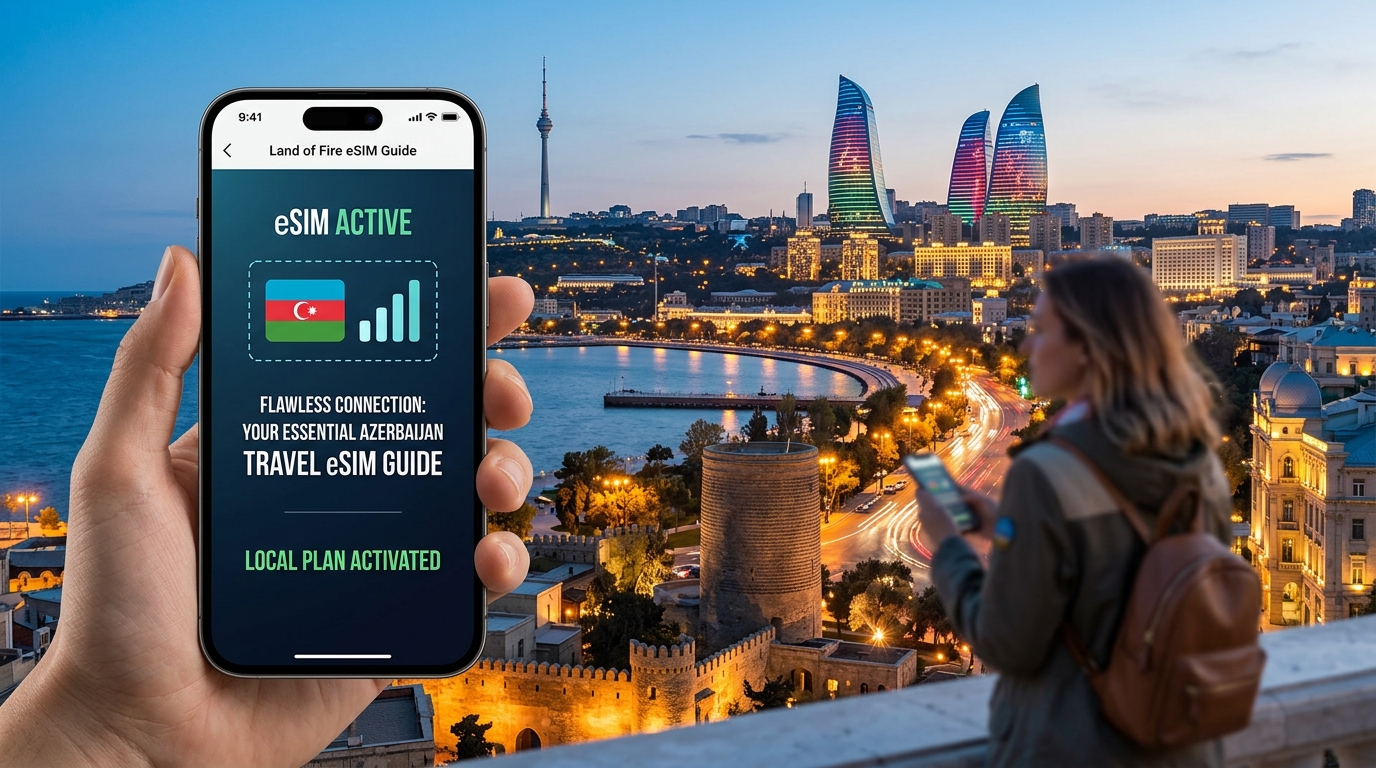
Tanah Api, Koneksi Sempurna: Mengapa eSIM adalah Perlengkapan Penting Perjalanan Azerbaijan Anda
Azerbaijan, the captivating "Land of Fire," beckons with an irresistible blend of ancient mystique and modern dynamism. From the UNESCO-listed Old City of Baku with its Maiden Tower and Palace of the Shirvanshahs, to the fiery slopes of Yanar Dag, the mud volcanoes of Gobustan, and the majestic peaks of the Caucasus, this nation offers a tapestry of experiences unlike any other. Travelers come to explore its rich history, vibrant culture, and stunning natural landscapes. However, to truly immerse oneself in Azerbaijan's wonders without missing a beat, seamless connectivity is no longer a luxury—it's a fundamental necessity.
Traditionally, securing mobile internet access in a foreign country has been a tedious and often frustrating ordeal. Imagine arriving in Baku, eager to explore, only to face the immediate challenge of finding a local SIM card vendor. This often involves:
- The Hunt for a Store: Navigating unfamiliar streets, potentially in a new language, just to locate an authorized mobile provider.
- Language Barriers: Attempting to understand complex data plans and registration procedures with sales staff who may not speak English fluently.
- Complex Registration Processes: Handing over your passport, filling out forms, and enduring bureaucratic delays, which can be particularly cumbersome after a long flight.
- Physical Swapping Hassles: Fumbling with tiny SIM cards, ejector tools, and the ever-present risk of misplacing or losing your home SIM card, leaving you disconnected from your usual contacts upon return.
- Potential Scams and Overcharging: As a tourist, you might be susceptible to inflated prices or unclear terms.
These traditional hurdles consume precious travel time, introduce unnecessary stress, and detract from the excitement of your arrival. They force you to prioritize logistics over immediate exploration, turning what should be a smooth transition into a connectivity quest.
The eSIM Revolution: Unlocking Seamless Azerbaijan Connectivity
Enter the eSIM – the embedded SIM card – a game-changer for international travelers. This innovative technology eliminates virtually all the traditional pain points associated with getting online abroad, offering unparalleled ease, speed, and convenience. For your Azerbaijan adventure, an eSIM transforms connectivity from a potential headache into an invisible, always-on utility.
Core Benefits for the Modern Tourist:
- Instant Activation, Anywhere: Purchase and activate your eSIM plan from the comfort of your home before you even depart, or immediately upon arrival at Baku Heydar Aliyev International Airport. There's no need to hunt for a physical store, stand in lines, or deal with paper forms. Your service is ready when you are.
- No Physical Card Required: Say goodbye to physical SIM cards, ejector tools, and the anxiety of losing your home SIM. An eSIM is digitally provisioned, meaning you simply scan a QR code or enter a code, and your device is connected.
- Manage Multiple Profiles with Ease: Most modern smartphones support multiple eSIM profiles. This allows you to keep your home SIM active for calls and texts (if desired) while using your Azerbaijan eSIM for data. Switching between plans is a matter of a few taps in your phone settings, offering ultimate flexibility.
- Cost-Effectiveness vs. Roaming: International roaming charges can quickly accumulate into exorbitant bills. eSIM plans are specifically designed for travelers, offering transparent, competitive pricing that is significantly more affordable than relying on your home network's roaming services.
- Enhanced Security: With no physical card to lose or have stolen, an eSIM offers a layer of security. Your digital profile is tied to your device, reducing the risk of unauthorized use.
- Flexibility to Switch Plans: If your travel plans change or you find you need more data, upgrading or switching to a different eSIM plan is quick and straightforward, often done directly through the provider's app or website.
MollySIM: Elevating Your Azerbaijan Connection
While many eSIM providers offer basic connectivity, a premium service like MollySIM (https://mollysim.com) elevates the experience, ensuring your connection in Azerbaijan is truly flawless. Crucially, MollySIM boasts a Fair Use Policy (FUP) speed limit of 384kbps, which is 3x faster than many competitors' standard 128kbps. This seemingly small difference has a profound impact on your daily usage:
- Smooth Navigation: Google Maps or Apple Maps will load directions, search for points of interest, and update your location seamlessly, preventing frustrating delays when you're trying to find the Flame Towers or navigate the bustling Nizami Street.
- Reliable Payments: Services like Apple Pay or Google Pay, which often require a stable internet connection for verification, will work smoothly, allowing for convenient transactions without connectivity hiccups.
- Essential Communication: Messaging apps, light browsing, and even basic video calls remain responsive, keeping you connected with loved ones and essential information.
This superior speed from MollySIM ensures that your connectivity is not just present, but truly functional, allowing you to leverage all the smart features of your device without compromise.
Focus on Azerbaijan, Not Connectivity Worries
In today's interconnected world, reliable mobile data is the backbone of modern travel. It's how you navigate unfamiliar streets, translate menus, share your incredible experiences on social media, communicate with tour guides or hotels, and access emergency services if needed. An eSIM eliminates a major travel stressor, freeing you to focus entirely on experiencing Azerbaijan's rich culture, stunning landscapes, and vibrant cities. Imagine effortlessly ordering a taxi, finding the best local restaurant, or sharing a live video of the Caspian Sea sunset, all without a second thought about your internet connection. This is the promise of an eSIM – a truly seamless, stress-free journey through the Land of Fire.
Navigating Azerbaijan's Digital Landscape: Local Carriers & Coverage Explained
To truly appreciate the seamless connectivity an eSIM offers in Azerbaijan, it's crucial to understand the underlying digital infrastructure provided by the country's primary mobile network operators (MNOs). Azerbaijan's telecommunications sector is robust and competitive, dominated by three major players: Azercell, Bakcell, and Nar Mobile. Each has invested significantly in building extensive networks, ensuring that visitors can stay connected across much of the Land of Fire.
Azerbaijan's Key Mobile Network Operators
These three MNOs form the backbone of Azerbaijan's mobile connectivity, each with its own history, market position, and network strengths.
Azercell Telecom LLC
Established in 1996, Azercell is consistently recognized as the market leader in Azerbaijan, boasting the largest subscriber base and often the most extensive network coverage. Historically, Azercell was a pioneer in introducing advanced mobile technologies to the country. Today, its network infrastructure is comprehensive, supporting 2G (GSM) for basic calls and SMS, robust 3G (UMTS/HSPA) for moderate data speeds, and widespread 4G/LTE connectivity, which provides high-speed internet access essential for modern smartphone usage. Azercell has also been at the forefront of 5G development, conducting pilot projects and trials in select areas, particularly within Baku, signaling future advancements.
Bakcell LLC
Founded in 1994, Bakcell holds the position of Azerbaijan's second-largest mobile operator. Over the years, Bakcell has grown into a strong competitor, known for its aggressive expansion and focus on customer experience. Its network capabilities mirror Azercell's in offering reliable 2G, 3G, and 4G/LTE services across the nation. Bakcell has made substantial investments in its 4G network, aiming to provide competitive speeds and coverage, particularly in urban centers and key economic zones. Like Azercell, Bakcell is actively exploring and testing 5G technologies, preparing for the next generation of mobile connectivity.
Nar Mobile (Azerfon LLC)
Launched in 2007, Nar Mobile (operated by Azerfon LLC) is the newest entrant among the big three but has quickly established itself as a significant player in the Azerbaijani market. Nar Mobile has focused on providing affordable communication solutions and expanding its network footprint. It offers comprehensive 2G, 3G, and 4G/LTE services, with a strong emphasis on delivering value and reliable connectivity to its growing subscriber base. Nar Mobile continues to invest in upgrading its infrastructure to keep pace with technological advancements and user demand.
Regional Coverage Strengths and Weaknesses
While all three operators strive for nationwide coverage, the quality and strength of the signal can vary depending on your location within Azerbaijan.
- Baku and the Absheron Peninsula: As the capital and economic heartland, Baku and its surrounding Absheron Peninsula enjoy excellent and robust coverage from all three operators. Here, you can expect strong 4G/LTE signals, enabling seamless streaming, video calls, and rapid data transfers. This ensures that whether you're exploring the historic Old City, strolling along the Boulevard, or conducting business, your connection will be consistently reliable.
- Major Cities: Beyond Baku, major cities such as Ganja, Sumqayit, Lankaran, and Sheki also benefit from strong presence and reliable service. In these urban centers, you'll typically find robust 4G/LTE coverage, facilitating smooth navigation, communication, and access to online services. This makes exploring Azerbaijan's rich cultural hubs a connected experience.
- Popular Tourist Destinations: Key tourist destinations like the ancient petroglyphs of Qobustan, the picturesque mountain resort of Gabala, and the ski slopes of Shahdag generally offer good coverage. While perhaps not always at the peak 4G/LTE speeds found in Baku, the service is usually sufficient for essential communication, social media updates, and using navigation apps. This ensures you can share your adventures and find your way around these popular spots without significant connectivity issues.
- Remote and Rural Areas: It's important to note that coverage can become more variable in remote mountainous areas, sparsely populated rural villages, or less populated border regions. In these challenging terrains, signal strength may fluctuate, and you might occasionally drop to 3G or even 2G speeds, or experience intermittent service. While operators are continuously expanding their networks, the geographical complexities of Azerbaijan mean that some isolated pockets may still present connectivity challenges.
The eSIM Advantage: Intelligent Network Selection with MollySIM
This diverse network landscape is precisely where an advanced eSIM, like those offered by MollySIM, proves invaluable. Unlike a traditional physical SIM card that locks you into a single network, an eSIM is designed to intelligently connect to the best available network from Azerbaijan's local operators.
When you activate your MollySIM in Azerbaijan, it doesn't just pick one carrier; it dynamically scans and connects to the MNO (Azercell, Bakcell, or Nar Mobile) that offers the strongest signal and optimal performance at your specific location. If you move from a strong Azercell area to a region where Bakcell has superior coverage, your MollySIM can seamlessly switch to Bakcell's network, ensuring maximum uptime and consistent internet access. This automatic adaptation means you don't have to manually search for networks or worry about dead zones as you traverse the country.
This intelligent network selection, combined with MollySIM's generous 384kbps Fair Use Policy speed limit (which is three times faster than many competitors' 128kbps), ensures that your essential apps work flawlessly. Whether you're relying on Google Maps to navigate the winding streets of Baku, using Apple Pay for convenient transactions at a local market, or simply staying in touch via messaging apps, the enhanced speed and adaptive connectivity provided by MollySIM will keep you connected and productive throughout your Azerbaijani adventure. It truly frees you to immerse yourself in the experience, knowing your digital lifeline is robust and reliable.
MollySIM for Azerbaijan: Unpacking Plans, Speeds, and the 384kbps Advantage
[Content Generation Temporary Fallback]
Seamless Setup: Your Step-by-Step Guide to Acquiring & Activating MollySIM
Ensuring a flawless connection in the Land of Fire begins with a smooth setup process. MollySIM makes acquiring and activating your Azerbaijan eSIM straightforward, but a few critical steps guarantee a hassle-free experience. Follow this comprehensive guide to get your digital lifeline ready for adventure.
### 1. Verifying eSIM Compatibility: Your First Critical Step
Before purchasing any eSIM, it is absolutely essential to confirm that your smartphone supports eSIM technology. Not all devices, even newer models, are eSIM-compatible across all regions. Attempting to install an eSIM on an incompatible device will result in failure.
Here's a list of popular smartphone models generally known to support eSIM. Always verify your specific device model's specifications before proceeding:
- Apple iPhone: iPhone XS, iPhone XS Max, iPhone XR, iPhone 11 series, iPhone 12 series, iPhone 13 series, iPhone 14 series, iPhone 15 series (including Pro, Pro Max, Mini variants). iPhone SE (2nd and 3rd generation). Note: iPhones purchased in mainland China, Hong Kong, and Macao typically do not support eSIM.
- Samsung Galaxy: Galaxy S20, S21, S22, S23, S24 series (all variants). Galaxy Note 20 series. Galaxy Z Fold and Z Flip series (all generations). Note: Some regional versions of Samsung phones, particularly those sold in certain Asian markets, may not have eSIM functionality.
- Google Pixel: Pixel 3, 3a, 4, 4a, 5, 6, 7, 8 series (including 'a' and Pro variants).
- Huawei: P40, P40 Pro, Mate 40 Pro (and newer models, excluding P40 Pro+).
- Motorola: Razr (2019, 5G), Edge+ (2023), G Power 5G (2024), and select newer models.
- Other Android Devices: Many newer flagship phones from brands like OnePlus, Oppo, Vivo, and Xiaomi are increasingly incorporating eSIM support.
How to Check Your Device: The quickest way to check is to go to your phone's settings.
- iPhone: Go to Settings > Cellular (or Mobile Data). If you see an option like "Add eSIM" or "Add Cellular Plan," your device is likely compatible.
- Android: Go to Settings > Network & internet > SIMs. Look for an option to "Add more" or "Download a SIM." Alternatively, search for "eSIM" in your phone's settings search bar.
### 2. Acquiring Your MollySIM Azerbaijan eSIM: The Purchase Process
Once you've confirmed device compatibility, purchasing your MollySIM eSIM for Azerbaijan is a straightforward online process.
- Visit MollySIM.com: Navigate to the official MollySIM website using your web browser.
- Select Azerbaijan Plan: On the homepage or through the destination search, locate and select Azerbaijan as your travel destination. You'll be presented with various data plans tailored for the region.
- Choose Your Ideal Plan: Review the available MollySIM plans, considering your estimated data usage and the duration of your trip. MollySIM offers flexible options to ensure you only pay for what you need.
- Create an Account or Log In: If you're a new user, you'll be prompted to create a MollySIM account. Existing users can simply log in. This account allows you to manage your eSIMs and access purchase history.
- Complete Payment: Proceed to the secure checkout page. MollySIM supports various payment methods, including major credit cards. Confirm your order details and finalize the payment.
- Confirmation & QR Code Delivery: Immediately after a successful purchase, you will receive a confirmation email. This email will contain your unique eSIM QR code and, importantly, manual installation details (SM-DP+ Address and Activation Code) as a fallback. This QR code is your key to activating the eSIM.
### 3. Activating Your MollySIM eSIM: A Step-by-Step Guide
Activating your MollySIM eSIM is simple and can typically be done in minutes, provided you have a stable Wi-Fi connection.
- Locate Your eSIM QR Code: Open the confirmation email from MollySIM. You'll find the QR code there. For ease of scanning, it's highly recommended to display this QR code on a separate device (like a laptop or tablet) or print it out.
- Access Your Phone's Cellular Settings:
- iPhone: Go to Settings > Cellular (or Mobile Data) > Add eSIM.
- Android (General): Go to Settings > Network & internet > SIMs > Add more (or similar path, as exact wording can vary by manufacturer).
- Scan the QR Code:
- Select the option to "Use QR Code" or "Scan QR Code."
- Your phone's camera will activate. Position it over the QR code displayed on your other device or printout. Your phone will automatically detect the new cellular plan.
- Manual Installation (If QR Scan Fails): If for any reason the QR code scan doesn't work, you can opt for manual entry. Select "Enter Details Manually" and input the SM-DP+ Address and Activation Code provided in your MollySIM confirmation email.
- Add the Cellular Plan: Follow the on-screen prompts to confirm adding the new eSIM profile. You will likely be asked to label this new eSIM (e.g., "MollySIM Azerbaijan," "Travel Data," or "Azerbaijan eSIM"). This is crucial for easy identification later.
- Configure Data Usage:
- If you have a physical SIM card in your phone, you'll be prompted to choose which line to use for calls, messages, and mobile data.
- Crucially, set your newly installed MollySIM profile as the preferred line for Mobile Data. You can usually keep your physical SIM active for calls and texts if you wish, ensuring you don't miss important communications.
- Enable Data Roaming for MollySIM: This is the most critical step for your eSIM to function in Azerbaijan.
- Navigate to the settings for your newly added MollySIM profile.
- Toggle 'Data Roaming' ON.
- Important: This enables roaming specifically for your MollySIM, allowing it to connect to local Azerbaijani networks (Azercell, Bakcell, or Nar Mobile) without incurring unexpected charges on your home SIM. MollySIM's intelligent network selection, combined with its generous 384kbps Fair Use Policy speed limit (which is three times faster than many competitors' 128kbps), will now ensure you have robust and reliable internet access.
### 4. Pre-Travel Checks and First Connection Tips
To ensure a truly seamless experience upon arrival in Azerbaijan, consider these final tips:
- Activate Before Departure: While the data plan typically only starts counting down once it connects to a supported network in Azerbaijan, you can install the eSIM profile on your device while still in your home country (on Wi-Fi). This ensures the profile is correctly installed and ready to go.
- Upon Arrival: As soon as you land in Azerbaijan, turn off Wi-Fi and ensure mobile data is enabled for your MollySIM profile. Your device should automatically connect to the strongest local network available (Azercell, Bakcell, or Nar Mobile).
- Troubleshooting: If you don't connect immediately, try restarting your phone. Double-check that 'Data Roaming' is indeed enabled for your MollySIM profile in your phone's settings.
- Enjoy Enhanced Connectivity: With your MollySIM active, you'll benefit from the enhanced 384kbps speed, allowing essential apps like Google Maps to navigate the winding streets of Baku effortlessly and Apple Pay to work smoothly for convenient transactions, truly freeing you to immerse yourself in your Azerbaijani adventure.
Maximizing Your Connectivity: Data Optimization & Troubleshooting in Azerbaijan
While your MollySIM is engineered for flawless connectivity across Azerbaijan, understanding how to optimize your data usage and effectively troubleshoot minor hiccups will further enhance your travel experience. This section equips you with practical strategies to make the most of your 384kbps Fair Use Policy speed limit and resolve common issues swiftly.
Strategic Data Optimization for Extended Use
MollySIM's generous 384kbps FUP speed limit provides ample bandwidth for most travel needs, being three times faster than many competitors' 128kbps. However, smart data management ensures you maintain optimal performance throughout your trip.
- Leverage Secure Wi-Fi Hotspots: Whenever possible, connect to secure Wi-Fi networks for data-intensive tasks. Utilize your hotel's Wi-Fi for large downloads, software updates, or extensive video streaming. Reputable cafes and official public hotspots in cities like Baku and Ganja can also be excellent resources. Always exercise caution with unsecured public networks.
- Disable Background App Refresh: Many apps consume data even when not actively in use. Go to your phone's settings (iOS:
Settings > General > Background App Refresh; Android:Settings > Network & Internet > Data Saver > Unrestricted dataorSettings > Apps & notifications > [App Name] > Mobile data & Wi-Fi) and disable background refresh for non-essential applications. This significantly reduces passive data consumption. - Optimize Video Streaming Quality: If you must stream video on the go, adjust the quality settings to a lower resolution (e.g., 480p or 360p) within the streaming app (YouTube, Netflix, etc.). This drastically reduces data usage without severely impacting the viewing experience on a mobile screen.
- Download Content Offline Pre-Trip: Before you even depart or while connected to Wi-Fi in your accommodation, download essential content:
- Google Maps: Download entire regions of Azerbaijan for offline navigation. This allows Google Maps to function perfectly even without an active data connection, saving your MollySIM data for real-time lookups.
- Entertainment: Download movies, TV shows, podcasts, or music from streaming services to enjoy offline during transit.
- Travel Guides: Save digital travel guides, phrasebooks, and important documents directly to your device.
- Utilize Data Saver Modes: Both iOS and Android offer built-in data saver features.
- iOS (Low Data Mode): Navigate to
Settings > Cellular/Mobile Data > Cellular Data Optionsand toggle on 'Low Data Mode' for your MollySIM profile. - Android (Data Saver): Go to
Settings > Network & Internet > Data Saverand turn it on. This restricts background data usage and can prompt apps to use less data. - Monitor Data Usage: Regularly check your data consumption.
- Phone Settings: On iOS, find it under
Settings > Cellular/Mobile Data. On Android, it's typicallySettings > Network & Internet > Mobile network > App data usage. This helps you identify which apps are consuming the most data and allows you to adjust your habits accordingly. While MollySIM's FUP provides peace of mind, monitoring helps you manage high-bandwidth activities effectively.
Troubleshooting Common Connectivity Challenges
Even with the most reliable eSIM, occasional connectivity issues can arise. Here's a step-by-step guide to resolving them:
1. "No Service" or Inability to Connect to the Internet
- Restart Your Device: The age-old IT solution often works wonders. A simple reboot can refresh your phone's connection to the network.
- Verify Data Roaming is Enabled: Ensure that 'Data Roaming' is toggled ON for your MollySIM profile in your phone's cellular settings. This is crucial for eSIMs operating on foreign networks.
- Manually Select Network: If your device isn't connecting automatically, try manually selecting a network. Go to
Settings > Cellular/Mobile Data > Network Selection(iOS) orSettings > Network & Internet > Mobile network > Advanced > Network operators(Android) and choose one of Azerbaijan's local providers (Azercell, Bakcell, or Nar Mobile). - Check APN Settings: While MollySIM usually configures APN settings automatically, it's worth checking if issues persist. The APN should typically be set to 'internet' or 'mollysim'. You can find this under
Settings > Cellular/Mobile Data > Cellular Data Network(iOS) orSettings > Network & Internet > Mobile network > Advanced > Access Point Names(Android).
2. Unexpectedly Slow Speeds
- Understand the 384kbps FUP Context: Remember, MollySIM's 384kbps Fair Use Policy speed limit is designed for robust general usage. This speed is perfectly adequate for seamless Google Maps navigation, checking emails, social media browsing, and smooth Apple Pay transactions. It's three times faster than many competitors' 128kbps, so don't expect gigabit speeds, but rather consistent, reliable performance for essential tasks.
- Network Congestion: Temporary slowdowns can occur due to network congestion, especially in crowded areas (e.g., Baku Boulevard on a weekend) or during peak usage hours. This is often transient.
- Location & Coverage: Connectivity can vary in very remote or mountainous regions of Azerbaijan. If you're in such an area, a slight dip in speed is normal.
- Close Background Apps: Ensure no bandwidth-intensive applications are running in the background, consuming your available speed.
Contacting MollySIM Customer Support
If you've exhausted the troubleshooting steps above and are still experiencing persistent issues, MollySIM's customer support team is ready to assist.
- When to Contact: Reach out after you've tried basic troubleshooting steps and the problem persists.
- Best Communication Channels:
- Live Chat: Often the fastest way to get real-time assistance via the MollySIM website (https://mollysim.com).
- Email Support: For less urgent issues or if you need to attach screenshots, email is an excellent option. Check the MollySIM website for their dedicated support email address.
- Support Portal: Many eSIM providers offer a dedicated support portal where you can submit tickets and track their status.
- Essential Information to Provide: To ensure swift and efficient assistance, have the following details ready:
- Your MollySIM order ID or account details.
- The make and model of your device (e.g., iPhone 14 Pro, Samsung Galaxy S23).
- Your device's operating system version (e.g., iOS 17.5, Android 14).
- A clear description of the issue (e.g., "No internet connection since arrival," "Slow speeds in Baku," "Cannot activate eSIM").
- Your current location in Azerbaijan (city, and if possible, a specific area or landmark).
- A list of troubleshooting steps you have already attempted.
- Any relevant screenshots (e.g., of error messages, network settings).
MollySIM is committed to providing a seamless experience, and their 384kbps FUP ensures you have a robust baseline connection, even during rare technical challenges, offering true peace of mind as you explore the Land of Fire.