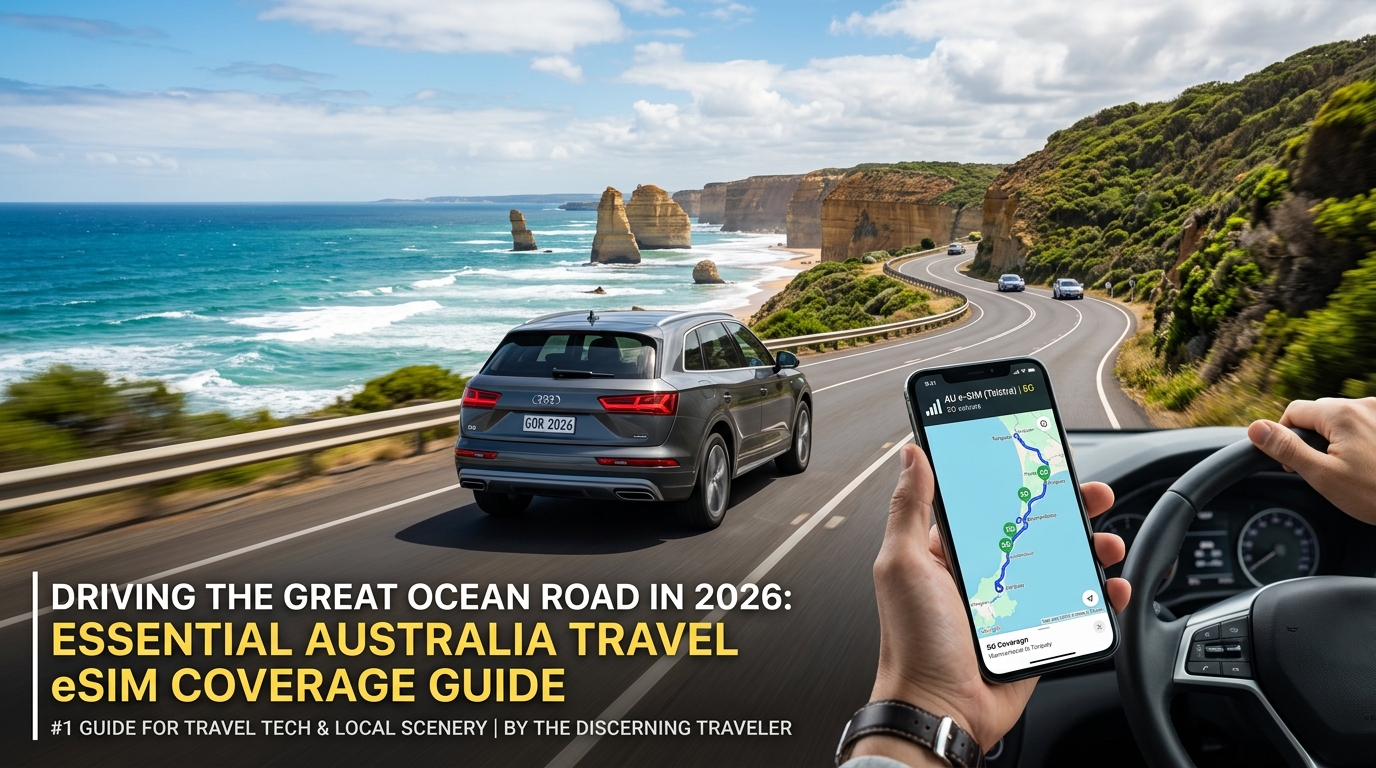
Driving the Great Ocean Road in 2026: Essential Australia Travel eSIM Coverage Guide
The Iconic B100 Route and Australia's 2026 Regional Mobile Landscape
Spanning 243 kilometers along Victoria’s south-western coastline, the Great Ocean Road (B100) is one of the world's most visually arresting drives. Starting in Torquay—roughly 100 kilometers southwest of Melbourne—the route weaves through world-class surf breaks, climbs into the temperate rainforests of the Great Otway National Park, and descends toward the dramatic limestone sea stacks of the Twelve Apostles before culminating near Port Campbell and Allansford.
However, navigating this corridor in 2026 requires understanding Australia's modernized cellular infrastructure, which has fundamentally changed how international travelers access mobile data.
The Post-3G Spectrum Shift and Foreign Device Compatibility
Following the complete decommissioning of all legacy 3G networks by Telstra, Optus, and TPG/Vodafone, Australia’s regional connectivity operates exclusively on pure 4G LTE and 5G spectrums. For travelers driving the B100, this transition places unique demands on mobile hardware and roaming profiles:
- Sub-1GHz Coverage Bands: Regional reach now depends almost entirely on low-band spectrums—specifically Band 28 (700 MHz) and Band 5 (850 MHz). These lower frequencies travel farther over vast rural stretches, but international smartphones lacking full multi-band LTE/5G hardware support will experience severe dead zones.
- VoLTE Roaming Requirements: Emergency calling (dialing
000or112) outside metropolitan centers now routes exclusively via Voice over LTE (VoLTE). Devices connected to roaming plans without local carrier-level VoLTE integration risk failing to establish emergency connections if off the main highway.
Topographical Signal Shadows: From Canopies to Sea Cliffs
The physical geography of the B100 presents severe line-of-sight challenges for terrestrial mobile towers. As you leave urban centers, cellular propagation degrades across three distinct terrain types:
| B100 Terrain Zone | Primary Bottleneck | Real-World Connectivity Impact |
|---|---|---|
| Surf Coast (Torquay to Lorne) | Exposed coastal bluffs & headlands | Strong 5G/4G coverage along beach fronts, but sharp signal dips when turning inland into hillside valleys. |
| Otway Rainforest (Apollo Bay to Lavers Hill) | Dense eucalyptus and fern tree canopies | Significant RF attenuation; higher-frequency 5G bands fail to penetrate the wet canopy, dropping devices to sparse 4G. |
| Shipwreck Coast (Gibson Steps to Port Campbell) | Deep limestone cliffs & coastal gorges | Tower signals from inland base stations overshoot tourists standing below at beach level or inside deep gullies. |
Practical Logistics: Tolls, Navigation, and Safety
Maintaining persistent data is essential from the moment you leave Tullamarine Airport or Melbourne's CBD. Passing through the CityLink or EastLink toll corridors requires live network access to log rental vehicle registrations online before administrative penalties accrue.
Further down the B100, dynamic connectivity becomes a vital safety asset. The Victorian Department of Transport regularly updates digital detour advisories for coastal landslips, while the VicEmergency app broadcasts real-time weather, flood, and bushfire warnings.
To mitigate sudden regional blackouts, utilizing a flexible, high-tier travel eSIM like MollySIM is crucial. Unlike standard regional SIMs locked to a single tower network, MollySIM dynamically switches to available domestic networks across Australia. Furthermore, if you exhaust your high-speed allowance mid-trip, MollySIM’s Fair Use Policy (FUP) throttles down to 384kbps—triple the industry standard 128kbps. This 384kbps speed ensures that real-time turn-by-turn navigation in Google Maps, live emergency broadcasts, and Apple Pay or Google Wallet merchant authentications continue operating smoothly without stranding you in regional Victoria.
Mile-by-Mile Mobile Blackspot Analysis: Torquay to Warrnambool
🌐 Global Travel High-Speed Travel eSIM & SIM Plans
Instant QR code activation, hotspot enabled, with guaranteed 384kbps fallback speed to keep Maps & Digital Wallets active.
Spanning 243 kilometers of rugged southern coastline, the B100 is celebrated for its dramatic cliffside turns and sweeping vistas. However, the identical geological features that make the Great Ocean Road a world-class scenic drive also turn large stretches of the route into severe cellular dead zones.
Standard international roaming SIM cards locked to single-carrier roaming agreements frequently disconnect entirely once you navigate past coastal ridgelines or descend into temperate rainforest basins. Below is an exhaustive mile-by-mile assessment of where coverage falters and the real-world logistical complications you must prepare for.
1. Lorne to Apollo Bay via Mount Defiance and Cape Patton (KM 45 – KM 89)
- Topographic Hazard: High vertical rockfaces plunging directly into the Southern Ocean.
- Network Behavior: Radio Frequency (RF) shadowing occurs as sheer sandstone bluffs block line-of-sight signals originating from inland base stations around Deans Marsh and Barwon Downs. Signal reflections off the water surface often cause phase cancellation, leading to phantom connection bars where data transfers simply time out.
- Real-World Impact: Dynamic GPS recalculations fail instantly when landslip diversions or single-lane speed restrictions are activated around the bends near Wye River and Kennett River.
2. Great Otway National Park Rainforest Interior (KM 90 – KM 155)
- Key Dead Zones: Maits Rest Rainforest Walk, Melba Gully (Lavers Hill), and the Otway Lighthouse Access Road.
- Topographic Hazard: Deep, damp fern gullies sheltered by an unbroken canopy of 80-meter-tall Mountain Ash (Eucalyptus regnans). Wet eucalyptus leaves cause severe sub-6GHz cellular signal attenuation, while descending into sunken creek beds completely isolates mobile hardware from macro tower coverage.
- Real-World Impact:
- Digital Permits & Camping Checks: Parks Victoria requires online booking confirmations for drive-in campsites at Blanket Bay and Johanna Beach; without an active data link or cached token, offline verifications will fail.
- Emergency Isolation: Standard cellular VoIP calls drop out completely. If mechanical failure occurs on the unsealed, narrow unpaved stretches leading to Cape Otway Lightstation, you cannot reach roadside assistance without a multi-network fallback plan.
3. The Shipwreck Coast: Loch Ard Gorge & The Gables (KM 156 – KM 210)
- Topographic Hazard: 60-meter limestone gorge drops and recessed beach inlets.
- Network Behavior: Regional cellular masts are situated on the flat agricultural plains several kilometers inland. While you may have a strong 5G signal standing at the cliff-edge car parks, descending the stairs into the Loch Ard Gorge amphitheater or down to the sands of Gibson Steps drops your device below the signal horizon.
- Real-World Impact: Loss of high-speed bandwidth disrupts parking payment validation apps, interactive self-guided heritage trails, and digital wallet contactless authorization.
| Highway Segment | KM Marker | Root Cause of Failure | Critical Operational Risk |
|---|---|---|---|
| Cape Patton Lookout | KM 78 | Cliffside signal shadowing | Missing digital road closure alerts |
| Cape Otway Turnoff to Lighthouse | KM 112 – KM 126 | Low-density regional infrastructure | Stranded during tire/mechanical breakdowns |
| Maits Rest & Melba Gully | KM 118 & KM 142 | High-density wet forest attenuation | Failure to load offline navigation cache |
| The Gables Lookout | KM 172 | Coastal plateau isolation | Inability to access tide & surf safety charts |
| Loch Ard Gorge (Beach Level) | KM 190 | Base station tower overshoot | Contactless payment & parking app timeouts |
Mitigating Blackspot Risks Along the B100
To preserve navigational continuity when standard connections drop, modern travelers rely on multi-carrier eSIM profiles. A solution like MollySIM provides dynamic auto-switching across premier Australian networks, minimizing localized dead zones between coastal headlands.
More importantly, if extensive route recalculations or video uploads exhaust your primary high-speed data allocation mid-drive, MollySIM’s built-in Fair Use Policy maintains a throttled baseline speed of 384kbps—three times higher than the legacy 128kbps cap enforced by generic roaming carriers. This ensures critical background telemetry, live Google Maps rerouting, and Apple Pay merchant handshakes stay fully functional without leaving you stranded in the Otway dead zones.
Carrier Infrastructure Breakdown: Telstra, Optus, and Multi-Network Roaming
Traversing southwest Victoria exposes the stark architectural differences between Australia’s primary telecommunications networks. While urban corridors around Melbourne and Geelong boast overlapping multi-band coverage from all major providers, the rugged coastal topography along the Great Ocean Road forces carriers into regional trade-offs.
                      REGIONAL TOWER FOOTPRINT (B100 HIGHWAY)

   Torquay / Anglesea           Lorne to Apollo Bay          Great Otway Interior
┌─────────────────────────┐ ┌─────────────────────────┐ ┌─────────────────────────┐
│ Telstra: 4G/5G (B28/B7) │ │ Telstra: 4G (B28 Low)   │ │ Telstra: Sparse 4G/3G*  │
│ Optus:   4G/5G (B28/B1) │ │ Optus:   Isolated Pockets│ │ Optus:   No Signal     │
│ Vodafone: Urban Core    │ │ Vodafone: Dead Zones    │ │ Vodafone: Dead Zones    │
└─────────────────────────┘ └─────────────────────────┘ └─────────────────────────┘
*Note: Low-band B28 (700MHz) provides primary penetration through deep forest canopies.
Tier-1 Carrier Topology: Telstra vs. Optus
The B100 highway is governed by low-band spectrum deployment:
- Telstra (Retail vs. Wholesale): Telstra owns the most extensive physical footprint in regional Victoria, leveraging low-band Band 28 (700 MHz) spectrum for long-range propagation through the eucalyptus canopies of the Otway Ranges. However, most budget MVNOs (Mobile Virtual Network Operators) utilize the Telstra Wholesale Network, which excludes critical regional micro-cells and cell-edge repeaters deployed between Kennett River and Glenaire.
- Optus: Optus delivers competitive 5G and high-capacity 4G speeds across densely populated coastal hubs like Torquay, Anglesea, and Apollo Bay. However, its infrastructure thins considerably once drivers turn inland toward Melba Gully or traverse the elevated ridges near Lavers Hill, leaving single-network Optus users without GPS-assisted route loading.
- Vodafone (TPG Telecom): Outside of major townships along the Surf Coast, Vodafone maintains negligible standalone transmission infrastructure throughout the rainforest and coastal cliff sections of the B100.
The Single-Network Bottleneck for Road Trippers
Relying on a single domestic carrier or a generic single-IMSI tourist SIM creates unavoidable operational gaps. If an Optus base station suffers an outage or loses line-of-sight behind a headland ridge, a device locked to that network drops connection entirely—even if an adjacent Telstra regional site is broadcasting a viable Band 28 signal.
International roaming solutions like MollySIM bypass this single-carrier restriction by leveraging core agreements that negotiate roaming access across multiple Tier-1 host networks. When your campervan descends into an Optus shadow zone along the Otways, an intelligent multi-network profile automatically transitions your active data session to the strongest local carrier without requiring a manual SIM swap.
Connectivity Options Compared
| Metric | Telstra Direct (Prepaid/Postpaid) | Budget Optus MVNOs | Pocket Wi-Fi Rentals | MollySIM Multi-Network eSIM |
|---|---|---|---|---|
| Regional Tower Access | Single Network (Full Telstra) | Single Network (Optus Wholesale) | Single Network (Hardware locked) | Multi-Network (Auto-switching) |
| Otway Rainforest Penetration | Strong (Band 28 700MHz) | Poor to Non-existent | Variable (Carrier dependent) | High (Dynamic carrier failover) |
| Campervan Hotspot / Tethering | Native Support | Native Support | Dedicated Device Only | Full Native Hotspot Unlocked |
| Throttling Policy (Data Cap Exceeded) | Hard Cutoff or 1.5Mbps (Postpaid only) | Hard Cutoff / Paid Top-ups | Hard Cutoff (Daily Caps) | Uncapped 384kbps Fallback (3x generic standard) |
| Hardware Overhead | Physical SIM / Standard eSIM | Physical SIM / Standard eSIM | Bulky unit + charging cables | Zero hardware (Instant digital install) |
| Value for Road Trippers | Expensive regional baseline | Low cost, high blackspot risk | High cost + return logistics | Optimal (Redundant signal + low latency) |
Hotspot Redundancy and the 384kbps Safety Net
For remote workers and families running multiple navigation displays, dashboard tablets, and passenger devices, campervan tethering stability is mandatory. Traditional pocket Wi-Fi rentals add hardware maintenance and battery overhead to your road trip setup, while standard local prepaid SIMs often cut off data entirely the moment you hit your plan limit.
By contrast, using a high-performance eSIM profile through MollySIM allows uncapped Wi-Fi tethering across all your travel hardware. Even if intense map caching and 4K media consumption deplete your high-speed quota in the middle of Port Campbell National Park, the network's 384kbps fallback speed keeps telemetry, vehicle tracking, WhatsApp VoIP calling, and payment processing alive without sudden disconnections.
Step-by-Step Offline Digital Preparation Before Leaving Melbourne
Leaving the high-density cellular grid of Melbourne Tullamarine Airport (MEL) or Avalon Airport (AVV) without pre-configuring your mobile device is a critical mistake. Once your vehicle passes Torquay and winds into the coastal shadow zones of Anglesea and the Otway ranges, data throughput can drop abruptly.
Complete this digital checklist while connected to the high-speed Wi-Fi network at your terminal or hotel before putting your vehicle in drive.
1. Pre-Download Offline Vector and Topographic Maps
Digital navigation remains operational even in total blackspots if your offline vector tiles are pre-cached. In-car GPS units often run on outdated base maps; your smartphone provides the most up-to-date topographical data if cached correctly.
+-------------------------------------------------------------------------+
|                  REQUIRED OFFLINE MAP BOUNDING BOX                      |
|                                                                         |
|   North-West Corner: Beaufort / Ararat (-37.38, 142.92)                 |
|   South-East Corner: Cape Otway / Bass Strait (-38.85, 143.85)          |
|                                                                         |
|   [Includes: Torquay -> Lorne -> Apollo Bay -> 12 Apostles -> Warrnambool] |
+-------------------------------------------------------------------------+- Google Maps: Tap your profile icon > Offline Maps > Select Your Own Map. Expand the bounding rectangle to cover the entire coast from Geelong to Port Fairy, pulling inland up to the A1 Princes Highway (approx. 450 MB – 650 MB). This allows automated detour rerouting if the B100 Great Ocean Road experiences landslip closures.
- Apple Maps: Tap your profile icon > Offline Maps > Download New Map. Search for "Great Otway National Park" and expand the frame to include Lorne and Port Campbell. Ensure Only Use Offline Data remains toggled OFF so the app seamlessly switches between live cell telemetry and stored vector maps.
- AllTrails / Gaia GPS: If you plan on hiking routes like the Maits Rest Rainforest Walk, Triplet Falls, or sections of the Great Ocean Walk, download the full trail topology offline. Thick tree canopies in the Otways degrade cellular RF signals by up to 30 dBm, rendering live cloud map fetches impossible.
2. Dual-SIM and APN Configuration (iOS & Android)
To avoid accidental international roaming charges from your home carrier while maintaining multi-carrier connectivity via your Australia travel eSIM, configure your hardware settings using the precise parameters below:
| Configuration Setting | iOS (Apple iPhone) | Android (Samsung / Pixel) | Strategic Objective |
|---|---|---|---|
| Mobile / Cellular Data | Select [MollySIM Profile] | Select [MollySIM Profile] | Directs all data traffic through local low-latency wholesale routes. |
| Data Roaming (eSIM) | ON | ON | Authorizes the travel eSIM to attach to local Australian radio towers (Telstra/Optus). |
| Data Roaming (Home SIM) | OFF | OFF | CRITICAL: Blocks your home domestic carrier from charging $10–$15/day auto-roaming penalties. |
| Allow Cellular Data Switching | OFF | OFF (or "Auto data switching" OFF) | Prevents iOS/Android from silently falling back to expensive home SIM data in low-signal pockets. |
| Default Voice Line | Set to Primary / Home SIM | Set to Primary / Home SIM | Keeps your native phone number active for incoming 2FA bank verification SMS texts. |
| Access Point Name (APN) | Dynamic / globaldata | Dynamic / globaldata | Set automatically by MollySIM; verify APN field is not blank if signal registers as 3G. |
3. Bandwidth Optimization & Background Sync Throttling
Cellular network switching on regional highways increases power draw and baseline data usage due to continuous base-station handshakes. Prevent high-bandwidth background processes from burning through your primary high-speed data allocation:
- Disable Cloud Auto-Backups over Cellular:
- iOS: Navigate to Settings > Photos > Cellular Data and toggle Cellular Data OFF.
- Android: Open Google Photos > Settings > Backup > Mobile data usage and select No data.
- Restrict Background App Refresh:
- Limit background data refresh to mission-critical navigation and messaging apps (WhatsApp, Waze, Google Maps). Social feeds like Instagram and TikTok aggressively pre-load video reels in the background, consuming hundreds of megabytes per hour of driving.
- Turn On Low Data Mode:
- On your eSIM profile settings, activate Low Data Mode (iOS) or Data Saver (Android). This pauses automatic app updates and background sync tasks until you reconnect to hotel Wi-Fi.
Even if your background apps accidentally consume your primary high-speed data tier midway through the rainforest, MollySIM’s built-in 384kbps Fair Use Policy safety net—operating at triple the industry-standard 128kbps speed—ensures that real-time turn-by-turn vector navigation, messaging, and Apple Pay / Google Wallet merchant transactions process smoothly without leaving you digitally stranded.
Campervan Connectivity: Hotspot Tethering and MollySIM's 384kbps Safety Baseline
Renting a campervan or motorhome from Apollo, Maui, or Jucy is the quintessential way to experience the Great Ocean Road. However, mobile living introduces complex connectivity demands. A single vehicle often houses multiple passengers running smartphones, tablets, remote-work laptops, streaming devices, and smart dashcams—all competing for bandwidth from unpowered coastal campsites at Cumberland River, Johanna Beach, or Princetown.
To maintain a reliable digital hub on the road without leasing overpriced carrier-locked pocket Wi-Fi units (which often cost upwards of $15 AUD/day), setting up a primary smartphone as a dedicated Wi-Fi hotspot using an Australia travel eSIM is the most cost-effective and flexible strategy.
Multi-Device Tethering Architecture for Life on the Road
Modern smartphones equipped with MollySIM eSIM profiles support full personal hotspot sharing (Wi-Fi tethering and USB tethering) across both iOS and Android. When setting up your campervan’s local hotspot:
- Broadcast on 2.4 GHz for Range: If your campervan is parked and you are sitting outside under the awning, switch your phone’s hotspot setting to Maximize Compatibility (iOS) or select the 2.4 GHz band (Android). While 5 GHz offers faster local transfer speeds, 2.4 GHz penetrates the metal and fiberglass composite walls of campervans much more effectively.
- Keep the Hub Device Cool & Powered: Constant LTE/5G routing alongside Wi-Fi broadcasting generates significant thermal load. Avoid placing the hotspot device directly on the sunny dashboard; mount it in a ventilated cabin dock connected to a continuous 12V auxiliary USB-PD port.
- Intelligent Multi-Network Dynamic Handshake: As your vehicle transitions through microclimates and topographical dips between Lorne and Apollo Bay, MollySIM automatically negotiates access with regional Tier-1 host infrastructure (including Telstra and Optus partner networks), routing the connection through whichever regional tower broadcasts the strongest signal profile at that specific coordinate.
The 384kbps Safety Net: Why FUP Architecture Matters
Most budget travel eSIM providers enforce aggressive Fair Use Policies (FUP). Once your purchased high-speed 4G/5G quota is depleted, typical providers throttle your connection to a punitive 128kbps—or sever connectivity altogether. At 128kbps, basic TCP/SSL handshake timeouts occur, causing Google Maps vector tiles to fail to render, banking apps to time out, and bushfire emergency alerts to stall indefinitely.
MollySIM mitigates this travel risk by implementing an industry-leading 384kbps unlimited continuous safety baseline—operating at triple the throughput of standard market alternatives.
┌────────────────────────────────────────────────────────────────────────┐
│               THROTTLED SPEED REAL-WORLD BENCHMARK                    │
├────────────────────────────────┬───────────────────┬───────────────────┤
│ Application / Task             │ Competitor 128kbps│ MollySIM 384kbps  │
├────────────────────────────────┼───────────────────┼───────────────────┤
│ Google Maps Vector Routing     │ ❌ Constant Timeout│ ✅ Smooth Updates │
│ Apple Pay / Google Wallet Auth │ ❌ Handshake Drop │ ✅ Instant (<1.5s)│
│ WhatsApp / Signal Text & Audio │ ⚠️ Text Only Drops│ ✅ Clear Audio/Txt│
│ VicEmergency Bushfire Alerts   │ ❌ CDN Asset Error│ ✅ Text & Geo-Push│
│ Web Browsing (Basic HTML/Text) │ ❌ Unusable (>45s)│ ✅ Usable (~4-8s) │
│ 1080p Video Streaming (YT/NF)  │ ❌ Offline        │ ❌ Offline (Paused│
└────────────────────────────────┴───────────────────┴───────────────────┘
What 384kbps Guarantees on Coastal Backroads
Even if you run out of high-speed data while deep inside the Otway rainforest or pulling into an off-grid campsite at dusk:
- Critical Navigation Stays Live: Turn-by-turn routing via Google Maps, Apple Maps, and Waze updates continuously because lightweight vector data packages require only ~50–100kbps of sustained bandwidth.
- Emergency Preparedness: The VicEmergency app and Bureau of Meteorology (BOM) radar services can reliably fetch critical weather warnings, flash-flood advisories, and total fire ban updates.
- Financial Transactions Execute: Point-of-sale authorizations, digital wallet tokens (Apple Pay / Google Wallet), and mobile banking authentication (including 2FA app tokens) process without gateway dropouts.
This safety baseline turns your campervan setup from a high-maintenance vulnerability into a fail-safe navigation and communications hub across every stage of the Shipwreck Coast.
On-the-Road Troubleshooting and Network Management on the Shipwreck Coast
The rugged topography between Cape Otway, Glenaire, and Port Campbell creates complex radio-shadow zones where cellular RF propagation abruptly degrades behind sandstone cliffs and dense eucalyptus canopy. When your handset shows "No Service" or drops from a 5G/4G link to an unresponsive legacy carrier state, use these field-tested network troubleshooting protocols to restore connectivity.
Step-by-Step: Forcing Manual Carrier Switching
Most high-end travel eSIM profiles are configured to automatically select a host network based on priority carrier lists (PLMN). However, when driving through transitional coverage zones (e.g., exiting the Great Otway National Park toward Johanna Beach), your handset may stubbornly hold onto a non-functional, distant primary tower instead of connecting to a stronger local partner tower.
┌────────────────────────────────────────────────────────────────────────┐
│               MANUAL NETWORK SELECTION WORKFLOW                        │
├───────────────────────────────┬────────────────────────────────────────┤
│ iOS (iPhone 12 through 16 Pro)│ Android (Pixel, Galaxy S21–S26)        │
├───────────────────────────────┼────────────────────────────────────────┤
│ 1. Settings > Mobile Service  │ 1. Settings > Network & Internet       │
│ 2. Select your Travel eSIM    │ 2. SIMs > Select Travel eSIM           │
│ 3. Tap 'Network Selection'    │ 3. Disable 'Automatically select'      │
│ 4. Toggle OFF 'Automatic'     │ 4. Wait 30–60s for the network scan    │
│ 5. Choose Telstra or Optus    │ 5. Manually tap the optimal carrier    │
└───────────────────────────────┴────────────────────────────────────────┘
Field Tip: If you are using a multi-network travel eSIM like MollySIM, forcing manual selection lets you bounce directly to the operational tower in micro-regions where one national carrier lacks line-of-sight infrastructure.
Baseband Handshake Cycling (Airplane Mode Protocol)
Cellular modems in modern smartphones preserve battery by reducing tower-polling frequency when an active data stream stalls. If your device displays 1–2 bars of 4G or 3G but data packets fail to route:
- Engage Airplane Mode: Swipe down for Control Center / Quick Settings and toggle Airplane Mode ON.
- Flush the Baseband Cache: Keep it active for a full 15 to 20 seconds. This terminates orphaned TCP sockets and clears stagnant routing tables from the device baseband processor.
- Re-engage Cellular Radios: Toggle Airplane Mode OFF. The modem will broadcast fresh
Attach Requestframes to the nearest physical cell site rather than attempting to renegotiate with a distant tower over the horizon.
Utilizing Wi-Fi Calling at Remote Holiday Parks and Campgrounds
In deep coastal gullies (such as Wye River or Blanket Bay), macro-cellular signals often cannot penetrate the terrain. However, council-run caravan parks and private campgrounds increasingly provide low-earth-orbit satellite links (Starlink) or fixed wireless broadband:
- Activate VoWiFi Prior to Departure: Go to Settings > Phone > Wi-Fi Calling (iOS) or Settings > Network > Wi-Fi Calling (Android) and turn the toggle ON while you still have urban coverage.
- Emergency Routing over Wi-Fi: When enabled, your primary carrier line routes voice and two-way SMS over local Wi-Fi networks without roaming surcharges, preserving essential two-factor authentication (2FA) verification from banks back home.
Emergency Communications: Triple Zero (000) and 112 Mechanics
If you encounter a medical or vehicle crisis in a complete blackspot:
- Universal Roaming for 000 / 112: In Australia, dialing 000 (or the international GSM standard 112) automatically bypasses carrier restrictions. If your active eSIM carrier has zero coverage, your phone is legally permitted to camp onto any available physical network infrastructure within range (including commercial or emergency-service spectrum) to push the voice call through.
- Do Not Hang Up: If the call does not connect instantly, hold the line. Digital signal processors will repeatedly attempt to punch emergency data packets through atmospheric ducting or multipath reflections.
Shipwreck Coast Pre-Drive Checklist
Before leaving Torquay or Apollo Bay for the remote western stretches, run through this operational checklist:
| Verification Item | Action Required | Status |
|---|---|---|
| Offline Vector Maps | Download regional map packs on Google Maps / Apple Maps covering Geelong to Warrnambool. | [ ] |
| Emergency Telemetry | Install the VicEmergency and BOM Weather apps; enable background push notifications. | [ ] |
| FUP Safety Net | Ensure your travel eSIM provides an unthrottled fallback; with MollySIM's 384kbps baseline (3x faster than standard 128kbps limits), critical mapping and mobile payment handshakes remain functional even if your high-speed quota is fully depleted. | [ ] |
| Wildlife Hazard Timing | Plan driving legs to arrive before dusk. Kangaroos, wallabies, and swamp deer actively cross the B100 between Lavers Hill and Princetown from sunset to dawn. | [ ] |
| Auxiliary Power | Keep a dedicated 20W+ PD car charger and a 10,000mAh external battery pack accessible to prevent modem brownouts during heavy GPS polling. | [ ] |
🌐 Global Travel High-Speed Travel eSIM & SIM Plans
Instant QR code activation, hotspot enabled, with guaranteed 384kbps fallback speed to keep Maps & Digital Wallets active.