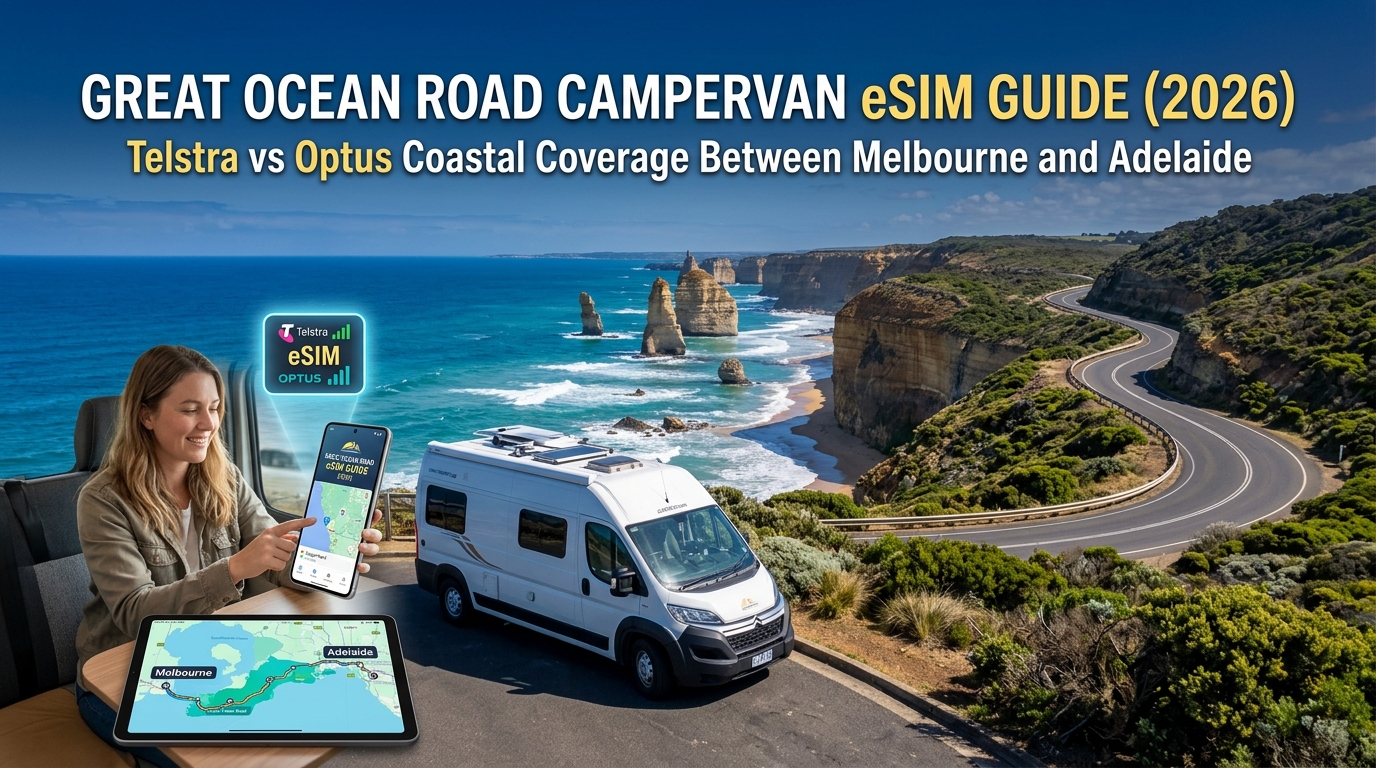
Great Ocean Road Campervan eSIM Guide (2026): Telstra vs Optus Coastal Coverage Between Melbourne and Adelaide
The Cellular Geography of the Great Ocean Road: Coastal Cliffs, Rainforests, and RF Propagation
Navigating the 664-kilometer stretch of coastline between Melbourne and Adelaide via the B100 and Princes Highway presents one of the most hostile natural environments for radio frequency (RF) propagation in Australia. While international travelers often assume that a globally celebrated tourist corridor maintains uninterrupted high-speed 5G, the raw topography of the Victorian and South Australian coastlines routinely shatters this expectation.
Understanding how physical geography impacts cellular reception is essential for keeping your campervan safely connected, powered with real-time navigation, and equipped for digital payments.
The Physics of Coastal Attenuation: High-Band 5G vs. Band 28 (700MHz)
Mobile networks rely on distinct frequency bands, each behaving differently when colliding with terrain:
- Mid-to-High Bands (2100MHz 4G / 3.5GHz 5G): Deliver ultra-fast data speeds but feature short wavelengths that cannot penetrate solid obstacles. Signals bounce off cliff walls and suffer immediate dielectric absorption when hitting water-dense vegetation.
- Low-Band Spectrum (700MHz / LTE Band 28 & Sub-6 5G n28): The foundational backbone of regional Australian mobile infrastructure. The longer wavelength of 700MHz bends over ridgelines (knife-edge diffraction) and travels kilometers through sparse scrub, making it the only band capable of reaching isolated stretches of coastal highway.
If your device or international eSIM profile lacks optimized access to primary Australian low-band networks, your phone will quickly drop to "No Service" the moment you leave coastal towns.
Geographic Hotspots and Signal Blackouts: Torquay to Mount Gambier
Cellular coverage shifts dramatically across four primary micro-terrains between Melbourne and the South Australian border:
| Geographic Zone | Terrain Characteristics | Dominant RF Impediment | Expected Real-World Reception |
|---|---|---|---|
| Torquay to Apollo Bay | Sheer sandstone cliffs, winding sea-level roadway | Cliffs Shadowing: Tower signals from inland plateaus are blocked by vertical rock faces. | Solid in Lorne and Apollo Bay; intermittent drops on narrow cliffside cuttings. |
| Great Otway National Park & Cape Otway | Dense temperate rainforest, mountain ash canopies, steep gullies | Vegetative Attenuation: High-moisture leaf canopies absorb 1800MHz–3.5GHz frequencies. | Severe blackouts around Cape Otway Lighthouse and inland rainforest tracks. |
| Princetown & The Twelve Apostles | Deep limestone gorges, sea spray, coastal dunes | Terrain Depression: Viewing platforms and beach-level gorges sit below tower line-of-sight. | Strong on clifftop boardwalks; zero reception inside deep gorges (Loch Ard Gorge). |
| The Limestone Coast to Mount Gambier | Flat coastal plains, pine plantations, vast farming expanses | Distance Decay: Massive distances between macro towers require low-band propagation. | Stable 4G on Band 28; 5G virtually non-existent outside major townships. |
Navigating Dead Zones with Resilient Campervan Connectivity
Many campervan travelers experience a sudden loss of live telemetry and navigation when winding through the Otway rainforest or descending into the Princetown coastal basin. The moment your primary data connection dips, heavy mapping applications can freeze if your data architecture cannot recover quickly.
To avoid being stranded without routing, savvy road-trippers deploy eSIMs with robust carrier access across both Tier-1 infrastructure and optimized data-handling rules. Using a reliable travel provider like MollySIM ensures your campervan remains connected across regional routes.
Crucially, even if you exhaust your high-speed daily quota while streaming or navigating through remote sectors, MollySIM maintains a 384kbps Fair Use Policy (FUP) throttle—three times faster than the restrictive 128kbps industry standard. At 384kbps, critical applications like Google Maps routing, Apple Pay token verification, and lightweight messaging continue to function smoothly, ensuring you are never left disconnected in remote coastal dead zones.
Network Shootout: Telstra vs. Optus Rural Coverage Between Melbourne and Adelaide
🌐 Global Travel High-Speed Travel eSIM & SIM Plans
Instant QR code activation, hotspot enabled, with guaranteed 384kbps fallback speed to keep Maps & Digital Wallets active.
Evaluating mobile performance along the Great Ocean Road (B100) and the subsequent Princes Highway corridor toward South Australia requires looking past standard metropolitan coverage maps. The rugged topography of the Otway Ranges, combined with the limestone cliffs of the Shipwreck Coast and vast pine-corridor distances across the Limestone Coast, creates an unforgiving RF (radio frequency) environment.
Australia’s two dominant Tier-1 physical infrastructure operators—Telstra and Optus—approach this challenge with distinct macro-tower strategies and spectrum allocations. Telstra relies heavily on its early deployment of Band 28 (700 MHz), granting it superior non-line-of-sight propagation through wet rainforest canopies. Optus matches broad coverage across major coastal hubs via Band 8 (900 MHz) and Band 28, though it exhibits higher signal attenuation when navigating switchbacks between Lorne and Apollo Bay.
The table below breaks down real-world network performance, spectrum usage, and reliability ratings across 11 key transit points from Melbourne to Adelaide:
Waypoint Signal & Performance Matrix
| Waypoint / Corridor | Primary Active Bands | Telstra Rural Signal Reliability | Optus Rural Signal Reliability | Typical Speeds (DL/UL Mbps) | Dead Zone Risk Level |
|---|---|---|---|---|---|
| Torquay | B1, B3, B7, B28, n78 | Excellent (5G/4G+) | Excellent (5G/4G+) | 180 / 35 | Very Low |
| Anglesea | B3, B8, B28, n78 | Excellent (4G+/5G) | Good (4G+) | 110 / 22 | Low |
| Lorne | B3, B8, B28 | Good (Stable 4G) | Moderate (4G drops in ravines) | 65 / 14 | Moderate |
| Kennett River | B8, B28 | Moderate (Localized 4G) | Poor / Edge Only (3G refarmed) | 18 / 4 | High |
| Apollo Bay | B3, B7, B28 | Excellent (4G+) | Good (4G+) | 85 / 18 | Low |
| Cape Otway (Inland) | B28 | Moderate (4G Low-Band) | Weak / Intermittent No Service | 12 / 2 | Critical |
| Twelve Apostles / Port Campbell | B3, B8, B28 | Good (4G on clifftops) | Moderate (4G on main deck) | 45 / 10 | Moderate (Gorges: 100%) |
| Warrnambool | B1, B3, B7, B28, n78 | Excellent (5G) | Excellent (5G) | 210 / 40 | Very Low |
| Port Fairy | B3, B8, B28 | Excellent (4G+) | Good (4G+) | 95 / 20 | Low |
| Robe (Limestone Coast) | B8, B28 | Good (4G) | Moderate (4G edge) | 40 / 8 | Moderate |
| Adelaide Outer / Metro | Full Spectrum Portfolio | Excellent (5G/4G+) | Excellent (5G/4G+) | 240 / 45 | Very Low |
Tower Density, Propagation, and Spectrum Allocation
The primary technical bottleneck on the B100 is not backhaul capacity, but rather tower density and sub-1GHz spectrum penetration. Between Kennett River and Glenaire, macro towers are spaced up to 18 kilometers apart across steep, heavily forested ridgelines.
- Telstra's Low-Band Dominance: Telstra’s extensive rollout of 700 MHz (LTE Band 28) enables its signal to bend around headlands and penetrate thick eucalyptus stands. Consequently, Telstra retains a usable -108 dBm to -114 dBm reference signal received power (RSRP) in areas where shorter-wavelength signals collapse.
- Optus Regional Adjustments: Optus uses a hybrid of Band 8 (900 MHz) and Band 28 to service coastal corridors. While performance is virtually identical to Telstra within towns like Anglesea, Apollo Bay, and Warrnambool, the signal drops off sharply 3 to 5 kilometers outside town boundaries along the Great Otway National Park interior.
RF Propagation Through Coastal Topography:
[Macro Tower] ---> Low-Band (700MHz/B28) ~~~~~~> [Campervan inside Otway Rainforest] (CONNECTED: -110 dBm)
             ---> Mid-Band (1800MHz/B3) --x (Fails at Ridge Line)
The Single-Carrier Bottleneck and Failover Realities
Relying on a single domestic carrier network during an extended Melbourne-to-Adelaide road trip introduces systemic single-point-of-failure risks:
- Cell Congestion During Peak Tourism: In summer, small cell sites at iconic viewpoints (such as the Twelve Apostles parking precinct) suffer severe uplink saturation. Even with full signal bars, packet loss can exceed 40%, stalling live navigation streams.
- Absence of Domestic Roaming: Australia does not enforce mandatory domestic inter-carrier roaming. If your campervan relies strictly on a direct single-carrier SIM card and you drift outside that provider's cell radius, your device receives zero fallback data.
To mitigate localized tower saturation and regional dropouts, deploying an adaptable eSIM infrastructure like MollySIM provides vital operational resilience. Beyond multi-network core routing capabilities, MollySIM enforces an uncapped 384kbps Fair Use Policy (FUP) threshold once high-speed allocations are exhausted.
Unlike standard carrier travel passes that throttle speeds to a non-functional 128kbps—which routinely causes SSL handshakes for banking and mapping services to time out—a 384kbps continuous pipeline delivers sufficient throughput to maintain background GPS coordinate fetching, live turn-by-turn re-routing via Google Maps or Waze, and successful processing of Apple Pay and point-of-sale transactions at remote coastal fuel stops.
Surviving Coastal Blackspots: Offline Maps, Emergency VoIP, and Route Preparedness
While the Great Ocean Road (B100) is one of Australia’s most celebrated touring corridors, its dramatic coastal topography—characterized by sheer limestone cliffs, dense temperate rainforests, and deep river gorges—creates severe radio frequency shadow zones. Even with premium domestic network access, several physical blackspots remain structurally unavoidable.
Documented Route Blackspots on the B100 Corridor
Understanding exactly where cellular handshakes fail allows campervan drivers to adjust navigation and operational workflows before losing telemetry:
| Blackspot Sector | Approximate Coordinates / Highway Marker | Dominant Physical Cause | Impacted Services |
|---|---|---|---|
| Blanket Bay & Cape Otway Access | Otway Lighthouse Rd & Blanket Bay Track | Dense canopy & depression behind coastal ridge | Complete signal blackout on all carriers for ~14 km |
| Great Otway Interior (Melba Gully & Maits Rest) | B100 between Apollo Bay and Lavers Hill | Steep temperate rainforest gullies | Zero line-of-sight to coastal macro-towers |
| Glenthorpe to Princetown Inland Cutting | B100 inland detour sectors | Undulating inland terrain shielding coastal micro-cells | Intermittent edge-only dropouts; dropped VoIP calls |
| Childers Cove & Peterborough Gorges | Coastal access turnoffs off the B100 | Sub-sea-level limestone cliff descents | Sudden tower detachment upon descending access stairwells |
Step-by-Step Pre-Departure Caching Protocol
Do not wait until signal degrades along the coastal curves past Anglesea to cache mission-critical data. Execute these downloads while connected to reliable high-capacity base stations in Geelong, Torquay, or Lorne:
- Google Maps Offline Areas: Open Google Maps on iOS/Android > tap your profile icon > Offline maps > Select your own map. Expand the bounding box to capture the entire corridor from Torquay through to Warrnambool and Mount Gambier. This preserves raw vector routing, local address databases, and basic point-of-interest information without an active data connection.
- WikiCamps Australia Offline Content: In the WikiCamps app settings, navigate to Offline Content and download the full Victoria & South Australia map packs and site databases. This ensures you can access gate codes, potable water reports, dump station statuses, and height restriction warnings in zero-coverage zones like Johanna Beach or Blanket Bay.
- Marine & Tide Caching: If accessing beach driving segments or tidal camping areas (e.g., near Wreck Beach or Princetown estuary), pre-load tidal prediction curves for Apollo Bay and Port Campbell via the Bureau of Meteorology (BOM) portal while stationary in Lorne.
Emergency 000/112 Inter-Carrier Roaming vs. Operational Breakdowns
A widespread point of confusion among international and domestic road-trippers is how cellular connectivity functions during an incident.
1. True Life-Threatening Emergencies (000 / 112)
If you dial 000 or the international standard 112 from any mobile handset, Australian telecommunications regulations enforce automatic emergency inter-carrier handovers. If your active SIM has no reception but any commercial carrier (Telstra, Optus, or TPG/Vodafone) has an active cell signal reachable by your handset, your phone will camp onto that tower exclusively to route the voice distress call.
2. Non-Life-Threatening campervan logistics (VoIP, Breakdown Triage, Check-ins)
Emergency roaming does not apply to non-life-threatening events:
- Campervan mechanical faults (alternator failures, punctured tyres, dual-battery drain).
- Late check-in notifications to national park camp hosts or private holiday parks.
- Dynamic roadside assistance dispatches via NRMA, RACV, or RAA.
- Online verification of weather warnings or road closures due to landslips.
For these operational tasks, you must maintain active packet-switched data connectivity.
In fringe-signal coastal pockets where high-speed LTE/5G bands drop away, an optimized routing solution like MollySIM ensures connectivity continuity. When high-speed buckets are depleted or navigating congested edge zones, MollySIM’s 384kbps uncapped Fair Use Policy (FUP) maintains three times the baseline throughput of conventional travel SIMs (which typically restrict fallback to an unusable 128kbps). This 384kbps continuous baseline delivers the exact throughput required to prevent SSL handshake timeouts on banking apps, authorize Apple Pay at remote petrol pumps, execute VoIP audio calls to roadside recovery services, and pull real-time turn-by-turn coordinate streams without operational interruption.
Digital Nomadism on Wheels: Campervan Hotspotting, Streaming, and Fair Usage Policies
Operating a remote workspace from a campervan while navigating coastal Victoria and South Australia introduces distinct networking challenges. Between running multi-party Zoom calls at an Otways rest stop, uploading uncompressed 4K drone reels from the Twelve Apostles, and streaming entertainment at off-grid campsites, data consumption on the road accumulates rapidly.
┌────────────────────────────────────────────────────────────────────────┐
│               CAMPERVAN DAILY BANDWIDTH CONSUMPTION PROFILE            │
├────────────────────────┬──────────────────────┬────────────────────────┤
│ Activity               │ Data Throughput Rate │ Typical Daily Impact   │
├────────────────────────┼──────────────────────┼────────────────────────┤
│ Google Maps / Waze GPS │ Vector caching       │ 60 MB – 120 MB         │
│ Zoom / Teams HD Calls  │ 1.5 – 3.0 Mbps       │ 800 MB – 1.8 GB / hr   │
│ 4K Video Streaming     │ 15 – 25 Mbps         │ 7.0 GB – 11.5 GB / hr  │
│ Cloud Photo/Video Sync │ Full uplink pipeline │ 5.0 GB – 25.0 GB / job │
└────────────────────────┴──────────────────────┴────────────────────────┘
Pocket Wi-Fi Hardware vs. Direct Campervan eSIM Tethering
Many road trippers default to renting pocket Wi-Fi dongles from airport kiosks, only to encounter severe hardware bottlenecks inside a campervan setup. Dedicated mobile routers introduce several points of failure:
- Thermal Degradation: Portable battery-powered MiFi units left on a campervan dashboard quickly overheat under direct Australian UV exposure, causing lithium-ion safety shutoffs and severe RF thermal throttling.
- Parasitic 12V Power Draw: Pocket Wi-Fi units require continuous charging, competing for limited 12V auxiliary sockets or leisure battery USB ports alongside portable fridges and water pumps.
- RF Attenuation: Placing a standalone Wi-Fi box deep inside a metal-bodied campervan or behind insulated composite paneling attenuates external cellular signals by an additional 3dB to 6dB, degrading borderline 4G connections into unusable 3G dropouts.
Direct smartphone-based eSIM tethering eliminates extra hardware, leverages your device’s superior multi-antenna MIMO array, and routes high-speed data directly to laptops and tablets via native Wi-Fi or USB tethering without thermal penalties.
| Feature / Metric | Dedicated Pocket Wi-Fi Unit | Native Smartphone Travel eSIM |
|---|---|---|
| Hardware Vulnerability | Overheats easily on dashboard mounts | Managed by phone's dynamic thermal throttling |
| Power Overhead | Continuous drain on 12V leisure system | Zero auxiliary power footprint |
| Signal Reception | Weak internal antenna; metallic van attenuation | Advanced 4x4 MIMO & Carrier Aggregation inside phone |
| Network Switching | Locked to a single physical carrier profile | Instant multi-profile switching via digital eSIM |
The Fair Usage Policy (FUP) Trap: 128kbps vs. 384kbps
The most dangerous pitfall for campervan nomads is the fine print behind "unlimited" travel data plans. Most generic roaming eSIM providers enforce aggressive Fair Usage Policies that throttle your bandwidth down to 64kbps or 128kbps the moment a daily high-speed quota (often just 1GB or 2GB) is reached.
At 128kbps, standard internet protocols collapse:
- HTTPS/SSL Handshakes Fail: Modern web applications and banking portals time out before completing initial security negotiations.
- Map Vector Tiles Fail to Render: Google Maps and Apple Maps leave you navigating over blank gray grids in remote sections of the Coorong or Great Ocean Road.
- VoIP Call Audio Drops Out: Packet loss exceeds the acceptable threshold for real-time audio compression, breaking communication with campsite managers or emergency contacts.
THROTTLED BANDWIDTH CAPABILITIES COMPARISON

128kbps Baseline (Generic Travel eSIMs):
 [❌] Google Maps Live Routing
 [❌] WhatsApp Voice Call
 [❌] Mobile Banking App Launch
 [✔] Plain SMS-style Text Only

384kbps Baseline (MollySIM FUP):
 [✔] Google Maps Vector Rendering & Live Rerouting
 [✔] Stable WhatsApp / FaceTime Audio Calls
 [✔] Dynamic Web Authentication & Cloud Syncing
 [✔] Low-Res Audio Streaming (Spotify 96kbps)
To prevent digital isolation on remote coastal corridors, choosing an infrastructure-grade provider like MollySIM is essential. Even after your primary high-speed data allocation is fully utilized, MollySIM maintains a minimum 384kbps uncapped baseline throttle—three times the speed of legacy travel providers. This sustained 384kbps throughput ensures that essential cloud operations, critical turn-by-turn vector navigation, and clear VoIP communications remain completely functional throughout the entirety of your Melbourne-to-Adelaide journey.
Why Multi-Carrier Dynamic Switching is Essential for the Melbourne to Adelaide Drive
The 1,000-kilometer overland corridor connecting Melbourne to Adelaide via the Great Ocean Road (B100), the Princes Highway (A1), and South Australia's Limestone Coast crosses distinct micro-regions with starkly fragmented cellular infrastructure. While one carrier might dominate the inland agricultural plains around Colac or Naracoorte, a competing operator often holds the exclusive macro-cell lease along the precipitous coastal cliffs of the Port Campbell National Park or the remote sand ridges of the Coorong lagoon.
Locking your device into a single domestic network leaves your campervan vulnerable to localized dead zones. Solving this connectivity gap requires multi-carrier dynamic profile switching—an enterprise-grade capability natively integrated into modern global travel eSIMs.
Under the Hood: How Dynamic Network Handshakes Work
Modern unlocked devices—including Apple iPhone (12 through 16 series), Samsung Galaxy (S21 through S25 series), and Google Pixel (6 through 9 series)—feature baseband modems capable of dynamic carrier selection via an international roaming core.
Instead of being hardcoded to a single Australian Mobile Network Operator (MNO) with a fixed MCC-MNC (Mobile Country Code / Mobile Network Code), an advanced solution like MollySIM operates through multi-carrier roaming profiles:
- Continuous Signal Evaluation: The smartphone’s cellular baseband continuously evaluates local cell towers, measuring Reference Signal Received Power (RSRP) and Signal-to-Interference-plus-Noise Ratio (SINR).
- Autonomous Network Discovery: When signal degradation hits threshold parameters (such as descending into the dense rainforest valleys of Mount Sabine along the Otway coast), the eSIM controller triggers an autonomous Public Land Mobile Network (PLMN) scan.
- Seamless Gateway Re-attachment: Rather than dropping your session to "No Service", the device executes an over-the-air re-registration, attaching to the strongest available partner tower (whether Telstra or Optus infrastructure) in under 15 seconds.
Single-Network Lock-in vs. Multi-Carrier Redundancy
| Operational Metric | Single Domestic Carrier SIM | MollySIM Multi-Carrier eSIM |
|---|---|---|
| Available Australian RANs | Locked to 1 proprietary network | Dynamic access to major Tier-1 networks |
| B100 Coastal Gaps | Complete data dropouts in off-grid pockets | Auto-routes traffic to the operational tower |
| Inland Divert Capability | Drops signal if diverting away from main highway | Retains access via secondary partner towers |
| Post-Cap Utility | Throttled to unusable 128kbps or cut off entirely | 384kbps FUP baseline (Maps, VoLTE, Apple Pay work) |
| Setup Complexity | Physical store visit & Australian ID verification | Instant QR installation before departing Melbourne |
Mission-Critical Use Cases on the Coastal Route
Having dynamic cellular switching is not merely about streaming music; it is a vital safety layer for remote campervan touring:
- Live Bureau of Meteorology (BoM) Radar & Fire Alerts: The Otways and South Australia's southeast are prone to rapid weather shifts and seasonal bushfire hazards. Dynamic switching ensures your handset pulls real-time emergency push warnings without delay.
- Turn-by-Turn Rerouting & Offline Tile Recovery: If you take an unpaved detour into the Otway Redwoods or Deep Blue national park tracks, vector map engines like Google Maps and Apple Maps require background data handshakes to re-render topographical assets and calculate fuel-burn profiles.
- Automated Toll Management: Exiting Melbourne via the West Gate Freeway or CityLink requires rapid clearance with toll operators (such as Linkt). Maintaining instant network access prevents missed toll payment windows and administrative penalties.
- Campsite Management: Securing first-come, first-served sites via Parks Victoria or National Parks South Australia (NPWSA) requires real-time mobile booking confirmation before rangers complete afternoon patrols.
By deploying MollySIM, your device automatically bypasses regional dead zones by negotiating dynamic carrier handshakes with Australia's leading networks. Even if you exhaust your primary high-speed data tier on an extended 14-day coastal trek, MollySIM's sustained 384kbps Fair Use Policy baseline delivers three times the throughput of standard travel providers—guaranteeing that vector navigation, digital toll payments, and emergency messaging remain fully operational across the entire journey to Adelaide.
Step-by-Step Guide: Installing and Optimizing Your Australia Campervan eSIM
Configuring your connectivity hardware before touching down at Melbourne Airport (MEL) or Adelaide Airport (ADL) eliminates the friction of airport kiosk queues and ensures immediate navigation access the moment you collect your campervan keys.
Follow this technical setup protocol to install, configure, and power-optimize your eSIM profile for the rugged Melbourne-to-Adelaide coastal corridor.
Phase 1: Pre-Departure Installation & Profile Provisioning
Install your digital profile while connected to a stable home or departure lounge Wi-Fi network before boarding your flight to Australia.
- Scan the Activation QR Code:
- iOS: Navigate to
Settings>Cellular(orMobile Data) >Add eSIM>Use QR Code. - Android (Samsung/Google Pixel): Go to
Settings>Connections(orNetwork & Internet) >SIM Manager>Add Mobile Plan>Scan QR code.
- Assign a Dedicated Label: Name the new line "Australia Travel" or "MollySIM" to prevent operational confusion with your home carrier profile.
- Configure Line Routing:
- Default Voice Line: Set to your primary home SIM (if you require SMS 2FA banking codes) or turn your home line off entirely to eliminate carrier roaming fees.
- Cellular / Mobile Data Line: Select your new Australia eSIM profile.
- Enable Data Roaming on the Travel Line: Toggle Data Roaming to ON under your Australia eSIM settings. Travel eSIMs route traffic via regional wholesale roaming agreements; keeping this setting enabled is mandatory for connecting to local partner towers (Telstra/Optus).
- Disable "Allow Mobile Data Switching": Ensure this toggle is switched OFF. Leaving it enabled permits your handset to pull expensive background data from your domestic home SIM whenever coastal signals dip.
Phase 2: Coastal Battery & Signal Hunting Management
The Great Ocean Road winds through deep rainforest gullies (such as the Great Otway National Park) and limestone valleys where signal penetration fluctuates rapidly. When a smartphone encounters a low-signal threshold, its internal RF transceiver amplifies power output to continuously ping distant base stations, causing severe battery degradation and device thermal throttling.
┌─────────────────────────────────────────────────────────────────────────────┐
│                       RF Signal Optimization Tactics                        │
├──────────────────────────────┬──────────────────────────────────────────────┤
│ Deep Valley Transit          │ Toggle Airplane Mode ON through confirmed    │
│ (Otway Rainforest pockets)   │ blackspots (e.g., Maits Rest to Glenaire)    │
├──────────────────────────────┼──────────────────────────────────────────────┤
│ 5G Fluctuation Zones         │ Lock network settings to "4G / LTE Only" to  │
│ (Limestone Coast highway)    │ prevent constant, battery-heavy 5G switching │
├──────────────────────────────┼──────────────────────────────────────────────┤
│ Data Depletion Safeguard     │ MollySIM maintains 384kbps baseline data     │
│ (FUP Tier active)            │ (Google Maps rerouting & Apple Pay stay up)  │
└──────────────────────────────┴──────────────────────────────────────────────┘
When managing off-grid campervan auxiliary 12V leisure batteries, preserving smartphone charge is critical. If your primary high-speed data tier runs out while navigating remote segments of the Coorong or Shipwreck Coast, MollySIM automatically engages a sustained 384kbps Fair Use Policy (FUP). Unlike industry-standard 128kbps throttling—which breaks dynamic mapping assets entirely—MollySIM’s 384kbps throughput keeps vector turn-by-turn rerouting, digital toll handshakes, and contactless payments fully responsive.
Phase 3: Must-Have Hybrid Apps Checklist for Melbourne–Adelaide
Before departing urban coverage zones, pre-load and cache the offline assets for these vital transit applications:
- Emergency Plus Australia: Uses your handset’s built-in GPS transponder alongside what3words to provide exact coordinates to Australian emergency dispatchers (000) even when cellular voice bandwidth is constrained.
- BOM Weather (Bureau of Meteorology): The gold standard for localized marine wind vectors, sudden Southern Ocean squalls, and real-time Country Fire Authority (CFA) / South Australian Country Fire Service (CFS) fire danger ratings.
- WikiCamps Australia: The definitive offline-indexed database for campervan travelers. Download the full offline regional content pack for Victoria and South Australia to access verified potable water fill stations, public dump points, and vehicle height restriction clearances.
- Park4Night & CamperMate: Essential community-driven platforms for identifying designated free-camping zones and council-enforced overnight parking restrictions along coastal reserves.
- Google Maps / Organic Maps (Offline Areas): Download offline map tiles spanning from Melbourne’s Port Phillip Bay through the Bellarine Peninsula, the Great Ocean Road, the Limestone Coast, and the Fleurieu Peninsula into Adelaide.
🌐 Global Travel High-Speed Travel eSIM & SIM Plans
Instant QR code activation, hotspot enabled, with guaranteed 384kbps fallback speed to keep Maps & Digital Wallets active.