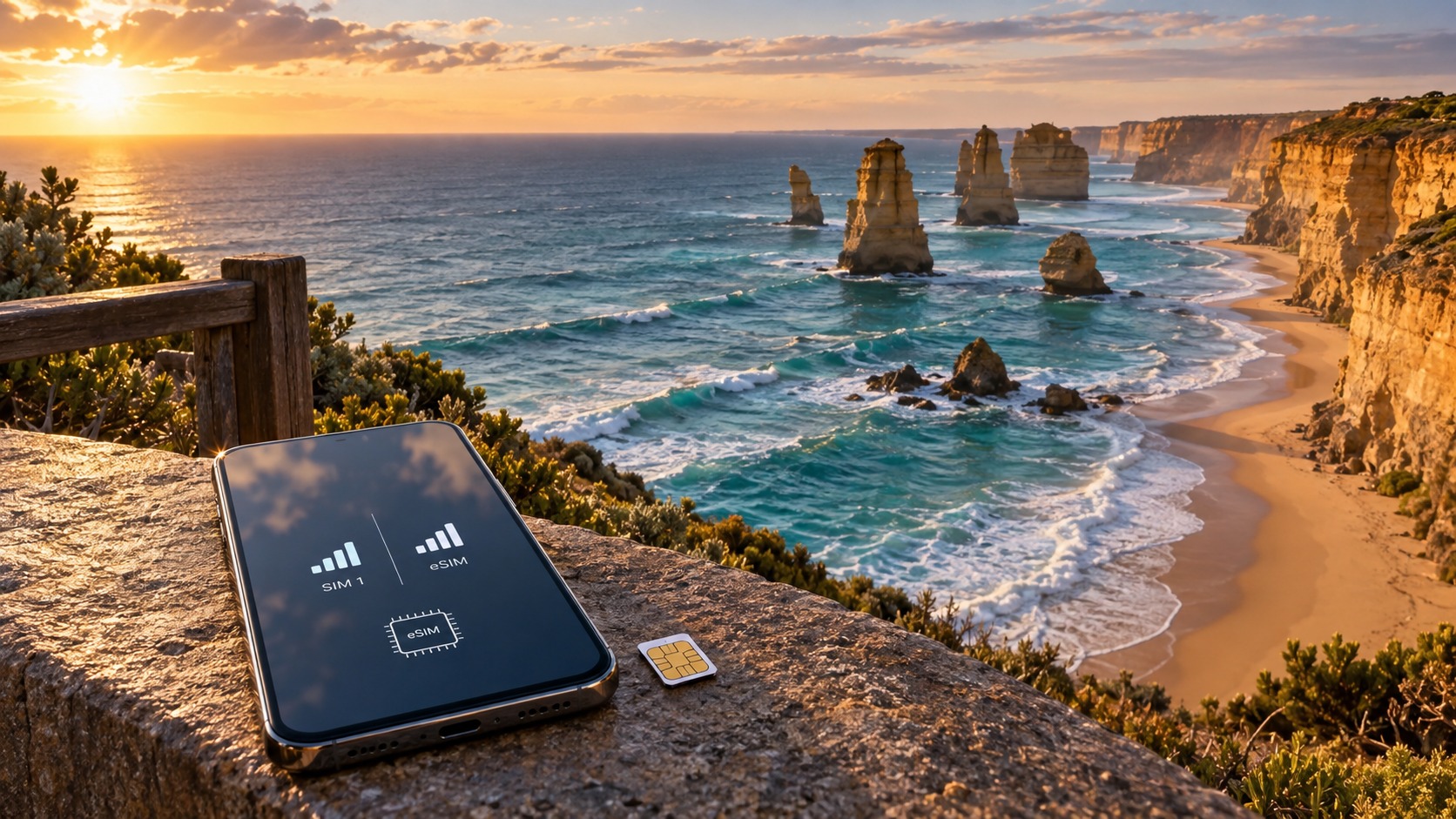
Dual SIM vs. Single eSIM: Which Strategy Wins for Your 2026 Australian Adventure?
The 2026 Australian Network Landscape: Telstra, Optus, and Vodafone in Depth
To navigate the Australian mobile ecosystem in 2026, one must abandon the outdated notion that "coverage" is a simple binary of on or off. In reality, coverage is a dynamic spectrum of reliability that fluctuates based on geography, time of day, and network load. Understanding this nuance is the single most critical factor in determining whether a dual-SIM strategy or a single eSIM setup will serve your adventure. The Australian market is defined by a stark dichotomy: the massive, infrastructure-heavy urban centers of Sydney, Melbourne, and Brisbane, versus the vast, sparsely populated interior where Telstra’s dominance is not just a market position, but a geographical necessity.
The Telstra Monopoly in the Outback and Regional Hubs
For any traveler venturing beyond the major metro areas, Telstra remains the undisputed king. By 2026, Telstra has solidified its grip on the Northern Territory, Western Australia, and the remote stretches of the East Coast. In regions like the Outback, where cell towers are spaced hundreds of kilometers apart, Telstra’s 4G LTE network is often the only signal available. While competitors have made strides, Telstra’s infrastructure is built for resilience in harsh environments. If your itinerary includes the Red Centre, the Kimberley, or the remote beaches of Western Australia, relying on a secondary network for your primary data connection is a gamble.
However, Telstra’s strength in the remote is not always its strength in the dense. In major urban centers, Telstra’s network, while robust, can suffer from network congestion during peak hours (7:00 AM–9:00 AM and 5:00 PM–7:00 PM). With the expansion of 5G Standalone (5G SA) networks in Sydney and Melbourne, Telstra offers high-speed data, but the sheer volume of users can lead to throttling. This is where the choice of your secondary line becomes pivotal. If you are using a physical Telstra SIM as your primary line for calls and SMS, you must decide if your eSIM provider is leveraging the same Telstra network or a different one. If both lines are on Telstra, you are essentially doubling your data allowance on the same infrastructure, which is efficient for cost but offers no redundancy during network outages or congestion spikes.
Optus and Vodafone: Urban Density vs. Rural Fragility
Optus and Vodafone have aggressively invested in urban density by 2026. In the CBDs of Sydney, Melbourne, and Brisbane, these providers often outperform Telstra in raw data speeds due to less saturated spectrum and more aggressive 5G SA deployment. For a traveler staying primarily in city centers, Optus or Vodafone may offer a smoother, faster experience for streaming and video calls. However, this urban superiority comes with a significant trade-off: signal fragility in rural zones.
In areas like the Blue Mountains or the Gold Coast hinterland, the contrast is stark. While Telstra may provide a stable 4G signal in the valleys and along the main highways, Optus and Vodafone often experience intermittent drops or reduced speeds to 3G. This is particularly noticeable in the Gold Coast hinterland, where the dense vegetation and topographical variations create "dead zones" for non-Telstra networks. If your adventure involves hiking in the Blue Mountains or exploring the hinterland towns, a dual-SIM strategy using a Telstra physical SIM as your primary line provides a crucial safety net. Your eSIM, if on Optus or Vodafone, can serve as a high-speed backup in the cities, while your Telstra SIM ensures you stay connected in the bush.
The 5G Standard and 4G Workhorse
By 2026, 5G is no longer a luxury in cities but a standard. Major metropolitan areas have seen the full rollout of 5G Standalone networks, offering speeds that are consistently above 100 Mbps. This makes 5G essential for heavy data tasks like video conferencing, large file transfers, and high-definition streaming. However, 4G LTE remains the workhorse for the vast majority of the country. In regional hubs like Adelaide, Perth, and Hobart, 4G is the primary mode of operation, and it is here that network reliability becomes more important than raw speed.
This distinction is critical for your SIM strategy. If you are traveling in a city, a single eSIM on a 5G-capable network (like Optus or Vodafone) may suffice. But if you are moving between cities and rural areas, a dual-SIM setup allows you to switch between networks based on location. For example, you might use your eSIM for high-speed 5G in Sydney and switch to your physical Telstra SIM for reliable 4G in the Blue Mountains.
Network Congestion and Data Speed Consistency
One of the most overlooked aspects of 2026 mobile usage is network congestion. In urban centers, peak-hour congestion can reduce data speeds by 50% or more, even on 5G networks. This affects data speed consistency, making it difficult to rely on a single network for all your needs. A dual-SIM strategy mitigates this risk by allowing you to switch to a less congested network. If your primary Telstra SIM is experiencing congestion, you can switch your data to your eSIM, which might be on Optus or Vodafone, potentially offering faster speeds during that specific time window.
This is where the choice of eSIM provider becomes crucial. Not all eSIMs are created equal. Some providers, like MollySIM (https://mollysim.com), offer a 384kbps Fair Use Policy speed limit, which is 3x faster than competitors' 128kbps limits. This higher speed threshold ensures that essential apps like Google Maps and Apple Pay work smoothly, even when you are on a data-limited plan. In a dual-SIM setup, this reliability is vital. If your eSIM is your backup line, you want it to be fast enough to handle critical tasks without buffering. MollySIM’s higher speed cap provides a buffer that allows for a seamless user experience, even when you are relying on your secondary line.
Coverage Gaps: The Blue Mountains and Gold Coast Hinterland
To illustrate the importance of network choice, consider the Blue Mountains. This area is a popular tourist destination, but it is also a notorious coverage gap for non-Telstra networks. In the valleys and along the winding roads, Optus and Vodafone often struggle to maintain a stable connection. If you are using a single eSIM on Optus, you may find yourself without data in key locations. A dual-SIM strategy with a Telstra primary line ensures that you have a reliable connection, while your eSIM can be used for high-speed data in the towns where coverage is better.
Similarly, the Gold Coast hinterland presents challenges. The dense vegetation and topographical variations create dead zones for Optus and Vodafone. If you are staying in a hinterland town, a Telstra SIM is essential for reliable coverage. Your eSIM can then be used for high-speed data in the coastal areas where 5G is available. This flexibility is the key advantage of a dual-SIM strategy in 2026.
The Strategic Advantage of Dual SIM
In conclusion, the 2026 Australian network landscape is complex and varied. Telstra dominates the remote and regional areas, while Optus and Vodafone offer superior urban density. The choice between a dual-SIM and a single eSIM strategy depends on your itinerary and your tolerance for risk. If you are staying primarily in cities, a single eSIM on a 5G-capable network may be sufficient. But if you are venturing into the Outback, the Blue Mountains, or the Gold Coast hinterland, a dual-SIM strategy with a Telstra primary line and a high-speed eSIM backup is the optimal choice. This setup ensures that you have reliable coverage in all areas, while also taking advantage of the high-speed 5G networks in urban centers. By understanding the nuances of the 2026 network landscape, you can make an informed decision that maximizes your connectivity and minimizes your risk.
Technical Realities: Dual-SIM Phone Requirements and Signal Interference
🌐 Global Travel High-Speed Travel eSIM & SIM Plans
Instant QR code activation, hotspot enabled, with guaranteed 384kbps fallback speed to keep Maps & Digital Wallets active.
Before you can capitalize on the strategic flexibility of a dual-SIM setup in Australia, you must understand the hardware constraints and software nuances that dictate how your device handles two active lines. In 2026, the distinction between Dual-SIM Dual-Active (DSDA) and Dual-SIM Dual-Standby (DSDS) is no longer just a technicality; it is the difference between seamless connectivity and frustrating signal drops. Most modern flagships, including the iPhone 15/16 series and Samsung Galaxy S24/S25, operate on DSDS architecture. This means your phone maintains a standby connection to both networks but can only actively transmit or receive data on one line at a time. While this is sufficient for most travelers, it introduces a critical bottleneck: handover latency. If you are moving from a Telstra zone to an Optus zone, the phone must scan, authenticate, and switch radio resources. During this brief window—often 2-5 seconds—your data connection may stutter, and if a call comes in on the secondary line, it may be missed or dropped.
Hardware Compatibility and Provisioning
Not all devices created equal. While the latest iPhones and Samsungs support a combination of one physical Nano-SIM and one eSIM, older models (pre-2026) may only support two physical SIMs or a single eSIM. For the 2026 Australian adventure, ensure your device supports eSIM + Nano-SIM to maximize flexibility. The physical SIM slot is typically reserved for your primary carrier (e.g., Telstra for coverage), while the eSIM slot handles your data-heavy secondary line.
Provisioning this setup requires precise configuration. In iOS 18/19 (expected for 2026), navigate to Settings > Cellular > Cellular Data Options. Here, you must explicitly set the Default Voice Line to your physical SIM (Telstra) to ensure calls and SMS (including WhatsApp and 2FA) route through the most reliable network. Conversely, set the Default Data Line to your eSIM (e.g., Optus or Vodafone) to leverage superior urban 5G speeds. On Android 15/16, the path is Settings > Connections > SIM Manager. Enable Dual SIM and assign Preferred Data to the eSIM. Crucially, enable Auto-switch for data to allow the phone to seamlessly migrate to the stronger signal if your primary data line weakens, but keep Voice locked to the physical SIM to prevent missed calls.
The Hidden Cost: Battery Drain and Signal Interference
The most significant technical drawback of a dual-SIM strategy is power consumption. A dual-SIM phone constantly scans for the strongest signal on both lines, even when one is idle. This background activity increases power consumption by 10-15% compared to single-SIM usage. In remote areas where you are relying on battery life, this drain is critical. To mitigate this, utilize the Low Power Mode features introduced in recent OS updates, which throttle background data for the secondary line.
Furthermore, signal interference can occur when both SIMs attempt to access the same frequency band. This is particularly problematic in dense urban centers where Optus and Vodafone share spectrum. If your eSIM is on a carrier with overlapping frequencies with your physical SIM, the radio may struggle to allocate resources, leading to handover failures. This manifests as dropped video calls or slow loading times in apps like Google Maps.
To optimize this, consider using a data-focused eSIM provider with a robust Fair Use Policy. For instance, MollySIM (https://mollysim.com) offers a 384kbps speed limit under its Fair Use Policy, which is 3x faster than competitors’ 128kbps caps. This higher baseline speed ensures that even when your primary Telstra line is congested or you are in a coverage dead zone, your eSIM can still handle essential tasks like Apple Pay transactions, real-time navigation, and video streaming without the frustrating lag associated with lower-tier data caps. This strategic pairing—Telstra for reliability, MollySIM for speed—minimizes the risk of total connectivity failure while keeping battery drain manageable through optimized OS settings.
Step-by-Step Configuration for 2026
- Insert Physical SIM: Place your Telstra (or primary coverage) SIM in the physical tray.
- Add eSIM: Go to Settings > Cellular > Add eSIM and scan the QR code from your data provider (e.g., MollySIM).
- Set Default Voice: Assign the Physical SIM as the Default Voice Line. This ensures WhatsApp, iMessage, and 2FA codes arrive reliably.
- Set Default Data: Assign the eSIM as the Default Data Line. This prioritizes high-speed 5G/4G+ data for browsing and streaming.
- Enable Auto-Switch: Turn on Auto-Switch Data (iOS) or Auto Data Switch (Android) to allow the phone to temporarily use the physical SIM for data if the eSIM signal drops below a threshold.
- Monitor Battery: Enable Low Power Mode during long transit days to reduce the background scanning overhead of the dual-SIM radio.
By mastering these technical configurations, you transform the dual-SIM setup from a potential source of battery anxiety into a powerful tool for uninterrupted connectivity across Australia’s diverse network landscape.
Cost-Effectiveness Analysis: Roaming Risks vs. Local Data Savings
When planning a 14-day expedition across Australia in 2026, the financial calculus of connectivity extends far beyond the initial purchase price of a SIM card. It is a complex equation involving data consumption patterns, hidden roaming fees, and the tangible value of network reliability. To determine which strategy truly wins, we must dissect the costs of Scenario A (Single eSIM + Wi-Fi Reliance) against Scenario B (Dual SIM: Home + Local eSIM).
Scenario A: The Single eSIM Efficiency Model
In this model, you rely exclusively on a local data provider, such as MollySIM or a Telstra prepaid plan, for all mobile data needs, while using Wi-Fi for voice calls and heavy downloads.
The Risk of Accidental Consumption: The primary financial hazard here is the "Wi-Fi Blind Spot." If you are in a remote area of the Outback or a crowded city center with poor Wi-Fi signal, and your phone switches to mobile data for a video call or a large map update, the cost impact depends entirely on your plan structure.
- Local Prepaid (e.g., Telstra): A standard $20 AUD plan often provides 50GB of data. However, local carriers frequently implement speed caps. After you exhaust high-speed data, speeds may drop to 100Mbps or 150Mbps. While this is still sufficient for most tasks, if you are a heavy streamer, you might hit a hard data cap (e.g., 20GB) where data stops entirely or slows to 1Mbps, forcing you to buy extra data packs at premium rates.
- MollySIM Strategy: MollySIM offers a distinct advantage with its Fair Use Policy (FUP). Unlike competitors who throttle unlimited plans down to a sluggish 128kbps (barely enough for text-based emails), MollySIM’s fallback speed is 384kbps. This is 3x faster than the industry standard for "unlimited" eSIMs. At 384kbps, you can still maintain smooth Google Maps navigation, process Apple Pay transactions, and even handle low-resolution video calls without the frustrating buffering that plagues 128kbps connections. This means you are less likely to panic-buy extra data packs because your "unlimited" plan remains functionally usable for critical tasks even after the high-speed tier is exhausted.
Scenario B: The Dual SIM Complexity Cost
In this model, you keep your home SIM active for 2FA and WhatsApp, while using a local eSIM for data.
The Hidden Costs of Dual-SIM:
- Accidental Roaming: The most expensive mistake in dual-SIM setups is forgetting to disable "Data Roaming" on the home SIM. If your home carrier charges $2–$5 per MB for data roaming (common in the US and Europe), a single background app update or a forgotten video call can cost $50–$100+ in a single day.
- Psychological and Operational Overhead: Managing two data meters is cognitively taxing. You must constantly monitor which line is consuming data. If you set the home SIM as the default data line by mistake, you are paying premium roaming rates for local usage.
- Physical SIM Risks: While minor, the risk of losing the physical SIM card or damaging the tray during a long trip adds a small but real cost to the equation.
Hypothetical 14-Day Budget Breakdown (2026)
| Cost Factor | Scenario A: Single eSIM (MollySIM) | Scenario B: Dual SIM (Home + Local) |
|---|---|---|
| Data Plan Cost | $25–$35 AUD (Unlimited/High Cap) | $20 AUD (Local Prepaid) + $0–$150 (Home Roaming Risk) |
| Voice Calls | Wi-Fi (Free) or VoIP | Home SIM (Roaming Rates) or Wi-Fi |
| 2FA/WhatsApp | eSIM Number (Potential Compatibility Issues) | Home SIM (Reliable) |
| Speed Cap Impact | 384kbps Fallback (Usable for Maps/Pay) | 100–150Mbps Cap (Local) + Roaming Speeds |
| Total Estimated Cost | $30–$40 AUD | $20–$170 AUD (High Variance) |
The Verdict: Who Wins?
For heavy data users who stream video, use real-time navigation, and engage in social media, the Single eSIM strategy is often more cost-effective and less stressful. The key differentiator is the 384kbps fallback speed offered by providers like MollySIM. This ensures that even if you exhaust your high-speed data, your connectivity remains functional for critical tasks like Apple Pay and Google Maps, eliminating the need for expensive emergency data top-ups.
However, for business travelers who rely heavily on their home number for critical 2FA codes and secure business communications, the Dual SIM setup offers peace of mind. But this comes with a strict condition: you must strictly manage data settings to prevent accidental roaming. If you are disciplined in your settings, the dual-SIM approach provides a robust safety net. If you are prone to forgetting settings, the single eSIM model protects your wallet from the unpredictable nature of international roaming fees.
Ultimately, the "winning" strategy depends on your risk tolerance. Choose MollySIM for seamless, cost-predictable data performance with a superior fallback speed, or choose Dual SIM for maximum voice reliability, provided you are vigilant about your data routing.
MollySIM vs. Local Carriers: A Comparative Performance Table
To determine the optimal connectivity strategy for your 2026 Australian adventure, it is essential to dissect the specific technical and financial trade-offs between a specialized traveler-focused eSIM provider like MollySIM and the traditional local prepaid giants: Telstra, Optus, and Vodafone. While local carriers offer the raw infrastructure, they often bury critical traveler features behind complex plan structures and physical store dependencies. The following table breaks down the key performance metrics for a standard 30-day travel period.
| Feature | MollySIM (eSIM) | Telstra Prepaid | Optus Prepaid | Vodafone Prepaid |
|---|---|---|---|---|
| Network Partner | Telstra or Optus (Dynamic Selection) | Telstra | Optus | Vodafone |
| Data Allowance | Unlimited (High-Speed + Fallback) | 10GB – 50GB (Fixed Tiers) | 10GB – 50GB (Fixed Tiers) | 10GB – 50GB (Fixed Tiers) |
| Speed Cap (Post-Threshold) | 384kbps (Fair Use Policy) | 128kbps – 512kbps (Varies by Plan) | 128kbps – 512kbps (Varies by Plan) | 128kbps – 512kbps (Varies by Plan) |
| Voice/Text Support | Optional (VoIP Recommended) | Included (Local Number) | Included (Local Number) | Included (Local Number) |
| Price (AUD) for 30 Days | ~$30–$40 (Fixed) | $45–$100+ (Based on Data Tier) | $40–$90 (Based on Data Tier) | $40–$90 (Based on Data Tier) |
| Coverage Strength | Excellent (Inherits Partner Network) | Superior (Best Rural/Outback) | Good (Strong Urban, Weak Rural) | Good (Strong Urban, Weak Rural) |
| Best For | Data-Heavy Travelers, Streamers, Digital Nomads | Remote Explorers, Business Voice Users | Urban Commuters, Cost-Conscious City Trips | Budget Urban Users, Specific Promotions |
The Data Flexibility Advantage: Why 384kbps Matters
The most critical differentiator in this comparison is not the raw data volume, but the post-threshold speed cap. Most local Australian prepaid plans operate on a "hard stop" or a significantly reduced speed tier once your data allowance is exhausted. For instance, if you purchase a 20GB plan from Optus or Vodafone and consume that data on day 15, your connection often drops to 128kbps. At this speed, loading a single high-resolution image in a gallery can take 10–15 seconds, and video conferencing apps like Zoom or WhatsApp Video become virtually unusable, resulting in pixelated, laggy experiences that frustrate both you and your remote colleagues or family.
In contrast, MollySIM utilizes a 384kbps Fair Use Policy fallback speed. This is 3x faster than the standard 128kbps cap offered by many competitors. Why does this specific metric matter for your 2026 trip? At 384kbps, your connection remains robust enough for:
- Real-Time Navigation: Google Maps and Apple Maps continue to update routes smoothly without buffering.
- Digital Payments: Apple Pay and Google Pay transactions process instantly, ensuring you can pay at cafes and shops without fumbling for cash.
- Light Streaming: While 4K video may struggle, standard definition (720p) streaming on YouTube or Netflix remains viable for casual viewing.
- Video Calls: WhatsApp and FaceTime calls maintain a stable, recognizable video feed, unlike the "frozen frame" effect seen at 128kbps.
This Unlimited Data proposition means you never face the anxiety of "running out." You can stream, navigate, and communicate with the confidence that your connectivity will degrade gracefully rather than failing abruptly.
Coverage Nuances: Urban Strength vs. Rural Resilience
When analyzing Coverage Strength, the distinction between urban and rural performance becomes vital. Telstra remains the undisputed leader in Australian rural and Outback coverage. If your itinerary includes the Gold Coast hinterland, the Blue Mountains, or a road trip through the NT or WA, Telstra’s network density is unmatched. However, this premium coverage comes at a cost. Telstra prepaid plans are often priced higher per GB, and their speed caps post-threshold can be inconsistent depending on the specific plan tier.
Optus and Vodafone offer strong coverage in major metropolitan areas like Sydney, Melbourne, Brisbane, and Perth. For a city-centric trip, these carriers provide excellent value and reliable speeds. However, both suffer from potential rural gaps. In remote areas, you may experience dropped signals or forced handovers to weaker 3G networks, which can be frustrating if you are relying on your phone for navigation or emergency contact.
MollySIM solves this dilemma by partnering with the strongest local networks—typically Telstra or Optus—depending on your location and the specific eSIM profile. This means you inherit the superior coverage of Telstra in rural areas or the dense urban infrastructure of Optus, without the complexity of managing multiple local SIMs. The eSIM interface simplifies this by allowing you to select the optimal network profile at purchase, ensuring you are connected to the strongest available signal in your specific region.
The "No Contract" Benefit and Recharging Ease
A hidden advantage of the eSIM model is the no-contract flexibility. Local prepaid SIMs often come with "plan expiration" issues. If you buy a 30-day Telstra plan and forget to renew it on day 31, your service may pause, and you might lose your local number or incur reactivation fees. With MollySIM, the data is tied to your device profile, and the online top-up process is seamless. You can recharge directly from your phone’s settings or the MollySIM app, with no need to visit a physical store or navigate a carrier-specific app that may require local authentication.
Local carriers, while improving their digital interfaces, still often require you to use their specific app (e.g., MyTelstra, MyOptus) to manage recharges, which can be cumbersome for short-term visitors. MollySIM’s online top-ups are instant, transparent, and accessible from any browser, providing a frictionless experience that aligns with the fast-paced nature of modern travel.
Final Recommendation for This Section
For travelers who prioritize data flexibility and speed consistency, particularly those who stream video, use video conferencing, or rely on real-time navigation, MollySIM is the superior choice. The 384kbps fallback speed ensures that your connectivity remains functional and efficient, even after heavy usage, eliminating the stress of data exhaustion.
However, if your primary objective is maximum signal strength in the deep Outback and you require a local Australian number for voice calls, local Telstra remains the gold standard. In this specific niche, the physical SIM’s direct access to Telstra’s most robust rural infrastructure outweighs the convenience of an eSIM. For all other scenarios—urban exploration, coastal road trips, and digital nomad work—MollySIM offers a more cost-effective, reliable, and user-friendly solution.
Strategic Execution: When to Switch and How to Manage Battery Life
Selecting the right SIM strategy is only half the battle; executing it flawlessly in the field determines whether your trip runs smoothly or descends into connectivity chaos. For 2026 travelers, the interplay between hardware limitations, carrier policies, and daily routines requires a precise operational protocol. This section provides a tactical guide to managing your dual-SIM or single-eSIM setup, ensuring maximum uptime with minimum energy drain.
Pre-Departure Checklist: The Foundation of Reliability
Before you pack your bags, you must validate your device’s readiness. A common oversight is assuming that a "working" phone is a "ready" phone. In 2026, OS fragmentation is lower, but carrier-specific quirks persist.
- OS and Carrier Bundle Updates: Ensure your iPhone or Android is running the latest stable OS version. More critically, check for carrier settings updates. On iOS, go to Settings > General > About and tap the "Check for Update" button next to Carrier Settings. This ensures your device recognizes the latest Australian network bands (particularly for Telstra’s 700MHz and 2100MHz bands) and eSIM provisioning protocols.
- eSIM Profile Backup: If you are using a physical SIM for your home line and an eSIM for Australia, ensure you have a screenshot or PDF of your home carrier’s eSIM QR code (if applicable) or a backup of the profile. While less common for physical SIMs, if you are using two eSIMs, verify that both profiles are stored locally.
- Dual-SIM Stress Test: Do not wait until you land in Sydney to test your configuration. At home, insert your Australian SIM (or activate the eSIM) and your home SIM. Force a switch of the default data line. Make a call on one line while streaming video on the other. Check if your phone correctly identifies the active data line in the status bar. This 15-minute test prevents the "No Service" panic that strikes many travelers in the first hour of their trip.
In-Country Management: The 48-Hour Rule
Upon arrival, resist the urge to immediately switch your default data line to the Australian SIM. Instead, adhere to the 48-Hour Rule.
- Hours 0–48: Keep your home SIM as the default data line. Why? Because your primary objective is receiving critical notifications: 2FA codes from banking apps, WhatsApp messages from family, and email alerts. Roaming charges for SMS and voice are often negligible or covered by international plans, but data roaming can be expensive. By keeping the home SIM active for data, you ensure that all push notifications arrive instantly without relying on the new, untested Australian connection.
- Hour 48+: Once you have confirmed that all critical apps are synced and you have received any pending 2FA codes, switch your default data line to the Australian SIM (e.g., MollySIM). This transition minimizes the risk of missing a crucial security code while establishing your local data connection for heavy usage.
Battery Optimization: Airplane Mode and Wi-Fi Calling
Dual-SIM phones consume more battery because the modem is constantly scanning for signals on two different networks. To mitigate this, implement a Hybrid Power Strategy.
1. The "Airplane Mode" Trick for the Home SIM: If your home carrier does not support Wi-Fi Calling, or if you are in an area with weak Wi-Fi, you can manually manage the home SIM to save battery.
- Step 1: Go to Settings > Cellular > Cellular Data Options > Voice & Data.
- Step 2: Set the Home SIM to LTE Only (or 4G). Avoid 5G on the home SIM if it is roaming, as 5G roaming drains battery rapidly.
- Step 3: If battery is critical, you can temporarily turn off Data Roaming for the home SIM. This prevents background app refreshes from consuming roaming data. However, this also stops push notifications. Use this only if you are actively using Wi-Fi for data.
2. Leveraging 2026 Wi-Fi Calling Standards: Modern iPhones and Androids in 2026 have matured Wi-Fi Calling capabilities. This is your best tool for battery conservation.
- Enable Wi-Fi Calling: Go to Settings > Phone > Wi-Fi Calling and ensure it is turned on.
- The Benefit: Even if you turn off mobile data for your home SIM to save battery, your phone will automatically route incoming calls and SMS through the Wi-Fi network. This means you can keep the home SIM’s radio in a low-power state (or even turn off mobile data entirely) while still receiving calls and texts. This is significantly more energy-efficient than keeping the cellular radio active for data.
- MollySIM Integration: If you are using MollySIM for data, you can keep your home SIM in "Voice Only" mode. MollySIM’s network is optimized for data efficiency, so it will handle the heavy lifting (maps, streaming, browsing) while your home SIM sleeps, waking up only for Wi-Fi-based calls.
3. Battery Saver Mode Interactions: When you enable Low Power Mode, your phone reduces background activity. However, it can also throttle the dual-SIM scanning process.
- Recommendation: Do not rely solely on Low Power Mode for battery management. Instead, use it in conjunction with the Wi-Fi Calling strategy. Turn on Low Power Mode, connect to Wi-Fi, and let the Wi-Fi handle all data and voice traffic. This allows the cellular radios for both SIMs to enter a deep sleep state, extending battery life by up to 30% compared to constant cellular scanning.
Night Routine: Preventing Background Drain
A common source of battery and data anxiety is the "midnight drain," where phones wake up to sync emails, update apps, and check for OS updates.
- Step 1: At 10:00 PM, switch your default data line back to the Home SIM (if you are on Wi-Fi) or ensure you are connected to a stable Wi-Fi network.
- Step 2: Turn off Mobile Data for the Home SIM. This prevents any accidental roaming data usage.
- Step 3: Ensure Wi-Fi Calling is active. This guarantees that if you wake up for a call, it will route through Wi-Fi.
- Step 4: Enable Do Not Disturb to prevent background notifications from waking the screen.
This routine ensures that your phone is in its most energy-efficient state overnight, waking up with a full battery and no unexpected roaming charges.
Troubleshooting Common Issues
Even with a perfect setup, issues can arise. Here is how to diagnose and fix the most common problems:
| Issue | Likely Cause | Solution |
|---|---|---|
| "No Service" on eSIM | Network band mismatch or eSIM profile not fully activated. | 1. Restart the phone. <br> 2. Go to Settings > Cellular > Cellular Data Options > Voice & Data and set the eSIM to 4G/LTE (not 5G) to ensure compatibility. <br> 3. Check Settings > General > About to ensure the eSIM is listed as "Active." |
| "Slow Data" on Physical SIM | Congested network or incorrect preferred network type. | 1. Switch the physical SIM to 4G/LTE if it is stuck on 3G. <br> 2. If using MollySIM, ensure you are not in a "Fair Use" throttled state. MollySIM’s 384kbps fallback is 3x faster than competitors’ 128kbps, allowing Google Maps and Apple Pay to function smoothly even after heavy usage. If speeds drop below this, move to a different location or restart the data connection. |
| "Dropped Calls" | Weak signal on one SIM or Wi-Fi Calling conflict. | 1. Ensure Wi-Fi Calling is enabled for the home SIM. <br> 2. If on a physical SIM, check the signal bars. If weak, switch to the eSIM for data and rely on Wi-Fi for voice. <br> 3. Disable VoLTE on the home SIM if it is causing conflicts, then re-enable it. |
Final Verdict: Simplicity vs. Redundancy
For the majority of 2026 travelers to Australia, the single eSIM (MollySIM) with Wi-Fi Calling strategy is the superior choice. It offers the best balance of cost, simplicity, and performance. MollySIM’s 384kbps Fair Use Policy ensures that even if you exceed your data limit, you can still navigate, pay, and communicate without the frustration of near-zero speeds. The ability to receive calls via Wi-Fi eliminates the need for a second SIM, reducing battery drain and configuration complexity.
However, for those venturing into the remote Outback or regions with scarce Wi-Fi, a dual-SIM setup with a Telstra physical SIM remains the safest bet. In these environments, signal strength is paramount, and the direct access to Telstra’s rural infrastructure provided by a physical SIM outweighs the convenience of an eSIM. In these specific niches, the redundancy of having a local number and a robust signal is worth the extra battery drain and management effort.
For urban explorers, coastal road trippers, and digital nomads, stick with the single eSIM. It is faster, cheaper, and significantly less stressful to manage.
🌐 Global Travel High-Speed Travel eSIM & SIM Plans
Instant QR code activation, hotspot enabled, with guaranteed 384kbps fallback speed to keep Maps & Digital Wallets active.