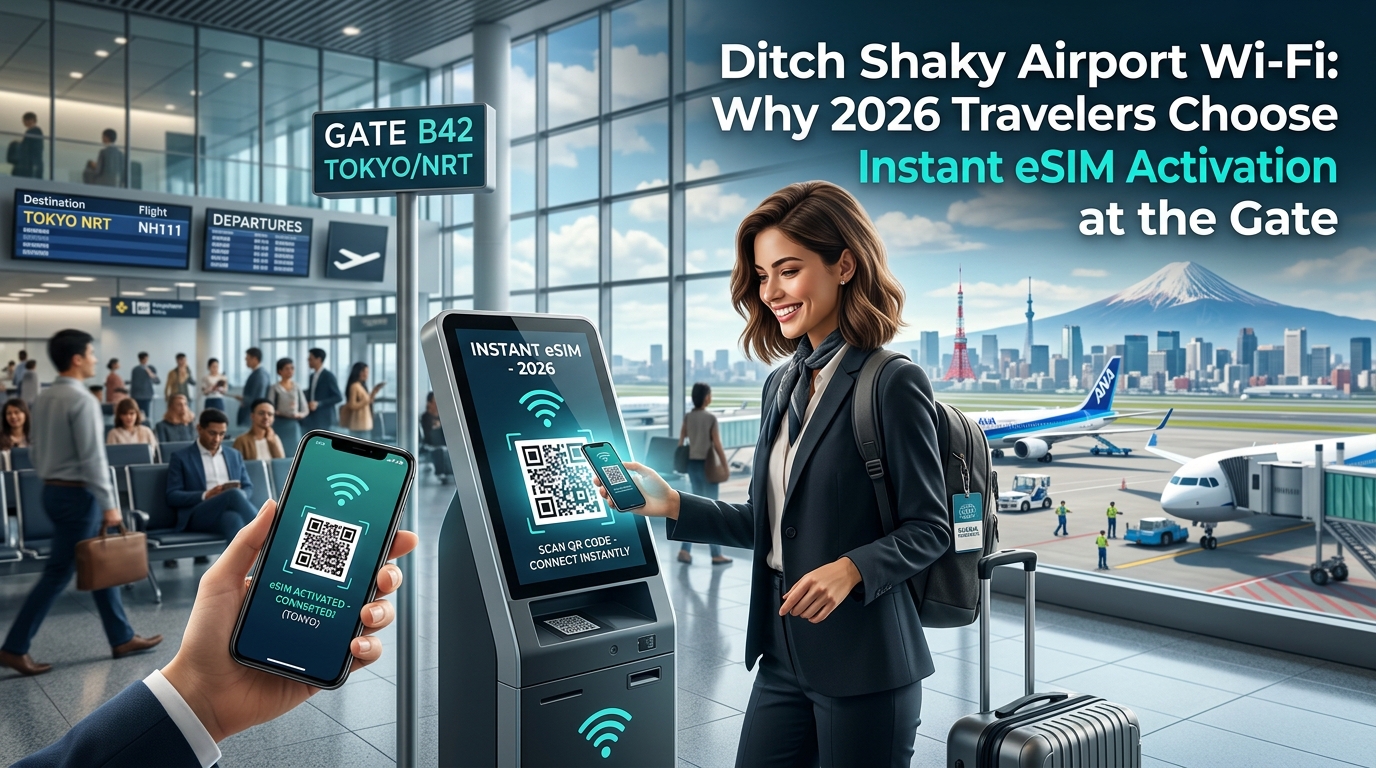
The Airport Wi-Fi Illusion: Why Captive Portals and Session Limits Fail Modern Travelers
For decades, the standard deplaning ritual has remained unchanged: wheels touch down, the seatbelt sign dings, and hundreds of passengers instinctively disable Airplane Mode to hunt for free airport Wi-Fi. What promises to be a seamless gateway to ride-hailing apps, hotel reservations, and urgent work communications routinely devolves into a gauntlet of digital friction.
Public airport networks are not designed for mission-critical, low-latency connectivity. Instead, they are engineered around marketing acquisition, data harvesting, and strict bandwidth rationing.
+------------------+------------------------------+-------------------------------------+
| Global Hub       | Common Friction Point        | Typical User Impact                 |
+------------------+------------------------------+-------------------------------------+
| London Heathrow  | Multi-step marketing forms   | Requires email opt-in before 45-min |
| (LHR)            | and tier-based speeds        | complimentary access window resets. |
+------------------+------------------------------+-------------------------------------+
| New York JFK     | Fragmented terminal networks | Session drops when transferring     |
| (JFK)            | with aggressive timeouts     | between terminals or ground transit.|
+------------------+------------------------------+-------------------------------------+
| Dubai Int'l      | Mandatory mobile SMS         | SMS auth fails if home carrier roaming|
| (DXB)            | verification gates           | is turned off to prevent bill shock.|
+------------------+------------------------------+-------------------------------------+
| Seoul Incheon    | Dense network congestion     | High latency during peak landing    |
| (ICN)            | despite high base speeds     | banks, stalling secure VPN tunnels. |
+------------------+------------------------------+-------------------------------------+
| Tokyo Narita     | Layered terms of service     | Re-authentication required after    |
| (NRT)            | and frequent lease renewals  | moving past customs into arrivals.  |
+------------------+------------------------------+-------------------------------------+
The Friction Engine: Captive Portals and Data Harvesting
The primary bottleneck is the captive portal—a web page that intercepts network traffic before granting internet access. At hubs like London Heathrow (LHR) or New York JFK, these gateways require users to complete invasive questionnaires, hand over phone numbers, or watch unskippable 30-second advertisements.
For travelers who have just disabled their primary carrier's roaming to avoid exorbitant fees, two-factor SMS verification poses an immediate dead end: the verification code is sent to an offline SIM card, locking them out of the network entirely.
Furthermore, these networks subject users to aggressive lease times. A standard 30-to-60-minute session limit will quietly sever an active connection without warning. For an international business traveler finalizing an urgent corporate deck or a tourist requesting an Uber at an unfamiliar terminal curb, an unexpected Wi-Fi drop mid-transaction can mean lost ride requests, surging cancellation fees, or corrupted secure VPN sessions.
Why Legacy Hub Infrastructure Fails the 2026 Passenger
Modern travel infrastructure demands continuous background data exchange. Ride-hailing dispatch systems, live currency converters, dynamic Apple Wallet boarding passes, and encrypted messaging platforms cannot function reliably across fragmented access points that drop packets every time you walk from the gate to the baggage carousel.
Rather than surrendering personal data to insecure, unencrypted airport access points, modern travelers bypass public infrastructure entirely. Solutions like MollySIM latch directly onto local tier-1 cellular towers the instant the aircraft reaches the gate.
Crucially, even if data allowances run low during heavy transit days, MollySIM maintains a 384kbps Fair Use Policy (FUP) baseline speed—three times faster than the standard 128kbps throttle offered by legacy providers. This ensures essential lightweight tools like Google Maps navigation, Uber ride-matching, and Apple Pay authentication never fail, eliminating the airport Wi-Fi lottery once and for all.
Cybersecurity Deep-Dive: MITM Exploits, Rogue APs, and SMS OTP Risks on Transit Wi-Fi
🇯🇵 Japan High-Speed Travel eSIM & SIM Plans
Instant QR code activation, hotspot enabled, with guaranteed 384kbps fallback speed to keep Maps & Digital Wallets active.
Public Wi-Fi networks in high-density transit hubs are inherently zero-trust minefields. Thousands of transient devices share an open broadcast domain without client isolation, creating an ideal environment for low-barrier, high-impact cyber exploits. While travelers assume a captive portal with terms of service implies basic security, the reality is that open 802.11 networks lack cryptographic separation between connected clients.
1. Evil Twin Deployments and Rogue Access Points
The most prevalent threat in international terminals is the Evil Twin attack. Threat actors deploy battery-powered hardware tools (such as a Wi-Fi Pineapple) in airline lounges or food courts, broadcasting spoofed SSIDs like Gate_Free_HighSpeed_WiFi or mimicking the terminal's exact network name.
Because standard consumer devices prioritize signal strength over network provenance, smartphones frequently auto-associate with the attacker’s rogue access point. Once connected:
- The attacker controls the default gateway and local DNS resolver.
- Traffic is routed through transparent proxies that execute SSL/TLS stripping (e.g., using tools like
mitmproxyorbettercap), downgrading securehttps://requests to unencryptedhttp://where possible. - Travelers entering login details into hotel loyalty programs, airline portals, or non-HSTS sites expose cleartext credentials and session tokens.
2. ARP Cache Poisoning and Packet Sniffing
Even on genuine, airport-sanctioned Wi-Fi networks, the absence of network segmentation allows bad actors on the same subnet to launch Address Resolution Protocol (ARP) spoofing attacks. By flooding the local network switch with forged ARP responses, an attacker maps their MAC address to the IP address of the legitimate default gateway.
This positions the attacker as a silent intermediary (Man-in-the-Middle), enabling real-time packet inspection, session hijacking, and DNS cache poisoning—redirecting legitimate financial queries to high-fidelity phishing clones designed to steal corporate access keys and credit card data.
3. The SMS OTP Vulnerability Loop in Transit
Relying on SMS-based Two-Factor Authentication (2FA/OTP) over public transit Wi-Fi introduces severe multi-channel attack vectors:
- Credential Desynchronization: While an attacker sniffs a web session over an intercepted Wi-Fi portal, any triggered SMS verification sent over an unencrypted roaming bridge can be harvested if the user is targeted via broader SS7/Diameter signaling exploits or malicious localized IMSI-catchers operating within the terminal.
- Session Hijacking via Stolen Cookies: An attacker who intercepts a valid session cookie via a compromised Wi-Fi link bypasses the SMS OTP requirement altogether, gaining direct access to corporate Slack, Gmail, or cloud environments without triggering a new login challenge.
Threat Comparison: Transit Hub Wi-Fi vs. GSMA Cellular Architecture
| Threat Vector | Public Airport Wi-Fi (802.11b/g/n/ac) | GSMA-Standard Cellular / Travel eSIM |
|---|---|---|
| Data Encryption Over the Air | Often None (Open/Unencrypted) or Shared WPA2 PSK | End-to-end hardware encryption (AES-128/256 via 3GPP standards) |
| Authentication Protocol | Captive Portal / Weak MAC filtering | Mutual authentication via eUICC hardware enclave & AKA protocol |
| Vulnerability to Rogue APs | Extremely High (SSID spoofing, Evil Twins) | Virtually Zero (Towers authenticated cryptographically via core network) |
| Subnet Client Visibility | High (Devices visible to all peers on local subnet) | Zero (Complete hardware-isolated point-to-point data tunnel) |
| DNS Hijacking Risk | High (Local rogue DHCP/DNS servers) | Mitigated (Direct cellular carrier-assigned secure DNS resolvers) |
Hardware-Enforced Cellular Security via eSIM
Unlike public Wi-Fi, modern cellular connectivity relies on rigorous 3GPP and GSMA standards. When an eSIM from MollySIM connects to local Tier-1 partner towers at the gate, it establishes a hardware-encrypted tunnel governed by the Authentication and Key Agreement (AKA) protocol.
The embedded eUICC chip holds unique cryptographic keys that physically cannot be extracted or spoofed by bad actors sitting in the terminal. Every data packet sent over 4G LTE or 5G NR bands is encrypted at the radio access layer using robust cipher suites (such as AES-128/256 or SNOW 3G), completely insulating mobile sessions from adjacent eavesdroppers.
Furthermore, maintaining this cellular barrier requires an uninterrupted data pipeline. While competitors drop connections entirely or throttle users down to an unusable 128kbps once high-speed quotas expire—forcing desperate passengers back onto hazardous public Wi-Fi—MollySIM implements a 384kbps Fair Use Policy (FUP) baseline.
This 3x speed buffer ensures that critical security handshakes, TLS/SSL certificate verifications, corporate zero-trust VPN tunnels, and encrypted token exchanges for Apple Pay and banking apps remain fully functional without exposing devices to unencrypted hub infrastructure.
Airport Public Wi-Fi vs. Pocket Wi-Fi vs. International Travel eSIM: 2026 Comparison
Choosing the right connectivity method for international transit requires balancing speed, operational overhead, and raw cryptographic integrity. While legacy travelers often default to captive-portal airport Wi-Fi or expensive daily carrier roaming passes, the modern cross-border data landscape demands an architecture built for zero-trust environments and zero-friction transitions.
The table below contrasts the four dominant travel connectivity paradigms across key technical, operational, and financial dimensions:
| Evaluation Metric | Airport Public Wi-Fi | Carrier International Roaming | Physical Pocket Wi-Fi (MiFi) | MollySIM Travel eSIM |
|---|---|---|---|---|
| Setup Friction | High (Captive portals, SMS verification, personal data capture forms) | Low (Zero setup, but requires post-landing carrier handshake confirmation) | High (Airport counter pickup/return queues, device charging, pairing) | Ultra-Low (Instant QR or one-tap in-app install prior to departure) |
| Cryptographic Security | Vulnerable (Open unencrypted 802.11 or vulnerable WPA2/3, subject to ARP/DNS poisoning) | High (3GPP AKA cellular hardware encryption) | Medium (Encrypted WPA2/3 Wi-Fi link, but subject to local wireless interception) | Highest (Direct eUICC hardware AKA encryption via local Tier-1 partner towers) |
| Speed & Latency Dynamics | Highly erratic (Sub-1 Mbps to 20 Mbps, high jitter, heavily throttled during peak hours) | High (LTE/5G, but often subject to high round-trip latency due to home routing) | Moderate to High (LTE/5G local speeds; added 5–15ms local Wi-Fi hop latency) | Native Tier-1 5G/4G Speeds (Direct local breakout routing for low latency) |
| Multi-Hub Transit Handling | Fails continuously (Requires fresh portal logins at every layover airport) | Automatic (Seamless, but incurs compounding daily flat fees per territory) | Poor (Requires country-specific SIM swaps inside the router or multi-region rentals) | Automated (Regional profiles route across global hubs without manual intervention) |
| Cost per Gigabyte / Day | Free (Monetized via behavioral data harvesting and ad injections) | $10.00 – $15.00 / day ($50 – $100+ per week on major domestic carriers) | $8.00 – $14.00 / day plus security deposits, delivery, and return shipping fees | Low, transparent per-GB prepaid pricing (No daily lock-ins or contracts) |
| Out-of-Data Safety Net | None (Immediate cutoff or kick-out after 30–60 minute session limits) | Harsh overages ($15–$30/GB) or hard cutoff depending on carrier terms | Hard throttle to 64–128kbps or complete data termination | 384kbps Fair Use Policy (FUP) (3x faster than standard 128kbps limits) |
Total Cost of Ownership (TCO) and Bill Shock Dynamics
Carrier international roaming remains one of the largest sources of unexpected travel expenses. Domestic carriers typically charge between $10 and $15 per 24-hour cycle for international day passes. For a multi-hub, two-week itinerary across Europe or Asia, this adds $140 to $210 in carrier add-ons alone. Furthermore, if a passenger lands in a transit hub (such as Doha or London Heathrow) for a three-hour layover, turning on cellular data can trigger an entire day’s charge.
Conversely, MollySIM allows travelers to purchase targeted regional or country-specific data bundles upfront. There are no automatic daily triggers, unexpected international tax surcharges, or hidden activation fees.
The Physical Attack Surface and Operational Friction of Hardware Rentals
Pocket Wi-Fi (MiFi) devices introduce notable physical and operational vulnerabilities:
- Hardware Dependency & Battery Drain: A pocket Wi-Fi router represents an additional lithium-ion battery requiring continuous management. If the router dies during transit, all linked devices lose access simultaneously.
- Return Logistics and Loss Penalties: Renting a pocket Wi-Fi unit requires queuing at terminal kiosks upon arrival and returning the hardware before boarding outbound flights. Misplacing the unit, cables, or protective cases results in steep penalty charges ($150–$300).
- Local RF Interception: While pocket Wi-Fi encrypts the radio link between the mobile device and the router, it still broadcasts a local SSID that can be tracked, targeted with deauthentication attacks, or jammed in crowded terminal gates.
An eSIM lives entirely within the device’s tamper-proof eUICC (Embedded Universal Integrated Circuit Card), completely removing external hardware vulnerabilities, cable clutter, and counter queues.
Multi-Hub Transit Resiliency and Baseline Continuity
During complex international routing—such as flying from New York to Singapore with a layover in Frankfurt—travelers must maintain uninterrupted access to boarding passes, critical banking authentication codes, and communication tools.
Public airport Wi-Fi frequently disconnects during movement between terminals, forcing users to re-authenticate through aggressive captive portals that often fail behind enterprise VPNs.
By leveraging native profile handshakes with local Tier-1 networks, digital eSIM profiles transition seamlessly as soon as the aircraft touches down. Even if a traveler completely exhausts their high-speed data allocation while waiting at the gate, MollySIM's built-in 384kbps FUP baseline maintains continuous operation for essential protocols. Unlike the 128kbps industry standard that causes connection timeouts, a 384kbps pipeline reliably handles:
- Dynamic vector rendering on Google Maps and Apple Maps
- Encrypted token exchanges for Apple Pay and Google Wallet
- Multi-factor push notifications from enterprise authenticator apps
- Real-time text messaging over Signal, WhatsApp, and iMessage
Tarmac-to-Terminal Experience: Unlocking True Wheels-Down 5G Connectivity
The modern international arrival begins long before walking through the jet bridge doors. The moment an aircraft’s landing gear touches down and deceleration completes on the runway, the cabin chime sounds. For the legacy traveler, this triggers a frustrating sequence: hunting for open Wi-Fi networks, battling sluggish captive login portals that demand email submissions, or facing extortionate daily carrier roaming passes.
For the eSIM-enabled traveler, this transition is frictionless. With a pre-installed digital profile, you flip off Airplane Mode while the aircraft is still decelerating down the runway, initiating an instant baseband handshake with local Tier-1 5G cellular towers.
Eliminating the Taxiway Blackout Window
At major international transit hubs like London Heathrow (LHR), Tokyo Haneda (HND), or Chicago O'Hare (ORD), taxiing from the runway to the assigned arrival gate often takes anywhere from 10 to 25 minutes. Having immediate high-speed data during this dead time transforms passive waiting into active preparation.
Rather than waiting in line at physical airport kiosks to buy marked-up physical plastic SIM cards, travelers with active MollySIM profiles instantly access critical logistical services directly from their seats:
- Digital Immigration & Customs Clearance: Seamlessly generate and render dynamic entry QR codes (such as the Singapore SG Arrival Card, Visit Japan Web, or Malaysian Digital Arrival Card) without stalling on blank captive Wi-Fi browser tabs.
- Proactive Ground Transportation: Check live pricing, surge algorithms, and driver availability on Uber, Lyft, Grab, or Bolt. You can line up your pickup at the designated rideshare lane before your gate is even assigned.
- Instant Operational Comms: Dispatch confirmation pings to family, clients, or hotel concierges over WhatsApp, Telegram, or iMessage with zero packet loss.
- Navigation Pre-Caching: Render detailed city maps and public transit itineraries via Google Maps or Apple Maps before stepping onto the jet bridge.
| Arrival Task | Public Airport Wi-Fi Experience | Instant 5G eSIM (e.g., MollySIM) |
|---|---|---|
| Authentication Speed | 3–8 minutes (Captive portal, email forms, ads) | Instant (< 5 seconds) after toggling Airplane Mode |
| Connection Stability | Frequent dropouts between terminal zones | Continuous Tier-1 5G/LTE handoff |
| Data Privacy | Unencrypted, vulnerable to local sniffing | Hardware-encrypted cellular transmission |
| Post-Cap Usability | Hard throttle or complete disconnect | 384kbps FUP keeps maps, wallets, and chats live |
Zero Physical Footprint at the Baggage Carousel
The traditional ritual of arriving in a new country involved scanning the terminal concourse for telco kiosks, standing in line with dozens of deplaned passengers, presenting a physical passport for manual scanning, and using a paperclip to swap micro-SIM cards—creating an immediate risk of losing your domestic card.
With digital provisioning, your primary carrier remains active for emergency two-factor SMS alerts, while your high-speed data routes entirely through the secondary travel eSIM line. Even if heavy streaming or route tracking depletes your initial high-speed data tier while you navigate immigration lines, MollySIM’s built-in 384kbps baseline prevents the dreaded "No Internet Connection" crash, guaranteeing that critical payment tokens, authentication apps, and transit maps stay fully operational through the airport exit doors.
The MollySIM Advantage: Seamless Auto-Profiles and the Essential 384kbps Safety Floor
Modern travel demands an infrastructure that eliminates friction before you step off the jet bridge. While legacy travel SIMs and early-generation eSIM providers require manual APN configuration, tedious network operator selection, or secondary app verifications upon landing, the underlying architecture of MollySIM is engineered for immediate, zero-touch execution across 150+ countries.
Intelligent Multi-IMSI Auto-Latching
At the core of MollySIM’s connectivity engine is dynamic IMSI switching paired with Tier-1 roaming agreements worldwide. Instead of relying on a single foreign carrier contract that forces your device to search blindly for compatible cell towers, MollySIM pre-provisions multiple localized profiles directly onto your eSIM profile.
When your aircraft touches down in Tokyo, Frankfurt, or São Paulo and you disable Airplane Mode, the eSIM’s baseband firmware evaluates local radio frequencies in milliseconds. It auto-latches to the strongest partner network (such as NTT DOCOMO, Deutsche Telekom, or Vivo) without requiring manual network searching in your phone's cellular settings. This delivers native-like 5G and high-speed LTE speeds directly to your device before the seatbelt sign turns off.
The Safety Net: Why the 384kbps Baseline Changes Everything
The standard pitfall of traditional travel data plans is the hard data cliff. With conventional providers, consuming your allocated gigabytes during an unexpected flight delay or multi-hour layover results in one of two catastrophic outcomes: an immediate hard disconnect or a punitive throttle down to 64kbps–128kbps. At 128kbps, modern encrypted applications fail completely—TLS handshakes time out, maps display blank grey grids, and ride-hailing requests crash before reaching the dispatch server.
MollySIM solves this logistical vulnerability with an industry-leading 384kbps Fair Use Policy (FUP) safety floor—delivering 3x the operational bandwidth of typical competitor throttles.
| Mission-Critical Travel Task | Legacy eSIM Throttling (128kbps) | MollySIM Safety Floor (384kbps) |
|---|---|---|
| Google Maps / Apple Maps | Fails to render vector tiles; route calculation timeouts | Vector tiles load smoothly; real-time GPS rerouting active |
| Uber / Grab / Lyft Dispatch | App timeout during driver matching & payment token exchange | Complete booking, driver tracking, and chat functionality |
| WhatsApp / iMessage / Signal | Text-only with delayed delivery; voice notes fail to send | Instant text delivery, compression-ready voice notes, image exchange |
| Digital Wallet / 2FA Verification | Secure enclave handshakes frequently drop connection | Immediate pass/ticket updates and bank OTP push delivery |
| Airline Apps (Boarding Passes) | Gate update errors; slow dynamic barcode rendering | Live flight status updates and instant QR/PKPass syncing |
By guaranteeing this baseline speed, MollySIM ensures that running out of high-speed data in an unfamiliar terminal never turns into an emergency. Whether you need to navigate to your gate during an unscheduled reroute or hail an airport transfer outside the terminal, your essential data pipeline remains fully functional without forcing an immediate, panic-induced top-up.
Pre-Departure Setup Guide: How to Configure Your Phone for Instant Gate Connectivity
The most effective window to install and configure your travel profile is while waiting in the departure lounge before boarding, using your secure home cellular connection or trusted personal hotspot. Configuring your device prior to takeoff eliminates arrival bottlenecks, bypasses captive portal authentication at foreign transit hubs, and guarantees immediate network registration the second wheels touch the tarmac.
Step 1: Profile Provisioning (App Push vs. Direct QR Scan)
Modern travel eSIM providers support two primary installation pathways: Direct In-App Push Provisioning and Universal QR Scanning.
- In-App Push (Fastest): If you purchase through the provider app, select Install eSIM. The app uses local API bridges to communicate with your device’s Local Profile Assistant (LPA), eliminating the need for a second screen.
- QR Code / Manual LPA Entry: If you receive an activation voucher via email, display the QR code on a laptop, tablet, or printout. Alternatively, copy the raw
LPA:1$SMDP.EXAMPLE.COM$ACTIVATION-CODEstring into your device's manual activation field.
Step 2: OS-Level Dual SIM Configuration
Modern dual-SIM architectures require explicit routing rules for voice, SMS, and data pipelines to prevent cross-line data leakage.
For Apple iOS (iPhone 11 through iPhone 16 Pro / Pro Max)
Settings ➔ Cellular (or Mobile Data)- Add eSIM: Tap Add eSIM (or Set Up Cellular Service), select Use QR Code, and scan your activation token.
- Assign Cellular Labels: Name your physical or home line "Primary" and the new line "MollySIM Travel". Label hygiene prevents routing errors during transit.
- Default Voice Line: Set to "Primary" if you need to receive international bank SMS codes or 2FA voice prompts.
- Cellular Data Line: Switch the active data route to "MollySIM Travel".
- Disable Auto-Switching: Turn "Allow Cellular Data Switching" to OFF.
⚠️ Warning: Leaving Allow Cellular Data Switching enabled allows iOS to silently fall back to your domestic carrier’s roaming data if the travel profile experiences a momentary signal drop, triggering severe legacy roaming fees.
For Android (Google Pixel, Samsung Galaxy S20–S25, Foldables)
Settings ➔ Connections ➔ SIM Manager (Samsung)
- or -
Settings ➔ Network & Internet ➔ SIMs (Google Pixel / Stock Android)- Add Profile: Tap Add eSIM / Download a SIM instead and complete the camera scan.
- Designate Primary Data Line: In Preferred SIM / Mobile Data, select your travel eSIM profile.
- Lock Voice/SMS Routing: Set Calls and Messages to your home carrier profile if you require passive SMS receipt.
Step 3: Roaming Toggle Calibration (Preventing Carrier Bill Shock)
To ensure zero accidental carrier charges while maintaining continuous connectivity:
| Line Profile | Status | Data Roaming Toggle | Expected Behavior |
|---|---|---|---|
| Home Carrier (Primary) | ON | OFF | Receives passive 2FA text messages for free on most networks; data pipe completely blocked. |
| MollySIM Travel eSIM | ON | ON | Authenticates immediately with overseas roaming partners (e.g., Vodafone, NTT Docomo, Orange). |
Navigate to your travel eSIM settings:
- iOS:
Settings➔Cellular➔ Tap MollySIM Travel ➔ Toggle Data Roaming: ON. - Android:
Settings➔Network & Internet➔SIMs➔ Tap MollySIM ➔ Toggle Roaming: ON.
Step 4: APN Auto-Configuration and Pre-Flight Validation
In 98% of cases, modern eSIM platforms configure the Access Point Name (APN) automatically upon network attachment. If your status bar shows active signal bars without an LTE / 5G data indicator upon arrival:
- Navigate to your eSIM profile’s Cellular Data Network (iOS) or Access Point Names (Android).
- Verify that the APN field matches the specific string indicated in your order instructions (e.g.,
globaldataorinternet). Leave username and password blank unless explicitly specified. - Toggle Airplane Mode ON for 10 seconds, then OFF to force a fresh baseband handshake with the local cell tower.
By provisioning your connection with MollySIM before pushback, you ensure that your device immediately negotiates roaming partner handshakes upon runway landing. Even under edge-case network conditions or sudden data cap exhaustion, MollySIM's default 384kbps Fair Use Policy baseline keeps Google Maps rendering vector routes, Apple Pay/Google Wallet tokens updating, and ride-hail messaging operational without requiring manual troubleshooting inside a crowded arrival terminal.
🇯🇵 Japan High-Speed Travel eSIM & SIM Plans
Instant QR code activation, hotspot enabled, with guaranteed 384kbps fallback speed to keep Maps & Digital Wallets active.